For clean NSFW AI images, use CFG scale 5-7, DPM++ 2M Karras or Euler a, and 25-35 steps. Generate at the model’s native resolution (1024px for SDXL). CFG above 9 melts anatomy. A good baseline is DPM++ 2M Karras, 30 steps, CFG 6.
Settings are where most NSFW AI frustration comes from, and where most of it gets solved. People obsess over prompts and checkpoints while leaving CFG, sampler, and step count at whatever the UI defaulted to. But these three numbers decide whether your prompt and checkpoint actually deliver. Wrong settings can make a great checkpoint produce melted hands and oversaturated skin, and the right settings can rescue a mediocre prompt.
This guide explains what each setting does, what values to use, why wrong values break anatomy, and how to tune settings by goal. It applies across AUTOMATIC1111, Forge, and ComfyUI, and across both anime and photorealistic checkpoints.
CFG Scale: The Most Misunderstood Setting
CFG stands for classifier-free guidance. It controls the balance between two forces: how strictly the model follows your text prompt, and how much it draws on its own learned sense of what a good image looks like. At low CFG the model has more freedom and produces soft, sometimes loose results that may drop parts of your prompt. At high CFG the model is forced to obey the prompt rigidly, which sounds good but comes at a steep cost.
The cost of high CFG is oversaturation and distortion. Colors blow out, contrast spikes, edges harden, and anatomy stiffens or melts because the model is being pushed past its comfortable operating range. The widespread belief that higher CFG means better prompt following is wrong. CFG improves adherence only up to roughly 7 to 9. Beyond that it just damages the image without making the model listen any harder.
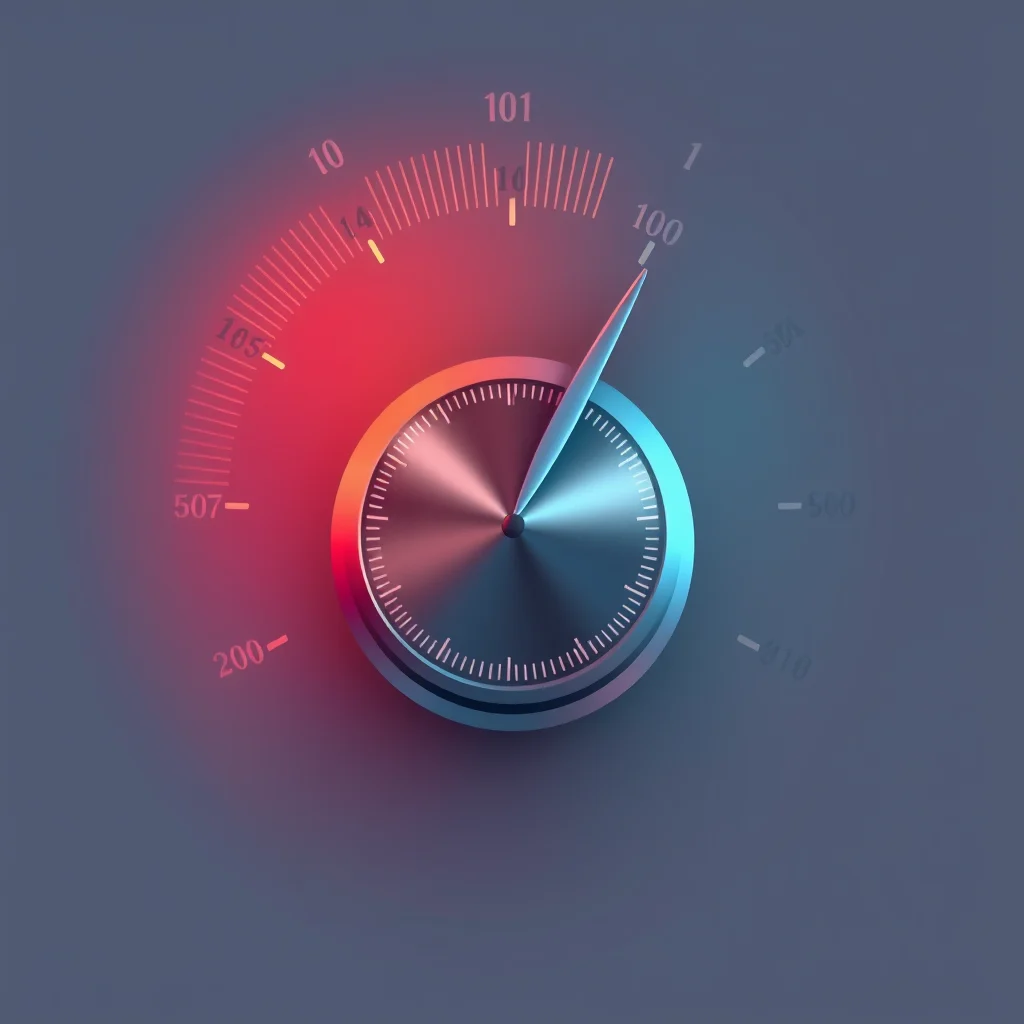
Practical values: anime checkpoints like Pony Diffusion and Illustrious XL look best at CFG 6 to 7. Photorealistic checkpoints like Juggernaut XL and RealVisXL often prefer 4 to 6, since realism is fragile and high CFG turns skin to wax. CFG 12 and above is broken territory for almost every model. If you want stronger prompt adherence, write a clearer prompt or use tag weighting, not a higher CFG.
Samplers: What They Are and Which to Use
A sampler is the algorithm that turns random noise into an image over a series of steps. Different samplers take different mathematical paths to the same destination, and they vary in speed, sharpness, and stability. You do not need to understand the math, you need to know which three to use.
DPM++ 2M Karras is the best all-round choice. It converges cleanly, produces sharp detail, and is stable across checkpoints. Make this your default for final images. Euler a is fast and forgiving. The “a” means ancestral, which adds a little randomness each step, so it is excellent for exploring prompt ideas in batches. DPM++ SDE Karras adds extra texture and grain detail and shines on photoreal hero shots, but it needs a few more steps to settle.
Older samplers like DDIM and the plain Euler still work but generally need more steps for the same quality, so there is little reason to prefer them in 2026. Pick DPM++ 2M Karras as your default and you will rarely need anything else.
Steps: How Many You Actually Need
Steps are how many denoising passes the sampler makes. More steps means more refinement, but only up to the point where the image converges, after which extra steps do nothing but waste time. For modern samplers, that convergence point is around 30 steps. The useful working range is 25 to 35.
Below 20 steps the image is undercooked: noise remains, fine detail is missing, and anatomy can look unfinished. Above 40 steps you are almost always burning time for no visible gain. Euler a can produce acceptable results as low as 20 steps because of its ancestral nature, while DPM++ SDE Karras benefits from sitting near 35. Thirty steps is a safe universal default.
Resolution: The Hidden Anatomy Killer
Resolution is a setting people forget is a setting. Every checkpoint has a native resolution it was trained at. SDXL models like Pony and Juggernaut expect 1024px-class resolutions. SD 1.5 models like Realistic Vision expect 512px to 768px. Generate far above the native resolution and the model tries to fill space it does not understand, producing duplicated heads, extra limbs, and stretched torsos.
The fix is to generate at native resolution and then upscale. Hires Fix generates a native-size base and intelligently scales it up, preserving anatomy. For final large images, always go through Hires Fix rather than generating huge directly. Our Hires Fix guide and upscaler guide cover this in detail.
Settings by Goal
| Goal | Sampler | Steps | CFG |
|---|---|---|---|
| Fast prompt exploration | Euler a | 20-25 | 6 |
| Everyday quality (anime) | DPM++ 2M Karras | 30 | 6-7 |
| Everyday quality (photoreal) | DPM++ 2M Karras | 30 | 4-6 |
| Final hero shot (detail) | DPM++ SDE Karras | 35 | 5-7 |
| Maximum prompt obedience | DPM++ 2M Karras | 30 | 7-9 |
| Consistency / reproducible | DPM++ 2M Karras | 30 | 6 |
A Diagnostic Checklist for Broken Output
When an image comes out wrong, work this list in order before blaming the prompt. Is CFG above 9? Drop it to 6. Are steps below 25? Raise them to 30. Are you generating above the model’s native resolution? Drop to 1024px for SDXL or 768px for SD 1.5 and use Hires Fix. Is CLIP skip wrong for the checkpoint? Pony and Illustrious want CLIP skip 2. Is the negative prompt weak? Add anatomy negatives from the negative prompts master list.
Most broken images are fixed by one of those five checks, and four of the five are settings, not prompts. When you do need to repair a specific area rather than regenerate, our inpainting workflow guide covers targeted fixes. The discipline that makes you good at settings is changing one variable at a time. Lock everything else, move CFG alone, see what happens, then move steps alone. That is how you build real intuition instead of guessing.
Settings by Use Case
There is no single best setting block, only the right one for the job. For fast iteration while you refine a prompt, run Euler a at 20 steps and CFG 6, which gives a usable preview in a few seconds. Once the composition is right, switch to DPM++ 2M Karras at 30 to 35 steps and CFG 7 for the final render. For photoreal NSFW work, slightly lower CFG, around 5 to 6, keeps skin tones natural; for anime checkpoints, 6 to 8 holds line work cleanly.
Hires fix is where most quality is won or lost. Run the base pass at 1024 wide, then a hires pass at 1.5x with denoising 0.35 to 0.45. Higher denoising reintroduces the doubled-anatomy problem, so resist pushing it. Our hires fix guide covers that pass in depth, and the ADetailer guide handles face cleanup automatically on top.
Troubleshooting Bad Output Through Settings
When anatomy melts, the cause is almost always CFG too high or steps too low. Drop CFG to 6 and confirm steps are at least 25 before changing anything else. When output looks washed out and plasticky, CFG is too high for that checkpoint, so step it down by one or two. When images look noisy or unfinished, steps are too low for the sampler, since ancestral samplers like Euler a keep shifting and need enough steps to settle.
When a generation is close but a hand or eye is wrong, do not re-roll the whole image, since you will lose the parts that worked. Inpaint the problem zone instead at denoising 0.4 to 0.5, following our inpainting workflow guide. Treat settings as a small set of dials you adjust deliberately, not randomly, and most quality problems resolve in one or two passes.
Seeds and Reproducibility
The seed is the random starting point for a generation, and reusing a seed with the same prompt and settings reproduces the same image. This matters for refinement: once a composition is close, lock the seed and change only one setting at a time so you can see exactly what each adjustment does. Randomize the seed only when you want a genuinely new composition. Saving the seed of a strong result also lets you return to it later for inpainting or a higher-resolution re-render.
Treat your best settings block as a saved preset. Most interfaces let you store generation parameters as a style or template, so once you find values that work for a checkpoint, save them and reuse rather than re-tuning each session.
Related: Stable Diffusion NSFW Black Image Fix 2026.
Frequently Asked Questions
What is the best CFG scale for NSFW AI images?
For most NSFW checkpoints, CFG scale between 5 and 7 is the sweet spot. Anime models like Pony and Illustrious do well at 6 to 7, while photorealistic models often look best at 4 to 6. CFG above 9 oversaturates colors and stiffens anatomy. DPM++ 2M Karras tolerates slightly higher CFG than other samplers.
What does CFG scale actually do?
CFG scale, or classifier-free guidance, controls how strictly the model follows your prompt versus how much creative freedom it takes. Low CFG gives loose, soft results that may ignore parts of the prompt. High CFG forces strict prompt adherence but oversaturates and distorts. The mid-range balances obedience with natural-looking output.
Which sampler is best for NSFW generation?
DPM++ 2M Karras is the best all-round sampler for NSFW work, offering sharp detail and stability. Euler a is faster and more forgiving, ideal for batch exploration. DPM++ SDE Karras gives extra texture detail at higher step counts. Avoid older samplers like DDIM for final images, as they need more steps for the same quality.
How many steps should I use?
25 to 35 steps covers almost all NSFW generation. Most samplers fully converge by 30 steps, and going higher rarely adds visible detail while burning time. Below 20 steps leaves noise and undercooked anatomy. Euler a can look good as low as 20 steps, while DPM++ SDE Karras benefits from staying near 35.
Why does my AI image have melted or broken anatomy?
Melted anatomy is usually caused by CFG set too high, too few steps, or generating above the model’s native resolution. Lower CFG to 5 to 7, raise steps to 30, generate at the native resolution (1024px for SDXL), and add a strong negative prompt. High-resolution generation without Hires Fix is a common cause of duplicated limbs.
Do settings differ between SD 1.5 and SDXL?
Yes. SDXL models like Pony and Juggernaut want a native 1024px resolution and tolerate CFG 5 to 7. SD 1.5 models generate at 512px to 768px and often prefer CFG 6 to 8. Step counts are similar for both at 25 to 35. Always match resolution to the model’s base or anatomy breaks down.
What sampler and CFG combination is safest for beginners?
DPM++ 2M Karras at 30 steps with CFG 6 is the safest universal starting point. It works on anime and photoreal checkpoints, on SD 1.5 and SDXL, and is forgiving of imperfect prompts. Once you get consistent results with that baseline, experiment by changing one setting at a time to learn its effect.
Does a higher CFG mean the AI follows my prompt better?
Only up to a point. CFG increases prompt adherence until roughly 7 to 9, after which it stops helping and starts harming. Past that range the model oversaturates colors, hardens edges, and distorts anatomy without actually following the prompt more faithfully. Better prompt obedience comes from clearer prompts, not from cranking CFG.
More model guides:
Fix more NSFW AI image problems:
New to NSFW AI? Learn the basics: