The best NSFW elf AI generators in 2026 are SeaArt AI, Tensor.Art, Civitai Generate, Mage.space, and Stable Diffusion with an elf LoRA. All handle high elf, dark elf, wood elf, and half-elf variants. Civitai and Tensor.Art lead on type-specific results when paired with a dedicated elf LoRA.
Elves cover a wide stylistic territory. High elves (Tolkien-style noble fair-haired elves, anime royal elves), dark elves or drow (dark skin, white hair, often armor-clad), wood elves (forest-dwelling, green and brown palette), half-elves (subtler ear length, blended human-elf features), and snow elves (pale, ice-themed). Each subtype has distinct visual requirements that some AI checkpoints handle better than others.
This guide covers the seven best platforms for NSFW elf AI generation in 2026, with notes on which platform handles which subtype best and what LoRA stacks deliver the sharpest type-specific results.
Why Elf Characters Are Technically Demanding for AI
Elf features look obvious until you start prompting for them and the model gives you a human with slightly pointed ears, or worse, anime cat ears that the model mistook for the prompt cue. Three specific anatomical and stylistic requirements trip up base models. First, ear length and shape: elves have elongated pointed ears that extend back from the head, not upward. Most checkpoints default to slightly pointed but anatomically human ears. Second, build: elves are typically slender with elegant proportions; “1girl” prompts default to varied builds and you need explicit slender descriptors. Third, type-specific aesthetics: drow skin must be dark gray or purple without veering into cosplay paint, wood elf integration with nature requires environmental cues, snow elves need cold-palette skin without going corpse-pale.
Platforms with dedicated fantasy LoRAs or elf-specific community models handle these requirements far better than generic checkpoints.
The 7 Best NSFW Elf AI Generators (2026)
1. SeaArt AI
SeaArt AI is the strongest cloud option for general elf generation. Its anime checkpoint library (Counterfeit, Anything V5, Meina) handles ear length and slender build correctly out of the box. NSFW is unlocked in account settings. The free 100-credit daily allowance covers 20-30 generations. For type-specific work (drow, wood elf) you may need to be explicit in prompts but base results are sharp. SeaArt’s “Anime Detailed” preset is the safest starting point.
2. Tensor.Art
Tensor.Art with an elf LoRA is the most precise cloud option. Browse the community LoRA library for “dark elf LoRA,” “wood elf LoRA,” or generic “elf LoRA,” apply directly in the generation UI. Stack with an anime fantasy checkpoint at LoRA strength 0.6-0.85. Free daily credits. NSFW permitted. For drow specifically, Tensor.Art’s drow LoRA selection is broader than other cloud platforms.
3. Civitai Generate
Civitai Generate gives you direct access to Civitai’s LoRA library during browser generation. Search for elf-specific LoRAs and stack them with a fantasy checkpoint. NSFW available on tagged models. Buzz credit costs are affordable. The breadth of LoRA options on Civitai exceeds any other cloud platform; for niche subtypes (snow elf, blood elf, fey elf) Civitai is the only platform likely to have a dedicated LoRA.
4. Mage.space
Mage.space in unsafe mode produces solid elf characters on its anime checkpoint options. Ear length is reliable, slender build is consistent. Lack of LoRA support limits subtype precision. Best for high elf and half-elf where prompt alone is sufficient. Free queue-based generation, no daily cap. Resolution maxes at 512×768 on free.
5. Stable Diffusion (Local – AUTOMATIC1111 or ComfyUI)
AUTOMATIC1111 or ComfyUI locally with a fantasy anime checkpoint plus an elf LoRA is the highest-quality option. Recommended checkpoints: MeinaMix, Counterfeit V3, AbyssOrangeMix3. Stack with a dark elf or wood elf LoRA at 0.7-0.9 strength depending on type accuracy needed. Hires fix at 1.5x scale sharpens ear and clothing detail. 8GB VRAM minimum for SDXL.
6. Perchance AI
Perchance AI handles basic elf prompts without registration. Ear length is moderately accurate, type subtypes are rough. Use for zero-friction concept generation: elf, long pointed ears, fantasy, slender produces a usable rough draft. Move to a higher-capability platform for finals.
7. Mage.space (NovelAI Anime model)
Mage.space hosts a model option close to NovelAI’s anime model which excels at elf aesthetics. Specifically strong on royal/high elf depictions with elaborate clothing and Asian-anime-influenced features. The model handles long pointed ears and elegant facial features well. NSFW output enabled in account settings. For users who prefer a NovelAI-adjacent style without setting up a NovelAI subscription, Mage’s anime model option is the closest substitute.
Quick Comparison
| Platform | Ear accuracy | Subtype range | LoRA support | Free tier |
|---|---|---|---|---|
| SeaArt AI | Excellent | Good | Via model select | 100/day |
| Tensor.Art | Excellent | Excellent (with LoRA) | Yes (in-browser) | Daily credits |
| Civitai Generate | Excellent | Best (with LoRA) | Yes (in-browser) | Buzz credits |
| Mage.space | Good | Moderate | No | Queue-based |
| Stable Diffusion (local) | Best | Best (with LoRA) | Yes (full) | Free (local) |
| Perchance AI | Moderate | Basic | No | Fully free |
| Mage anime preset | Excellent | Good | No | Queue-based |
Prompts by Elf Type
High elf: high elf, long pointed ears, fair skin, blonde hair OR silver hair, blue eyes, elegant features, royal robe, ornate jewelry, ethereal lighting. Negative: short ears, round ears, dark skin (unless wanting drow).
Dark elf (drow): dark elf, drow, dark gray skin OR purple skin, white hair, red eyes OR amber eyes, leather armor, intricate jewelry, underground setting OR moonlit. Negative: fair skin, blonde hair, daylight.
Wood elf: wood elf, long pointed ears, tan skin, brown hair OR auburn hair, green eyes, leaf accessories, leather clothing, forest background, dappled sunlight. Negative: urban setting, modern clothing, pale skin.
Half-elf: half-elf, slightly pointed ears, soft features, mixed heritage, fantasy clothing. Use less aggressive ear-length descriptors. Negative: full elf ears, fully pointed ears.
Common Mistakes
Forgetting the subtype tag. “Elf” alone defaults to high elf, and you will get fair-skinned blonde figures even when prompting for drow content. Always explicitly include the subtype (dark elf, wood elf, etc.) and reinforce the key features (dark skin, forest setting) in the prompt. Using “pointy ears” instead of “long pointed ears” or “elongated ears.” The former produces small slightly-pointed ears; the latter produces fully elven length. Negative-prompting “human ears” helps lock in the elven shape. Mixing inconsistent subtype cues. “Drow in a forest” produces confused output; pick a setting that matches the subtype unless you have specific narrative reasons to mix.
Recommended Starting Setup
If you want one workflow that handles all elf types: Civitai Generate with the “Anything V5” or similar anime checkpoint, plus a generic elf LoRA at 0.7 strength, plus subtype-specific descriptors in the prompt. This covers high elf, dark elf, and wood elf with consistent ear and build accuracy. For sharper subtype results, swap in a type-specific LoRA (drow LoRA, wood elf LoRA). For maximum quality, replicate the setup locally in AUTOMATIC1111 or ComfyUI with the hires fix pass enabled at 1.5x scale.
For related fantasy styles, see our NSFW gothic AI generator guide (dark elf overlaps with gothic dark fantasy) and our NSFW succubus guide. For character consistency across an elf series, read our character consistency techniques guide. Full landscape at best NSFW AI image generators 2026.
Prompt Recipes by Elf Subtype
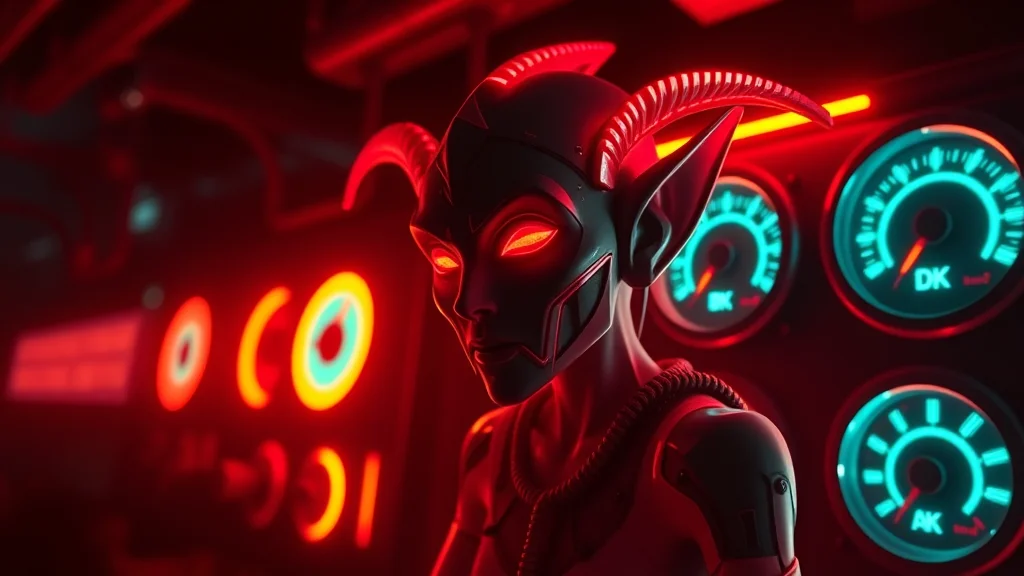
Generic “elf” prompts give you generic results, because the model averages every elf in its training data into a pale, pointy-eared default. Specifying a subtype gives the model a much clearer target. For a high elf, lead with terms like regal high elf, fair flawless skin, long platinum or golden hair, refined sharp features, ornate jewelry, and a cool color palette of silver, white, and pale blue. For a dark elf (drow), the key terms are dark elf, deep gray or obsidian skin, white or silver hair, glowing red or violet eyes, and a palette of black, deep purple, and crimson; without an explicit skin-tone term the model defaults the skin back to pale. For a wood elf, use wood elf, sun-kissed or tan skin, freckles, earthy braided hair with leaves or beads, leather and natural fiber clothing, and a green and brown palette. For a half-elf, the trick is balance: specify subtly pointed ears, more human facial proportions, and softer features, since the model tends toward fully elven if you only say elf. Build each recipe as character core plus palette plus wardrobe plus setting, and save the four as reusable templates.
Ear shape is the detail that most often breaks elf generations, so it deserves dedicated negative prompting. The two failure modes are oversized ears that look elephantine or alien, and ears that the model attaches at the wrong angle or merges into the hair. Add to your negative prompt: deformed ears, oversized ears, asymmetrical ears, ears merged with hair, extra ears, malformed ears, drooping ears. In the positive prompt, terms like elegant tapered ears or subtly pointed ears length-control better than just pointy ears, which the model often exaggerates. If ears still come out wrong, the cleanest fix is a small inpaint pass at denoising 0.4 to 0.5 masked tightly on each ear; our inpainting workflow guide covers the masking and denoising approach that fixes this without disturbing the surrounding hair and face.
Lighting for Different Elf Settings
Lighting carries more of the elf aesthetic than most prompters realize, and matching it to the subtype and setting is what separates flat output from atmospheric output. For a high elf in a palace or temple, use soft diffused light, warm golden hour glow, gentle rim lighting, which flatters refined features and reinforces the regal mood. For a dark elf in an Underdark or cavern setting, use low-key lighting, dramatic shadows, cool blue or violet ambient light, glowing accents, and bioluminescent highlights; this contrast is what makes drow renders look properly menacing rather than just a recolored high elf. For a wood elf in a forest, use dappled sunlight, light filtering through leaves, soft green ambient bounce, and a warm natural key light, which sells the outdoor setting and adds depth. For NSFW elf scenes specifically, soft volumetric lighting and subsurface scattering terms make skin read as luminous and lifelike rather than waxy, and a single warm rim light separates the figure cleanly from the background. Add backlit, glowing edge light for ethereal or magical scenes, and candlelit, intimate warm glow for indoor private scenes. Pick the lighting block deliberately for each shot rather than reusing one default, and elf renders gain a noticeable jump in mood and believability.
One practical workflow tip ties the subtype, ear, and lighting work together: build a single saved prompt block per elf subtype that already contains the character core, the matched palette, the ear-control terms, and the default lighting setup, then change only the pose, wardrobe state, and explicit content terms between generations. This turns elf production into a fast, repeatable process and keeps each subtype visually distinct rather than drifting toward the same generic look. When you find a setting that nails a particular elf, copy that exact prompt into a personal library file, since reconstructing a working elf prompt from memory each session wastes time and reintroduces the very mistakes the subtype-specific recipes are designed to avoid.
Final Notes on Elf NSFW Generation
The single biggest quality lever for elf characters is ear consistency across a generation batch. Even with a strong prompt, roughly one in four outputs will render the ears too short, too rounded, or asymmetric. Generate in batches of 8 and cull rather than trying to fix individual images. For a recurring elf character, the seed-anchoring and LoRA methods in our character consistency guide keep ear shape, skin tone, and facial structure stable across an entire set. Dark elf skin tone is the second common failure point: models trained mostly on light-skinned anime data drift the grey or purple tone back toward beige across a batch, so reinforce it with both a positive weight and a negative prompt against pale skin. With those two fixes in place, elf generation becomes one of the more reliable fantasy niches rather than one of the most frustrating.
Frequently Asked Questions
What is a NSFW elf AI generator?
A NSFW elf AI generator is a text-to-image AI tool that produces fantasy elf characters (high elf, dark elf, wood elf, half-elf) in explicit or adult contexts. The best platforms have fantasy-trained checkpoints or elf-specific LoRAs that handle elongated ears, pointed features, and Tolkien-style or anime-style elf aesthetics correctly.
Which AI handles elf characters best?
SeaArt AI and Tensor.Art produce the most consistent elf character results from prompt alone. Civitai Generate with a dark elf or wood elf LoRA gives the sharpest type-specific results. Stable Diffusion locally with an anime fantasy checkpoint plus an elf LoRA is the highest-quality option.
Are there free elf NSFW AI generators?
Yes. SeaArt, Tensor.Art, Mage.space, and Perchance all offer free tiers that handle elf characters. Stable Diffusion locally is free. Daily generation limits apply on cloud free tiers but are generally sufficient for casual use.
What is the difference between high elf and dark elf in prompts?
High elf prompts emphasize: fair skin, blonde or silver hair, elegant features, royal or ceremonial clothing. Dark elf (drow) prompts: dark gray or purple skin, white or silver hair, red or amber eyes, leather or armor outfits. Wood elf: green/brown clothing, nature setting, leaf motifs. Half-elf: less pronounced ear length, mixed features.
Do I need a LoRA for good elf results?
Not always. Many anime and fantasy checkpoints produce decent elves from prompt alone (long pointed ears, fantasy clothing). For specific subtypes (drow with dark skin, wood elf with nature aesthetic), a type-specific LoRA significantly sharpens results. Search Civitai for ‘dark elf LoRA,’ ‘wood elf LoRA,’ or ‘elf LoRA’ for options.
What prompts work best for NSFW elves?
Core: ‘elf, long pointed ears, elongated ears, slender build, fantasy.’ Type modifiers: ‘high elf, royal, ceremonial’ or ‘dark elf, drow, dark skin’ or ‘wood elf, nature, leaf accents.’ Anime: add ‘anime style, masterpiece.’ Negative: ‘short ears, round ears, human ears, modern clothing.’
Are elf AI images allowed on major NSFW platforms?
Yes, on all NSFW-permissive platforms. Elf characters are clearly fictional/fantasy beings and pose no policy concerns beyond the standard NSFW content policies of each platform. Always confirm the character reads as an adult elf in your prompts to stay within platform terms.
Can I use elf AI generators on mobile?
SeaArt, Tensor.Art, Mage.space, and Perchance all work in mobile browsers. No dedicated NSFW apps exist for iOS or Android due to app store restrictions. Use the browser on mobile for cloud generation. Local Stable Diffusion requires a desktop GPU.
Want a specific look? Related archetype guides: