The best NSFW mermaid AI generators in 2026 are Civitai Generate, Tensor.Art, SeaArt AI, Mage.space, and Stable Diffusion with a mermaid LoRA. Civitai and Tensor.Art lead for tail anatomy and scale detail. Underwater lighting renders well on SeaArt and Mage.
Mermaid AI generation is one of the harder fantasy subgenres to do well. The character must read as a coherent half-human half-fish creature, with the scaled tail flowing naturally from the human hip and the scale texture holding consistent detail across the entire tail surface. Underwater lighting (caustic patterns from above, blue-green color palette, particle effects from suspended debris) needs to integrate with the figure rather than fighting it. Most base AI models manage rough mermaids but produce visible seams at the transition zone and patchy scale detail.
This guide covers the seven best platforms for NSFW mermaid AI generation in 2026, with attention to tail accuracy, scale detail, underwater lighting, and the prompt strategies that produce the strongest results.
Why Mermaid Anatomy Challenges AI
Three specific anatomical and rendering challenges. First, the transition zone: where human hip meets fish tail, the model must blend two distinct anatomies smoothly. Generic checkpoints often produce visible seams, jarring scale starts, or weirdly shaped intermediate flesh. Second, scale texture consistency: a mermaid tail is a large surface that needs uniform scale detail across its length. Many models produce sharp scales near the camera and blurry approximation farther away. Third, fluid pose physics: the tail’s natural pose is curved or fluked, not stiff. Capturing the way the tail curves under the body, trails behind in motion, or fans out in the water requires both prompt cues and (ideally) a mermaid LoRA trained on dynamic poses.
Underwater lighting adds a fourth challenge: caustic light patterns from the surface, blue-green color shift with depth, light scattering through water particles, and bioluminescence (for deep-sea variants) all need to interact with the figure naturally rather than appearing pasted on.
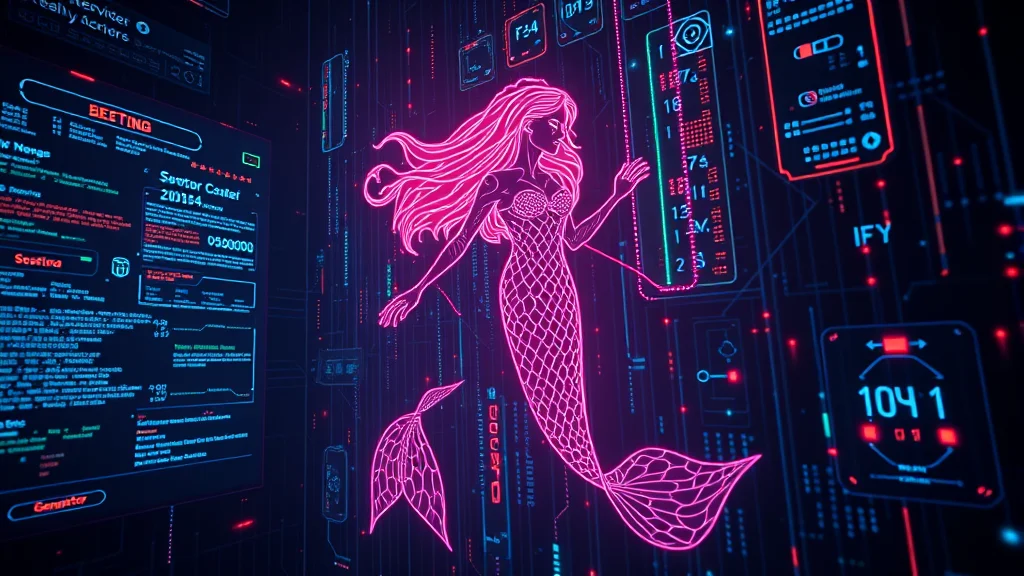
The 7 Best NSFW Mermaid AI Generators (2026)
1. Civitai Generate
Civitai Generate is the strongest cloud platform for mermaids because of its LoRA library. Search “mermaid LoRA,” “merfolk LoRA,” or “siren LoRA” in the model browser, apply directly in the generation UI. Stack with an anime fantasy checkpoint at LoRA strength 0.75. NSFW available on tagged models. The tail anatomy and scale detail produced via a dedicated mermaid LoRA is the closest cloud equivalent to local Stable Diffusion results.
2. Tensor.Art
Tensor.Art mirrors Civitai’s capability with cleaner UI and similar LoRA coverage for mermaids. Daily free credits. NSFW permitted. Strong for users who prefer a tidier generation workflow. The selection of mermaid LoRAs is broad enough to cover classic, siren, and deep-sea variants.
3. SeaArt AI
SeaArt AI handles general mermaid prompts well on its anime and realistic checkpoints. Underwater lighting renders convincingly without extra prompting. Without LoRA support the tail detail caps slightly below LoRA-equipped platforms but is still production-grade for most use. Free 100 credits daily. NSFW unlocked in settings. The “Realistic Vision” model produces photorealistic mermaids; “Anything V5” handles anime style.
4. Mage.space
Mage.space in unsafe mode produces solid mermaid results on its fantasy and anime checkpoints. Tail anatomy is moderate without LoRA support. Underwater lighting is well-handled. Best for fast iteration: generate a composition you like in Mage, then refine on a LoRA-capable platform for tail and scale detail. Free, queue-based.
5. Stable Diffusion (Local – AUTOMATIC1111)
AUTOMATIC1111 locally with a mermaid LoRA layered on an anime fantasy checkpoint (Counterfeit, MeinaMix, AbyssOrangeMix) produces the highest-quality mermaids. Two-stage workflow recommended: txt2img the full figure, then inpaint the tail region with the LoRA active and a tight mask for sharper scale detail. Hires fix at 1.5x with the 4x-UltraSharp upscaler resolves scale micro-detail. 8GB VRAM minimum.
6. Stable Diffusion (Local – ComfyUI with Multi-Stage)
ComfyUI shines for advanced mermaid workflows. Build a workflow with: txt2img upper body generation, ControlNet Depth pass for tail composition, inpainting node for tail-zone refinement, hires fix node for final detail. The node-based approach lets you control each stage independently. For series work (recurring mermaid character) load a character LoRA alongside the mermaid LoRA for identity consistency.
7. Perchance AI
Perchance AI handles basic mermaid prompts. Tail anatomy is rough; transition zones often show artifacts. Use for ideation: mermaid, fish tail, underwater, fantasy produces a usable rough draft at no cost or registration. Move to a higher-capability platform for production work.
Quick Comparison
| Platform | Tail anatomy | Scale detail | Underwater lighting | Free tier |
|---|---|---|---|---|
| Civitai Generate | Excellent (with LoRA) | Excellent | Good | Buzz credits |
| Tensor.Art | Excellent (with LoRA) | Excellent | Good | Daily credits |
| SeaArt AI | Good | Good | Excellent | 100/day |
| Mage.space | Moderate | Moderate | Excellent | Queue-based |
| Stable Diffusion (A1111) | Best (with LoRA) | Best | Best | Free (local) |
| ComfyUI multi-stage | Best | Best | Best | Free (local) |
| Perchance AI | Basic | Basic | Moderate | Fully free |
Prompts That Work for NSFW Mermaids
Classic mermaid: mermaid, long fish tail, scales, fin, beautiful face, long hair flowing in water, underwater, coral reef, sunlight beams from above, blue-green water, fantasy art. Negative: legs, feet, two legs, dry, modern clothing.
Siren: siren, mermaid, dark scales, hypnotic eyes, dramatic moonlight, rocky outcrop, mist, gothic atmosphere. Negative: cheerful, daylight, bright colors.
Deep-sea mermaid: deep-sea mermaid, bioluminescent, anglerfish lure, dark water, glowing markings, abyssal, eerie lighting. Negative: shallow water, sunlight, surface.
For all variants, sampler DPM++ 2M Karras at 28-32 steps, CFG 7. Resolution 768×1024 or 832×1216 (portrait works better than landscape for full-figure mermaids).
Common Mistakes
Not negative-prompting “legs” and “feet.” Without these in negative, base models occasionally produce hybrid figures with both tail and legs. Always include leg-related terms in negative. Skipping the underwater context. “Mermaid” alone on a generic checkpoint sometimes produces beached or out-of-water mermaids in odd contexts. Specify “underwater” or “ocean” or “swimming” to anchor the setting. Insufficient tail length. Default mermaid outputs sometimes have short truncated tails. Specify “long fish tail” or “flowing tail” to encourage full-length tail rendering. Mixing scale styles. If the LoRA is trained on detailed scales but the checkpoint defaults to smooth scales, you get inconsistent texture. Match LoRA and checkpoint style aesthetic.
Recommended Starting Setup
For one workflow covering most mermaid use: Civitai Generate with the “Anything V5” anime fantasy checkpoint, a mermaid LoRA at 0.75 strength, prompt with explicit “long fish tail” and “underwater coral reef.” This produces production-grade results for classic mermaids. For siren or deep-sea variants, swap to the type-specific LoRA. For maximum quality, replicate locally in AUTOMATIC1111 with hires fix enabled.
For related fantasy-creature guides, see our NSFW elf AI generator guide and our NSFW succubus guide. For inpainting tail-region refinements, see our inpainting workflow guide. For ControlNet composition control alongside mermaid generation, see our ControlNet complete guide. Full tool landscape at best NSFW AI image generators 2026.
Fixing the Tail-to-Torso Transition
The hardest part of any mermaid generation is the seam where human torso becomes fish tail, and it is where most renders fail. The model tends to either produce an abrupt unnatural join, grow a second set of hips, or let scales creep too far up the abdomen. The prompt-level fix is to describe the transition explicitly rather than leaving it implicit: use phrases like seamless transition from waist to fish tail, scales gradually beginning at the hips, smooth anatomical blend at the hipline. This gives the model a target instead of letting it guess. Keep the transition zone in mind when framing too; a pose where the hip area is partly turned or partly occluded hides minor seam errors that a flat front-on full-body shot would expose. When the transition still comes out wrong, the reliable fix is a targeted inpaint masked across the hip-to-tail region at denoising 0.5 to 0.6, regenerating just that band until the blend reads naturally. Add doubled torso, extra hips, human legs, abrupt tail join, scales on abdomen to your negative prompt to suppress the most common failures.
Underwater Caustics and Scale Texture
An underwater mermaid scene lives or dies on caustics, the rippling bands of light that play across surfaces beneath water. Prompt for them directly with underwater caustics, dappled light rays through water, god rays from the surface, light refraction, and the scene immediately reads as submerged rather than as a character pasted onto a blue background. Pair caustics with volumetric lighting and a slight blue-green ambient cast for depth, and add floating particles or suspended debris for a sense of real water. For the tail itself, scale texture is what makes a mermaid look finished rather than smooth and toy-like. Prompt terms like iridescent fish scales, detailed overlapping scales, pearlescent sheen, wet glossy texture push the model toward proper detail, but for consistent high-quality scales across many images a dedicated scale-texture or mermaid LoRA from Civitai is the bigger lever. Run such a LoRA at 0.6 to 0.8 weight, and if the scales start invading the torso, drop the weight slightly and reinforce the transition terms above. For a series of images sharing one mermaid, training a custom LoRA locks the scale pattern and tail color in place; our NSFW LoRA training guide covers the dataset and settings that make this practical.
Color Palettes by Mermaid Type
Choosing a deliberate palette per mermaid type makes renders look designed rather than randomly colored. For a classic tropical mermaid, use a palette of teal, aqua, and coral with a warm skin tone and golden or auburn hair; this is the most flattering and the easiest for the model to render cleanly. For a deep-sea or abyssal mermaid, go with deep indigo, midnight blue, and bioluminescent accents in cyan or violet, pale or cool skin, and dark hair, leaning on glowing highlights for drama. For a siren or predatory mermaid, a palette of dark green, charcoal, and blood red with sharper features and a colder lighting setup sells the menace. For an arctic or freshwater mermaid, use pale silver, white, and icy blue with translucent fin detail. For a fantasy or magical mermaid, jewel tones like amethyst, emerald, and gold with pearlescent skin and an ethereal glow work well. Specify the palette as a short explicit block in the prompt (color palette of teal and coral, for example) rather than hoping the model picks one, and keep skin tone and hair color in the same block so they harmonize with the tail rather than clashing. A coherent three-color palette plus one accent is far more striking than an unconstrained rainbow result.
Pulling these techniques together gives a reliable mermaid pipeline: choose the mermaid type and lock its palette, write the prompt with an explicit transition description and scale-texture terms, prompt the underwater lighting with caustics and god rays, generate a batch of 8 to 12 candidates, then inpaint the hip-to-tail seam on the best one if it needs cleanup, and finish with an upscale pass to bring out the scale detail. Treating the transition seam as an expected cleanup step rather than a reason to reroll saves a great deal of time, because a single targeted inpaint fixes the one hard zone while keeping the rest of a strong composition intact. For a recurring mermaid character across a series, the scale pattern and tail color are exactly the kind of fixed detail a custom LoRA preserves best, so the LoRA investment pays off quickly once you move past one-off images.
Final Notes on Mermaid NSFW Generation
Mermaid generation rewards patience at the prompt-refinement stage more than almost any other fantasy niche. The tail-to-torso transition, scale coverage, and underwater lighting all have to resolve together, and a prompt that nails two of the three while failing the last still produces an unusable image. Once you find a prompt formula that resolves all three cleanly, save it and reuse it – that exact wording will work across many sessions. For explicit output, the transition zone is where most anatomy errors concentrate, so a light inpainting pass over that area using our inpainting workflow cleans up the majority of otherwise-good generations. Batch sizes of 6 to 8 give you enough spread to find one clean transition per batch.
Frequently Asked Questions
What is a NSFW mermaid AI generator?
A NSFW mermaid AI generator is a text-to-image AI tool that produces mermaid characters (human upper body with fish tail) in adult or explicit contexts. The challenge for AI is rendering the tail-to-torso transition correctly, getting scale detail right, and handling underwater lighting and bioluminescence convincingly.
Which AI handles mermaid anatomy best?
Civitai Generate and Tensor.Art with a mermaid or merfolk LoRA produce the sharpest tail anatomy and transition zones. SeaArt AI handles general mermaid prompts well without LoRA. Stable Diffusion locally with a dedicated mermaid LoRA on an anime fantasy checkpoint gives the highest-quality results.
Are mermaid AI generators free?
Yes. SeaArt, Tensor.Art, Civitai Generate, Mage.space, and Perchance all have free tiers. Stable Diffusion locally is free with adequate hardware. Free tier credit limits apply on cloud platforms but cover regular use.
How do I get the tail-to-torso transition right?
Use a mermaid-specific LoRA at 0.7-0.9 strength. For complex poses, use a two-stage workflow: generate the upper body, then inpaint the tail with a mermaid LoRA active and a tight tail-region mask. Denoising 0.55-0.7 on the inpaint pass. ControlNet OpenPose for upper body and Depth for tail composition helps.
What prompts work for NSFW mermaids?
Core tags: ‘mermaid, fish tail, scales, fin, half human half fish, aquatic.’ Setting: ‘underwater, ocean, coral reef, bioluminescent, sunlight through water.’ Style: ‘fantasy art, anime style, detailed scales.’ Negative: ‘human legs, feet, two legs, modern clothing.’
Can AI handle different mermaid types (siren, merman, deep-sea)?
Yes, with type-specific descriptors. Siren: ‘siren, mermaid, dark wings, hypnotic eyes, dramatic lighting.’ Deep-sea mermaid: ‘deep-sea mermaid, anglerfish features, bioluminescent lure, dark water.’ Merman: ‘merman, masculine, fish tail.’ Each type benefits from a matching LoRA where available on Civitai.
Why does AI struggle with scale detail on mermaid tails?
Scale rendering requires consistent micro-texture across a large surface (the tail), which base models often produce inconsistently (clean scales on one part, blurry texture on another). A mermaid-specific LoRA trained on detailed tail references corrects this. Hires fix or upscaling with a detail-preserving upscaler (4x-UltraSharp) sharpens the result further.
Is mermaid AI content allowed on major platforms?
Yes, on all NSFW-permissive platforms. Mermaids are clearly fantasy beings and pose no policy concerns beyond standard NSFW content rules. Ensure your prompts make clear the character is an adult mermaid to stay within platform terms.