Category: Image-to-Image, Video & Text Generation
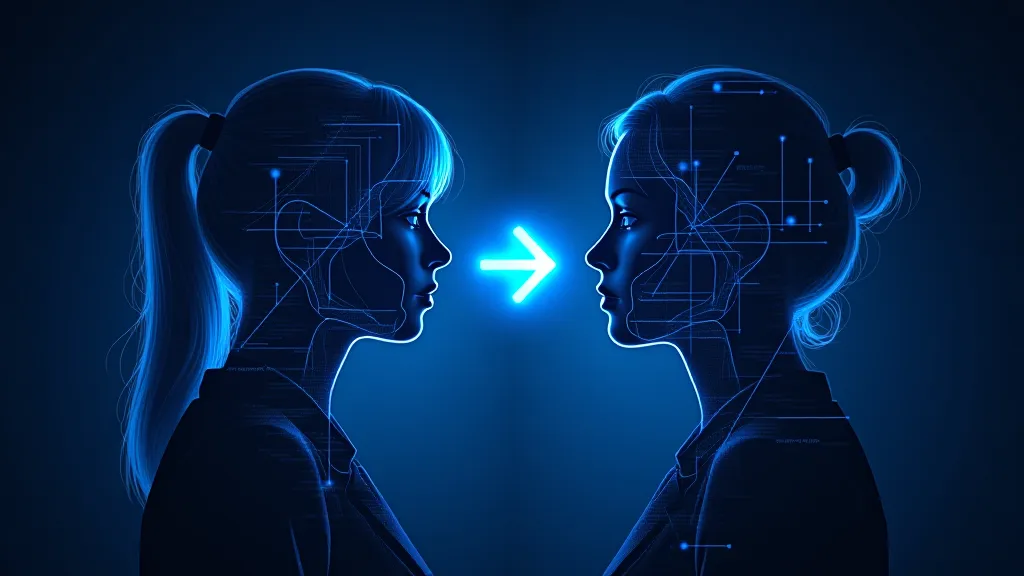
NSFW AI generation comes in three flavors: text-to-image (you describe, it draws), image-to-image (you upload a starting image, it transforms), and image-to-video (you upload a still, it animates). Each format requires different tools, different prompting strategies, and produces different quality outputs. This category covers all three so you can pick the right format for your goal.
Image-to-image is the most flexible — start with a sketch, photo, or earlier generation and refine it. Image-to-video is the newest and rapidly improving — clips are still short (3-10 seconds typical) but quality has jumped massively in 2026. Text-to-image is the most mature and the easiest entry point.
What to look for
- Format match to your goal — img2img for refinement, img2video for motion, text2image for from-scratch
- Resolution support — 1024×1024 minimum for current quality standards
- Input file format flexibility — JPG, PNG, WebP support; some tools also accept video frames
- Strength/denoise controls — for img2img, the ability to control how much the source is preserved
- Clip length and FPS — for video — current best free tools deliver 5-second clips at 24fps
Frequently Asked Questions
What’s the difference between text-to-image and image-to-image?
Text-to-image generates an image from a text prompt only. Image-to-image takes an input image plus a prompt and transforms the image based on the prompt. Image-to-image gives more control over composition and style; text-to-image gives more variety.
Can NSFW AI image-to-image work on my own photos?
Technically yes, but proceed carefully. Generating NSFW content using photos of real identifiable people without consent is illegal in many jurisdictions and unethical regardless. Use art, AI-generated source images, or stock with model releases.
How long does image-to-video generation take?
Free tools currently take 30-90 seconds to generate a 3-5 second clip on shared infrastructure. Paid services with dedicated GPUs are 2-3x faster. Expect quality to vary more than text-to-image — video models are still maturing.
What’s the best NSFW AI for image-to-image?
Flux-based image-to-image with adjustable denoise strength is currently the best free option. Tools like the embedded generator on this site support img2img mode. See our 2026 img2img guide for ranked alternatives.
Why does image-to-image sometimes ignore my prompt?
Denoise strength is too low. At low denoise (0.2-0.4), the output stays close to the input and ignores prompt edits. Increase to 0.6-0.8 for stronger prompt influence; go to 0.9+ if you want the prompt to dominate.
Can I generate longer NSFW AI videos than 5 seconds?
Free tools cap at 3-5 second clips because longer clips require more compute. Workarounds: generate multiple clips with consistent prompts and stitch them, or use paid services that offer 10-30 second outputs.
What input image resolution should I use for img2img?
Match the model’s native resolution — usually 1024×1024 or 1024×1536 for SDXL/Flux. Smaller inputs get upscaled and lose detail; much larger inputs get downscaled and the upscaling artifacts pass through to your output.
Does NSFW AI image-to-video preserve faces from the input?
Best-case yes, but motion can introduce face drift across frames. Newer models (2026 video diffusion architectures) are dramatically better at face consistency than 2024-2025 versions. Test with your specific inputs.
Can I do text-to-video for NSFW AI?
Direct text-to-video for NSFW is limited compared to image-to-video. Workflow: generate the still with text-to-image first, then animate it with image-to-video. This two-step approach gives more control over the final composition.
What file format do these tools output?
Images: PNG (most tools default to this) or JPG. Videos: MP4 with H.264 encoding. Resolution and bitrate vary by tool. Most free tools output at moderate bitrates that work for online sharing but may need re-encoding for editing.
-
Inpaint в нейросети: дорисовка и правки NSFW 2026
Inpaint – это дорисовка или перерисовка только выделенной маской области, без затрагивания остального кадра. Нейросеть генерирует новое содержимое внутри маски…
-

Замена лица в нейросети: face swap для NSFW 2026
Face swap переносит лицо с одного изображения на другое, сохраняя позу, свет и тело исходника. В 2026 делается локально и…
-
ControlNet NSFW: точные позы в нейросети 2026
ControlNet – это надстройка над Stable Diffusion, которая жёстко задаёт позу, композицию и контуры по референсу, а не полагается на…
-
Free NSFW AI Image-to-Video Generator: Animate Photos 2026
Image-to-video AI animates a single still into a short clip with no frame-by-frame work. Free options in 2026 are real…
-
ControlNet NSFW en español 2026: poses y composición exactas
ControlNet es un complemento para Stable Diffusion y Flux que obliga a la imagen a seguir una guía: un esqueleto…
-
Flux NSFW en español 2026: LoRAs y workflow completo
Flux, de Black Forest Labs, es la familia de modelos abiertos más fuerte en fotorrealismo, pero sus modelos base se…
-
Illustrious XL guía en español 2026: prompts + LoRAs anime
Illustrious XL es un modelo de anime basado en SDXL, creado por OnomaAI Research y entrenado con imágenes de Danbooru.…
-
60+ prompts NSFW que funcionan 2026: master guía en español
Un prompt NSFW que funciona en 2026 depende del modelo: Pony e Illustrious quieren etiquetas en inglés de estilo Danbooru,…
-
Entrenar LoRA NSFW 2026: guía paso a paso en español
Entrenar una LoRA propia te permite reproducir un personaje original, un estilo o un concepto que ningún modelo conoce. En…
-
IA convertir foto a video NSFW 2026: guía en español
Por Team AIGN, mayo 2026 🚀 ¿Quieres animar fotos NSFW? Genera el frame con nuestro generador gratis, luego anímalo con…