The best NSFW AI Discord bots in 2026 generate uncensored images and run adult roleplay chat through slash commands inside age-restricted channels. Top picks are Eevee for all-in-one and Animecord for anime art. You must enable an age-restricted channel and meet Discord’s age rules. Prefer a browser tool? Use our free generator.
Best NSFW AI Discord Bots in 2026 (Tested)
Discord remains one of the most flexible places to run adult AI, because bots can live right inside a server you already use for chat, gaming, and community. Instead of bouncing between websites, you type a slash command in a channel and the bot returns an image or a roleplay reply in seconds. We tested the leading NSFW AI Discord bots over several weeks across a handful of servers to see which ones produce good output, which ones respect the platform’s rules, and how to set them up without getting your server flagged.
This guide covers image-generation bots, chat and roleplay bots, the age-restricted channel requirement, Discord’s evolving age-verification rules for 2026, and the exact commands you will use. If you would rather skip Discord entirely and generate in your browser, our no-download guide and our free generator are the fastest alternatives.
How NSFW Discord bots work
A Discord bot is a program that runs inside a server and responds to commands. NSFW AI bots come in two broad flavors. Image bots take a text prompt and return generated art, usually through a slash command like /imagine or /generate. Chat bots hold a conversation in a channel or in direct messages, often with selectable characters and adjustable personalities. Some bots do both.
The critical rule is that any explicit content must live in an age-restricted channel. Discord lets server admins mark a channel as age-restricted, which hides it behind an “I am over 18” gate and keeps it out of search and previews. Running an NSFW bot outside such a channel violates Discord’s rules and can get the bot or the server removed. Every bot we recommend is designed to operate inside these channels.
Discord’s age rules for 2026
Discord has been rolling out broader age assurance. The plan is that users will get a teen-appropriate experience by default unless they verify they are at least 18, with access to mature communities and adult spaces gated behind that verification. The rollout has been delayed and adjusted more than once after user pushback, and Discord has said the large majority of users will not have to actively verify, relying instead on signals to infer age. Where verification is required for adult content, third-party vendors confirm only an age group rather than your identity, and methods can include an ID check handled by a vendor.
The practical takeaway: set up your age-restricted channel correctly, make sure participants are adults, and be ready for Discord to ask some users to confirm their age before they can see mature content. None of this stops you from using NSFW AI bots. It just formalizes the adults-only requirement that already applied.
The best NSFW AI Discord bots
Here is how the leading bots performed in our testing, with the job each one does best.
| Bot | Best for | Type | Free tier | Setup |
|---|---|---|---|---|
| Eevee | All-in-one image plus chat | Image and chat | Limited daily | Invite link |
| Animecord | Anime and hentai art | Image | Free with limits | Invite link |
| Mirage-style image bots | Photoreal generation | Image | Credit-based | Invite link |
| Roleplay chat bots | Character roleplay | Chat | Message cap | Invite link |
| Our generator | Browser images, no Discord | Image | Free | Open in browser |
Eevee
Eevee was the most full-featured NSFW bot we tested. It combines AI chat, image generation, roleplay, and even games in a single bot, which makes it a strong default if you want one invite to cover most needs. Output is highly customizable through prompt options, and the daily free allowance lets you try it before paying. As always, keep it confined to an age-restricted channel. For people who want both images and conversation in one place, Eevee is our top pick.
Animecord
If your interest is anime and hentai art, Animecord is a focused image bot that generates anime-style content and can transform existing images into anime art. It is free to start with usage limits, and the anime output quality was a step above the general-purpose bots for that specific style. Anime fans should add this one.
Image-generation bots
Beyond the named bots, a category of photoreal image bots operates on a credit system: you spend credits per generation and buy more as needed. These are worth trying if your priority is realistic output rather than anime. Quality varies a lot between bots, so test the free credits before committing. Our best NSFW image generators guide explains what good photoreal output should look like so you can judge a bot fairly.
Roleplay chat bots
For text-first users, roleplay chat bots bring character-driven conversation into Discord. You pick or create a character, and the bot stays in persona across a session. These overlap with standalone chat apps, so if conversation is your main goal you may get a richer experience from a dedicated platform. Compare with our best NSFW chatbots roundup. For Telegram users, we also maintain a Telegram bots guide.
How to add and set up a bot
Setting up an NSFW bot correctly protects your server and keeps the bot working. Here is the process we used.
- Create an age-restricted channel. In your server, make a new channel, open its settings, and toggle Age-Restricted Channel on. This is mandatory for any explicit content.
- Get the bot’s official invite link. Use the link from the bot’s own site or its listing on a reputable bot directory. Avoid random invite links shared in DMs.
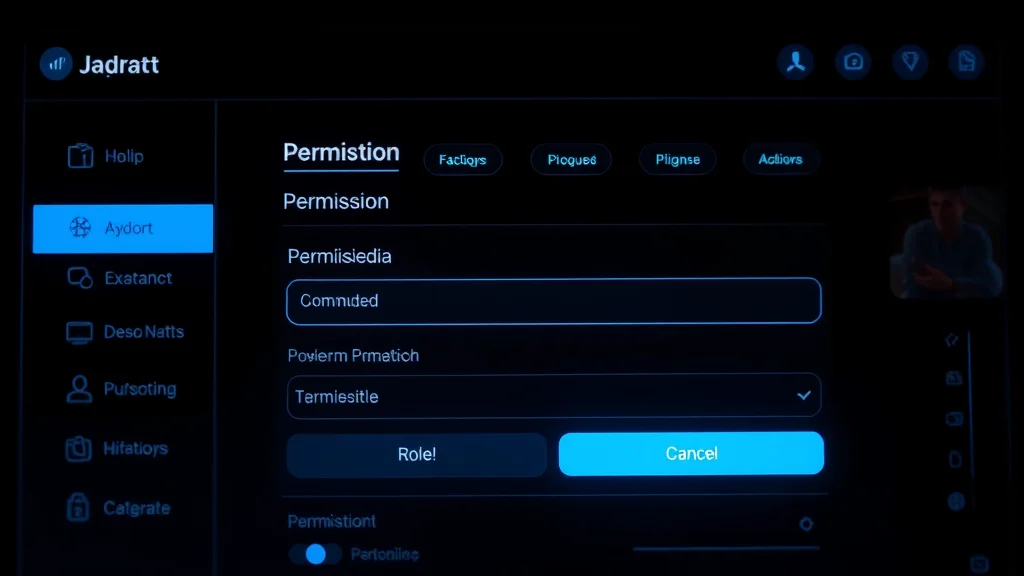
- Authorize the bot. Click the invite, choose your server, and grant only the permissions the bot needs. Be cautious with broad admin permissions.
- Restrict the bot to the right channel. Use channel permissions so the bot can only post in your age-restricted channel, not in general channels.
- Run a test command. Try the bot’s help command, usually /help, to see its full command list.
Keeping the bot scoped to one age-restricted channel is the single best habit. It prevents accidental explicit posts in general channels and keeps your server compliant.
Common commands
Most NSFW image bots share a similar command vocabulary. The exact syntax varies, so always check the bot’s own /help, but you will typically see commands like these.
- /imagine or /generate followed by a prompt to create an image.
- /help to list every command and option.
- Negative prompt options to exclude unwanted elements, often a flag or a separate field.
- Style or model selectors to switch between realistic and anime output.
- /chat or character commands for roleplay bots to start or steer a conversation.
Writing a good prompt matters as much in Discord as anywhere. Describe the subject, setting, lighting, and style, then refine. The same prompting skill that works in our browser generator carries directly over to Discord bots.
Safety, privacy, and rules
Discord bots add a few unique considerations on top of normal adult-AI safety. Because a bot runs inside a shared server, anything generated in a channel is visible to everyone with access to that channel, so keep your age-restricted channel limited to trusted adults. Bots also request permissions when you add them, and a bot asking for far more than it needs is a warning sign. Grant the minimum.
A few rules we follow on every server:
- Only ever generate content depicting consenting adults.
- Never upload or prompt for images of real identifiable people without consent.
- Keep all explicit output inside age-restricted channels.
- Vet bots before inviting them, using official links and reputable directories.
- Remove a bot immediately if it behaves unexpectedly or posts where it should not.
For a fuller treatment of vetting adult AI tools, see are NSFW AI apps safe. The legal and ethical line is the same everywhere: every person depicted must be a consenting adult.
Discord bots vs standalone tools
Discord bots shine when you want generation to live where your community already hangs out. The slash-command workflow is fast, sharing is built in, and you can riff on prompts together. The downside is that quality can lag dedicated platforms, free limits can be tight, and you are bound by Discord’s rules and uptime. A bot also exposes output to a channel, which is not ideal for private generation.
Standalone web tools win on privacy and on peak quality. If you want to generate alone, in private, with the best models, a browser tool or a dedicated app is the better choice. Many people use both: a Discord bot for quick, social generation and a web tool for serious, private work. Our free generator is a good private companion to any bot.
Getting better results from a bot
Discord bots respond to the same prompting skill that any image model does, but the chat interface adds a few quirks worth mastering. Because you type prompts in a fast-moving channel, it pays to draft longer prompts elsewhere and paste them in, so a mistimed Enter key does not fire a half-written prompt. Keep a personal note of prompts that worked, since you cannot easily scroll back through a busy channel to find a good one later.
A few habits that improved our output:
- Lead with the subject, then layer detail. State who or what is in the image first, then add setting, lighting, pose, and style. Bots weight the early part of a prompt heavily.
- Use negative prompts. Most bots accept an exclusion list. Adding common defects to the negative prompt removes a lot of the rerolls you would otherwise need.
- Match the model to the style. If a bot offers both realistic and anime models, picking the right one matters more than any single prompt tweak.
- Generate in small batches. Run a few variations of a prompt, keep the best, then refine. This is faster than perfecting one prompt in isolation.
- Save winners immediately. Right-click and save good results, because they will scroll out of view as the channel moves.
Why bots get banned and how to avoid it
The most common reason an NSFW bot or server gets actioned is explicit content leaking outside an age-restricted channel. This usually happens when a bot has permission to post in general channels, or when someone runs a generation command in the wrong place. Lock the bot to a single age-restricted channel through channel permissions and the risk drops to almost nothing.
The second common reason is using shady, unofficial bots that scrape data or break Discord’s API rules. Stick to bots with a public listing on a reputable directory and an official website. The third is allowing minors into adult spaces, which is both against the rules and a serious legal problem. Gate your channel, keep membership to verified adults, and you avoid the situations that get servers shut down. Treat the age-restricted channel as a hard boundary, not a suggestion, and most compliance issues never arise.
Costs and credits explained
Bot pricing usually works one of two ways. Subscription bots charge a flat monthly fee for higher limits and faster generation. Credit bots sell packs of credits that you spend per image, with more elaborate generations costing more. For light, occasional use, the free tier of a bot like Eevee or Animecord is often enough. For heavy use, do the math: if you reroll constantly to dodge a tight free limit, a paid tier usually saves more time than it costs. Compare the per-image cost of a credit bot against a flat-rate web tool before committing, since dedicated platforms can be cheaper at volume. Our no-watermark guide is useful here, because some bots stamp free output with a watermark that only a paid tier removes.
Running a bot in your own server vs joining one
You have two ways to use these bots. You can invite a bot into a server you own and control, or you can join an existing community that already runs the bot. Inviting it yourself gives you full control over permissions, the age-restricted channel, and who has access, which is the safer route if you care about privacy and compliance. Joining a public server is quicker and lets you see the bot in action, but you have no control over how it is configured or who else is in the channel, and explicit content there is visible to strangers. For anything beyond casual testing, we recommend running the bot in your own server with a tightly scoped age-restricted channel, so you decide exactly who sees what and the bot cannot wander into general channels where minors or unverified members might be present.
Our verdict
NSFW AI Discord bots are a great fit if you live in Discord and want image generation or roleplay where your community already is. Eevee is our top all-in-one pick, and Animecord leads for anime art. Whatever you choose, set up an age-restricted channel, scope the bot’s permissions tightly, and keep everything adults-only and consent-clean. Discord’s 2026 age-assurance changes formalize the adults-only requirement but do not block bot use. If privacy or top-tier quality matters more than the social workflow, pair your bot with a private browser tool like our generator and get the best of both worlds.
Frequently asked questions
Are NSFW AI Discord bots allowed on Discord?
Yes, when used correctly. Explicit content must stay inside an age-restricted channel, which hides it behind an over-18 gate and keeps it out of search and previews. Running an NSFW bot in a general channel violates Discord’s rules and can get the bot or server removed. Every reputable NSFW bot is built to operate in age-restricted channels, and you must ensure all participants are adults.
How do I set up an age-restricted channel for an NSFW bot?
Create a new channel in your server, open its settings, and toggle Age-Restricted Channel on. Then invite the bot using its official link and use channel permissions so it can only post in that age-restricted channel, not in general channels. Run the bot’s /help command to confirm it works. Keeping the bot scoped to one age-restricted channel is the key habit for staying compliant.
What is the best NSFW AI Discord bot in 2026?
In our testing, Eevee was the best all-in-one bot because it combines image generation, chat, roleplay, and games in a single invite with a usable free allowance. For anime and hentai art specifically, Animecord produced better style-matched output. The right pick depends on your goal: Eevee for versatility, Animecord for anime, and a credit-based photoreal bot if realistic images are your priority.
How does Discord’s 2026 age verification affect NSFW bots?
Discord is rolling out broader age assurance, giving a teen-appropriate experience by default unless a user verifies they are at least 18. Access to mature spaces is gated behind that verification, which third-party vendors handle by confirming only an age group. The rollout has been delayed and adjusted. It does not stop NSFW bot use; it formalizes the adults-only requirement that already applied to age-restricted channels.
What commands do NSFW image bots use?
Most use a slash command like /imagine or /generate followed by your prompt to create an image, plus /help to list all commands. Many support negative prompt options to exclude unwanted elements and style or model selectors to switch between realistic and anime output. Roleplay bots use /chat or character commands. Syntax varies by bot, so always check its own /help command first.
Are NSFW Discord bots safe to use?
They can be, with care. Anything generated in a channel is visible to everyone with access, so keep your age-restricted channel limited to trusted adults. Only invite bots from official links or reputable directories, and grant the minimum permissions needed; a bot requesting broad admin rights is a red flag. Only ever generate content depicting consenting adults, and never prompt for real identifiable people without consent.
Are NSFW Discord bots free?
Most offer a free tier with limits, then charge for more. Image bots often use a credit system where you spend credits per generation and buy more as needed, while chat bots may cap daily messages. Free allowances are good for testing but tight for heavy use. Quality varies widely between bots, so always test the free credits before paying, and compare against dedicated web tools.
Should I use a Discord bot or a standalone NSFW AI tool?
Use a Discord bot when you want fast, social generation inside a community you already use, with built-in sharing and slash commands. Use a standalone web tool when you want privacy and the best possible quality, since dedicated platforms usually out-render bots and keep your output private. Many people use both: a bot for quick social generation and a browser tool for serious, private work.



