For anime NSFW robot girls, SeaArt or a local Illustrious checkpoint with a mecha-musume LoRA gives the cleanest mechanical joints and panels. For realistic gynoids, AI Nudez blends chrome and skin best. The trick is balancing mechanical parts with an attractive body so it reads sexy-android, not scrap heap.
The robot girl, gynoid, or android is one of the most fun NSFW archetypes and one of the easiest to get wrong. The whole appeal is the tension between soft and hard: warm skin against cold chrome, an attractive body interrupted by glowing seams, exposed mechanical joints, and panel lines. Push the mechanical side too hard and you get a lifeless scrap pile. Push it too soft and it is just a woman with a few painted-on lines. Getting the balance means telling the model exactly which parts are flesh and which are machine, and diffusion models do not naturally keep that boundary clean.
I spent a month generating robot girls across anime and realistic pipelines. The winning formula is a mecha or android LoRA plus a precise list of mechanical parts, balanced against clear body and face tags. This guide ranks the tools that render the flesh-and-machine mix well, then gives you the exact tags, models, and settings to nail it.
Everything here is adult, 18+, fictional and original characters only. No real-person likenesses, no minors, every character is an adult. If you want the wider field first, see our best cyberpunk waifu generator and best NSFW AI image generators roundups.
How we tested
I ran one anime control prompt and one realistic control prompt through every tool: an adult woman as a seductive android, part human skin and part chrome plating, exposed mechanical joints at the shoulders and hips, glowing blue seams down the body, panel lines, a robotic collar, in a neon-lit lab. Resolution 1024×1024 or platform max, DPM++ 2M Karras where selectable, 28 to 34 steps, CFG 5 to 6 anime and 4 to 5 realistic.
I scored four things. Mechanical detail: are the joints, panels, and seams clean and coherent, or a melted mess? Flesh-machine balance: does it read as an attractive android rather than either a full robot or a plain woman? NSFW freedom: how permissive the filter is. And anatomy: do the human parts stay correct while the mechanical parts render? A robot girl with gorgeous chrome but six fingers still fails, so hands stayed in the score.
The best robot girl NSFW AI generators
1. SeaArt (anime top pick)
SeaArt is my top anime pick because Illustrious and Pony checkpoints handle mecha musume, android, and mechanical parts tags well, and SeaArt hosts strong mecha and gynoid LoRAs. On my anime baseline it kept the panel lines and joints coherent while holding an attractive body, which is exactly the balance most tools miss. The glowing-seam look came through cleanly.
Pro: strong mecha-musume tag adherence, a deep LoRA library, and permissive anime mode. Con: free credits burn fast, and heavy mechanical detail sometimes needs a joint inpaint.
What set SeaArt apart was how it kept the panel lines coherent instead of turning them into random noise. On weaker tools the mechanical detail devolves into a scribble of grey shapes, but SeaArt with a mecha LoRA drew clean, intentional-looking seams and joints. Boost panel lines and glowing seams and it leans into that polished android look rather than a junkyard aesthetic.
2. AI Nudez (realistic top pick)
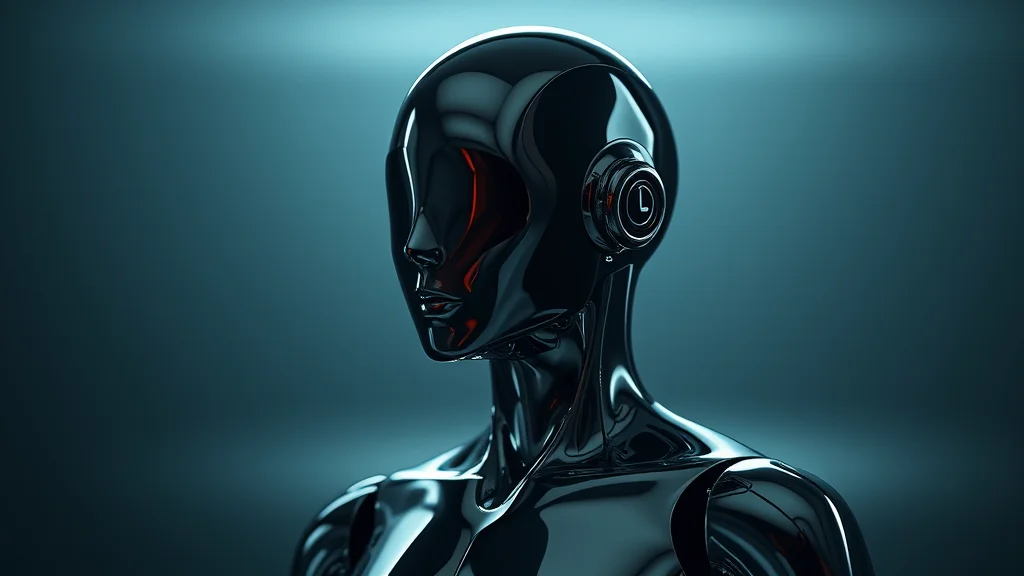
For a realistic gynoid, AI Nudez does the best job blending chrome and skin on a photoreal body. The metal reads as actual metal with real reflections, the skin stays believable, and the transition between them looks intentional rather than glitchy. The permissive filter keeps NSFW android scenes flowing. Least fussy realistic option here.
Pro: convincing chrome-and-skin blend with real metal reflections. Con: less granular control over exactly where panels sit than local inpainting.
3. Local Stable Diffusion (Illustrious / Pony + mecha LoRA)
Running WAI, Hassaku, or a Pony checkpoint locally with a mecha-musume or android LoRA gives the most control over the flesh-machine boundary. You can weight the LoRA precisely, inpaint a panel or joint that came out wrong, and use regional prompting to keep the face human while the limbs go mechanical. Search Civitai for “mecha musume” and “android” LoRAs. For realistic gynoids, CyberRealistic Pony or RealVisXL handle chrome and skin well.
Pro: full control over the boundary via LoRA weighting, regional prompting, and inpainting. Con: needs a capable GPU and setup effort, and balancing parts takes testing.
4. Yodayo / Moescape
Yodayo, merged into Moescape, is the free-leaning community anime option with a big mecha and android LoRA selection. Tag adherence on Illustrious is solid and the presets are beginner-friendly. A great free alternative to SeaArt for robot girls.
Pro: large free mecha LoRA ecosystem and easy presets. Con: NSFW gating varies by model, and top LoRAs may sit behind community points.
5. PixAI
PixAI is fast and clean, runs modern anime checkpoints, and reads android tags acceptably. Its mecha-specific LoRA library is thinner than SeaArt’s, but the base model gets a decent panel-and-joint look and the quick queue helps when rerolling for clean mechanical detail.
Pro: fast generation and an approachable UI. Con: smaller specialized LoRA catalog, so heavy mecha detail needs more prompt work.
6. Promptchan
Promptchan spans anime and semi-real and gives a passable robot girl in both. The realistic mode produces a decent chrome-skin blend, and the editing tools let you fix a melted joint without rerolling the full image.
Pro: flexible styles with in-app editing to repair mechanical parts. Con: the flesh-machine balance drifts more than the specialists on complex builds.
7. Seduced AI
Seduced AI is preset-driven and photoreal-leaning with good character consistency, useful for keeping the same android across a set. It gives a clean gynoid look, though intricate mechanical detail needs care and it costs more per image.
Pro: consistent characters and reliable photoreal output. Con: pricier and less tag-level control over the mechanical parts.
| Tool | Best for | Price | Uncensored | Platform |
|---|---|---|---|---|
| SeaArt | Anime robot girls | Free + paid | Yes (anime) | Web |
| AI Nudez | Realistic gynoids | Paid, free trial | Yes | Web |
| Local SD (Illustrious/Pony) | Full control | Free (own GPU) | Fully | Local |
| Yodayo / Moescape | Free mecha LoRAs | Free + paid | Model-dependent | Web |
| PixAI | Fast anime | Free + paid | Yes (anime) | Web |
| Promptchan | Semi-real hybrid | Free + paid | Yes | Web |
| Seduced AI | Consistent photoreal | Paid | Yes | Web |
How to get the robot girl look
The whole task is controlling which parts are flesh and which are machine. On the anime side, start from an Illustrious or Pony checkpoint and add a mecha-musume or android LoRA at 0.6 to 0.8 weight, then list the mechanical parts explicitly while keeping clear body and face tags so the human side survives.
Anime positive prompt:
1girl, solo, android, mecha musume, robot girl, mechanical parts,
mechanical joints, exposed mechanical arms, panel lines,
(glowing blue seams:1.1), robot collar, chrome plating,
robot ears, attractive body, cleavage, human face, blue eyes,
neon lab, cinematic lighting, cowboy shot
Realistic positive prompt:
1woman, gynoid, android, chrome plating, brushed metal panels,
exposed mechanical joints, glowing seams, panel lines,
part human skin part metal, robotic limbs, human face,
neon rim light, reflective metal, skin texture, sharp focus,
photorealistic, cinematic
The balance tags are the trick: part human skin part metal and attractive body alongside the mechanical list keep it from going full robot. The single most useful token is glowing seams or glowing blue seams, which reads instantly as android and hides messy panel transitions. Keep the human face tag so the face stays expressive and attractive, unless you want a full faceplate. Our outfit prompt guide and Danbooru tag reference have more combos.
Negative prompt:
full robot, no skin, mannequin, melted metal, deformed joints,
extra limbs, deformed hands, extra fingers, bad anatomy,
mutated, blurry, watermark, text, cluttered mess
Settings: 30 to 34 steps, DPM++ 2M Karras, CFG 5.5 anime and 4.5 realistic, 1024×1024 with a 1.5x hires fix at 0.4 denoise so the panel lines stay crisp. The best technique for a clean flesh-machine boundary is regional prompting or a two-pass approach: generate the human figure first, then inpaint specific regions, one shoulder, one hip, the collar, with the mechanical tags boosted, so each part gets a clean edge instead of the whole body turning to metal. The how to make realistic AI porn guide covers the two-pass realistic flow.
For variety, pick a material theme: chrome and steel for a classic android, matte white plastic for a sleek modern gynoid, or battle-damaged metal with exposed wiring, sparks, cracked panels for a grittier look. A cyberpunk crossover with neon and cybernetics pairs naturally. For poses, standing, cables connected, maintenance pod, arms mechanical all suit an android; see the pose prompt library. To keep the same robot girl across a set, lock the seed and reuse the body, face, and material tags, or train a character LoRA per the character consistency guide, which bakes the specific panel layout in.
Choosing where the metal goes
A big part of the appeal is deciding which parts are exposed machine and which stay human. The most flattering pattern for a seductive android keeps the torso and face mostly human skin, with mechanical elements at the joints, the back of the head, the collar, and the forearms. Tag it precisely: mechanical forearms, mechanical shoulders, exposed spine ports, human torso, human face. This reads as a person built on a robotic frame, which is far sexier than a solid metal shell. If you want a heavier robot, extend the metal to the thighs and chestplate, but keep at least the face human unless you are deliberately going for a faceless drone look. Deciding this before you prompt saves a lot of rerolls, because the model will spread metal randomly if you leave it vague.
Glowing elements and color accents
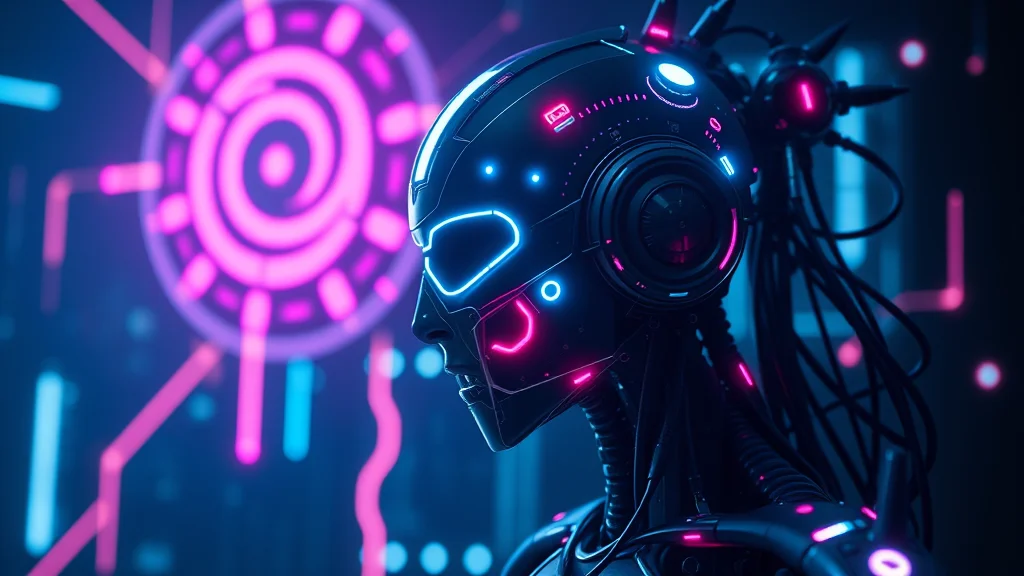
The glowing seams and lights do a huge amount of work. They read instantly as high-tech, they draw the eye, and they conveniently hide any messy panel joins. Pick one accent color and commit: glowing blue seams, blue LED lights for a cool sci-fi feel, glowing red seams, red core light for a menacing combat android, or glowing pink seams for a softer companion look. Add a glowing chest core or power core as a focal point on the torso. Keep the accent color consistent across the whole figure, since mismatched glow colors look like a rendering error rather than a design. A single well-placed core light plus seams down the limbs is more effective than scattering lights everywhere.
Common mistakes
The biggest one is losing the flesh-machine balance. Without part human skin part metal and attractive body, the model swings to either a full robot or a plain woman. Keep both sides tagged and it holds the sexy-android middle.
Second: over-cluttering the mechanical detail. Stacking every mecha tag at high weight gives a busy, incoherent scrap pile. Pick a few clean elements, joints, seams, panels, and let them read, rather than burying the figure in random parts. Add cluttered mess to the negative.
Third: forgetting reflections on realistic chrome. Metal without reflections looks like grey plastic. Tag reflective metal, chrome, specular highlights and give it a neon or rim light to reflect, the same lighting logic as latex.
Fourth: mismatched face. A cold robotic face on a seductive body kills the appeal for most people. Keep human face and expressive eyes unless you specifically want a full faceplate. The human face is what makes the android attractive rather than uncanny.
Fifth: doing the whole body in one pass. A single prompt that metallizes everything often melts the hands and blurs the boundaries. Generate the figure first, then inpaint the mechanical regions one at a time for clean edges. If you are newer, our beginner generator guide and how to get better NSFW AI results cover the basics.
Sixth: mismatched glow colors. If some seams glow blue and others red for no reason, it looks like a bug, not a design. Pick one accent color and keep it consistent across every glowing element on the figure, including the eyes if they glow.
Seventh: ignoring the background. A robot girl in a plain room loses half the vibe. Put her in a fitting setting, neon lab, server room, maintenance bay, futuristic interior, and let the environment reinforce the android theme. The reflected neon on the chrome also does the metal-highlight work for you, so the setting pulls double duty.
Verdict
For anime robot girls, SeaArt gives the cleanest joints and seams, with Yodayo close behind on the free side. For realistic gynoids, AI Nudez blends chrome and skin best. And for full control over exactly which parts are metal, run a local Illustrious or Pony checkpoint with a mecha-musume LoRA and use regional prompting or a two-pass inpaint. Whatever you use, keep both the flesh and the machine tagged, lean on glowing seams, and hold a human face. That balance is what turns a pile of parts into a genuine android seductress. If you like this archetype, the cyberpunk waifu guide and latex guide share reflective-surface techniques.
One last practical note: the android archetype rewards a design decision made up front. Before you prompt, sketch out in words which parts are metal, what the accent glow color is, and what the setting is. Robot girls fall apart when the model is left to improvise the boundary, so a clear plan, human face and torso, mechanical forearms and shoulders, blue seams, neon lab, gets you a coherent gynoid on the first pass far more often. If you want the strongest mecha models, the best NSFW LoRAs roundup lists the android and mecha-musume LoRAs worth downloading before you begin.
Frequently asked questions
What is the best AI generator for NSFW robot girls?
For anime, SeaArt is the top pick because Illustrious and Pony checkpoints handle mecha musume and android tags well, and it hosts strong mecha LoRAs. For a realistic gynoid, AI Nudez blends chrome and skin best with real metal reflections. For full control over which parts are metal, run a local Illustrious or Pony checkpoint with a mecha-musume LoRA and regional prompting.
How do I balance skin and metal on an android?
Tag both sides explicitly. Add part human skin part metal and attractive body alongside your mechanical parts list, so the model does not swing to a full robot or a plain woman. Put full robot, no skin, and mannequin in the negative. Keeping a human face tag holds the seductive read, since a cold faceplate on a sexy body usually tips into uncanny.
What tags make a convincing robot girl?
Use android, mecha musume, robot girl, mechanical joints, panel lines, chrome plating, and glowing seams, balanced with attractive body and human face. Glowing blue seams is the most useful single token, since it reads instantly as android and hides messy panel transitions. On realistic pipelines add reflective metal and specular highlights so the chrome looks like metal, not grey plastic.
How do I keep the mechanical parts from looking like a mess?
Do not stack every mecha tag at high weight, which produces a cluttered scrap pile. Pick a few clean elements, joints, seams, and panels, and let them read. Add cluttered mess and melted metal to the negative. For clean edges, use regional prompting or a two-pass inpaint where you metallize one region at a time instead of the whole body at once.
Which checkpoint is best for anime robot girls?
Illustrious and Pony based anime checkpoints like WAI, Hassaku, and AutismMix handle mecha-musume and android tags cleanly. Pair one with a mecha-musume or android LoRA from Civitai at 0.6 to 0.8 weight. Keep CFG around 5.5. For realistic gynoids, CyberRealistic Pony and RealVisXL render chrome and skin convincingly when you add reflective metal tags and a neon rim light.
How do I make the chrome look like real metal?
Metal needs reflections. Tag reflective metal, chrome, brushed metal, and specular highlights, then give the scene a neon or rim light for the metal to reflect. Without reflections, chrome renders as flat grey plastic. This is the same lighting logic as latex: a hard directional light produces the highlights that read as a shiny metallic surface rather than a dull painted one.
Can I make robot girls for free?
Yes. Yodayo and Moescape offer generous free tiers with many mecha and android LoRAs, and SeaArt and PixAI give free daily credits. Local Stable Diffusion is free at unlimited volume once you own a compatible GPU. Free web credits deplete quickly when you reroll for clean mechanical detail, so a local setup is cheapest for high-volume android work.
Is generating NSFW robot girl art legal and safe?
Generating fictional, original adult characters for personal use is generally legal in most places, but laws vary by country, so check your local rules. Every character must be an adult, and you must never use a real person’s likeness or attempt to undress a real photo. Keep everything strictly 18+, original, and consent-based.