Pose prompts work best as short, concrete tag stacks: name the base posture (standing, sitting, lying), then orientation (looking at viewer, from side), then limb details. Text alone is a weak lever for body geometry, so when a pose keeps collapsing, lock it with OpenPose or ControlNet. Keep baseline safety negatives on every render.
Pose is where most NSFW prompts quietly fall apart. You describe exactly what you want, the model gives you something close but wrong, you add three more words, and now the limbs are melting. The problem is that text is a blunt instrument for describing three dimensional body geometry. Words like “twisting” or “reaching” mean a thousand things, and the model picks whichever it saw most in training.
This is a copy and paste library of pose phrasings that actually land, organized by category, plus the failure modes to expect and the exact point where you should stop prompting and start using pose control. Every subject here is an adult (18+), fictional, AI-generated character. Never a real identifiable person, never a minor or minor-appearing subject, and baseline safety negatives stay on every single render.
To test any of these instantly, paste them into our generator.
How to phrase a pose so the model listens
Three rules make pose tags reliable.
First, lead with the base posture. standing, sitting, kneeling, lying down. This single token anchors the whole body and prevents the floating, gravity free look you get when you skip it.
Second, add orientation before detail. looking at viewer, from side, from behind, three quarter view. Orientation tells the model where the camera is relative to the body, which resolves half the ambiguity instantly.
Third, add limb and weight detail last, and keep it sparse. one hand on hip, leaning back on hands, weight on one leg. Two limb details is usually plenty. Stacking five is the fastest route to a tangle of extra arms.
| Element | Example tokens | Purpose |
|---|---|---|
| Base posture | standing, sitting, kneeling, lying down | Anchors the body and gravity |
| Orientation | looking at viewer, from side, from behind | Sets camera relative to body |
| Limb detail | one hand on hip, arms raised, leaning forward | Adds specificity, use sparingly |
| Weight or balance | contrapposto, weight on one leg | Adds natural realism |
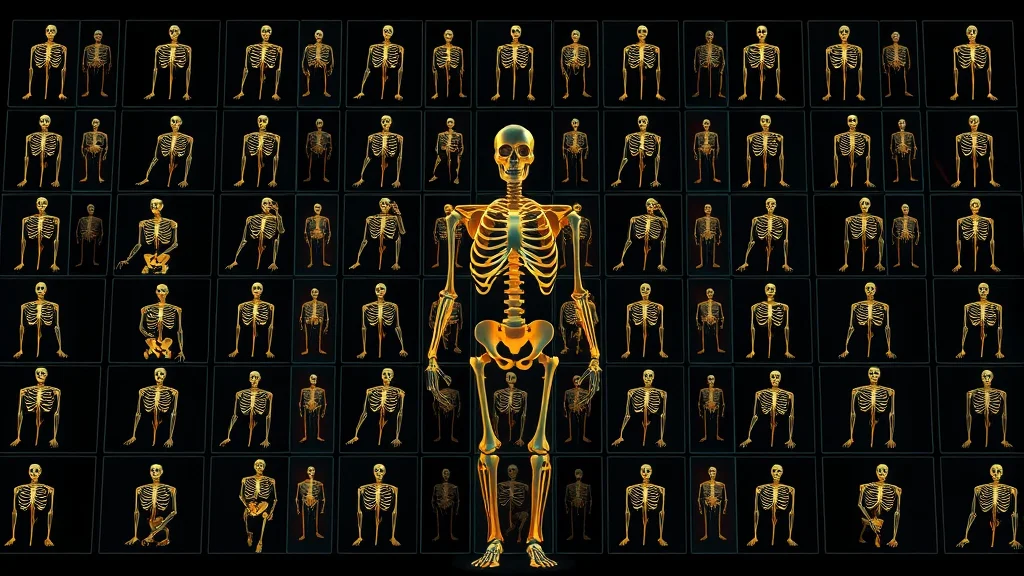
Standing poses
Standing is the safest, most reliable pose family. The model has seen millions of upright figures, so it rarely breaks.
1woman, adult, standing, contrapposto, looking at viewer, one hand on hip,
fitted dress, studio backdrop, soft key light, medium shot, 85mm,
photorealistic, best quality, highly detailed
Negative: child, minor, underage, loli, shota, bad anatomy, bad hands,
extra fingers, deformed, watermark, text, low quality
score_9, score_8_up, score_7_up, 1girl, adult, mature female, standing,
from side, looking back at viewer, hand in hair, casual outfit,
indoor, window light, cowboy shot, depth of field
Negative: score_1, child, minor, underage, loli, shota, bad hands,
extra digits, deformed, watermarkVariations that work well: leaning against wall, arms crossed, stretching, walking, back arched, looking over shoulder.
Sitting poses
Sitting introduces a surface, which adds realism but also a new failure point: the model can forget the chair and leave the subject floating. Always name the surface.
1woman, adult, sitting on chair, legs crossed, leaning forward,
looking at viewer, elbow on knee, casual top, cafe interior,
soft natural light, medium shot, 50mm, photorealistic, best quality
Negative: child, minor, underage, loli, shota, floating, bad anatomy,
bad hands, extra fingers, deformed, watermark, text
masterpiece, best quality, 1girl, adult, mature female, sitting on bed,
leaning back on hands, knees together, looking at viewer, off-shoulder top,
bedroom, warm lighting, cowboy shot, depth of field, anime style
Negative: child, minor, underage, loli, shota, floating, worst quality,
bad anatomy, bad hands, extra digits, watermarkReliable variations: sitting on floor, hugging knees, sitting on edge of bed, straddling chair backwards, kneeling, sitting on heels.
Lying poses
Lying down is the trickiest text only family because the body axis rotates away from upright, and the model’s sense of gravity and limb stacking gets fragile. Name the surface and the orientation clearly.
1woman, adult, lying on bed, on back, looking at viewer, one knee raised,
arms above head, silk sheets, dim bedroom, low key lighting, rim light,
from above, 35mm, photorealistic, film grain, best quality, highly detailed
Negative: child, minor, underage, loli, shota, bad anatomy, bad hands,
extra limbs, fused fingers, deformed, mutated, watermark, text
score_9, score_8_up, 1girl, adult, mature female, lying on stomach,
looking back at viewer, legs bent up, ankles crossed, soft blanket,
bedroom, soft lighting, from behind, depth of field
Negative: score_1, child, minor, underage, loli, shota, extra limbs,
bad hands, deformed, watermarkLying poses are where pose control earns its keep. If the limbs keep stacking wrong, do not add words. Move to OpenPose.
Dynamic and action poses
Dynamic poses (motion, twists, jumps) are the highest risk and lowest success rate from text alone. The model has no real concept of momentum.
1woman, adult, dynamic pose, mid-stride, hair in motion, looking at viewer,
athletic wear, outdoor track, bright daylight, full body shot, 35mm,
photorealistic, best quality, highly detailed
Negative: child, minor, underage, loli, shota, bad anatomy, bad hands,
extra limbs, deformed, motion blur on face, watermark, text
For anything genuinely dynamic, treat the prompt as a starting suggestion and expect to control the skeleton directly.
When prompts are not enough: lock the pose
There is a hard ceiling on what text can do for body geometry. Past that ceiling, you stop describing and start dictating. Two tools do this.
OpenPose lets you feed the model a stick figure skeleton. The model then builds the body onto that exact skeleton, joint by joint. This is the single biggest upgrade for pose reliability, especially for lying and dynamic poses. The full method is in OpenPose pose control.
ControlNet is the broader framework OpenPose lives inside. Beyond skeletons it can use depth maps, edge maps, and reference images to constrain composition. For poses that involve interaction with objects or specific limb placement, depth and canny control models add the structure text cannot. See the ControlNet guide.
The workflow is simple: get the prompt 80 percent right, then add a pose control to nail the last 20 percent that text always misses.
| Approach | Pose reliability | Best for |
|---|---|---|
| Text tags only | Low to medium | Standing, simple sitting |
| Text plus OpenPose | High | Lying, dynamic, specific limbs |
| Text plus ControlNet depth | High | Object interaction, complex scenes |
| Reference image plus IPAdapter | High for consistency | Repeating the same pose and character |
Want to try a pose right now and see where text tops out? Generate one here.
Common pose failure modes and fixes
| Failure | Cause | Fix |
|---|---|---|
| Melted or extra limbs | Too many limb detail tokens | Cut to two limb details, use OpenPose |
| Floating subject | No surface named | Add sitting on chair, lying on bed |
| Wrong orientation | Orientation token missing | Add looking at viewer or from behind |
| Generic stiff pose | Only base posture given | Add weight and one natural limb detail |
| Pose ignored entirely | Model cannot parse it from text | Switch to OpenPose or ControlNet |
| Bad hands in pose | Hands always fragile | Strengthen negative, consider ADetailer pass |
Keeping the same pose across a character set
If you are building a coherent set of the same adult character, you will want repeatable poses, not random ones. The reliable path is to fix the pose with OpenPose and fix the identity with an IPAdapter reference or a character LoRA. Together they give you the same person in controllable poses across many renders. See IPAdapter for character consistency and the broader character consistency techniques.
This matters because a creator set looks amateur the moment the face or body proportions wander between images. Pinning pose and identity separately is what makes a set feel like one person photographed many ways rather than ten different people.
How pose interacts with the rest of the prompt
Pose does not live alone. It interacts with framing and outfit. A full body lying pose needs a wide enough shot to contain it, or you crop the feet awkwardly. A dynamic pose pairs with a faster looking shutter feel and an outdoor setting. Off shoulder and draped garments read better in seated and leaning poses than in stiff standing ones. Coordinate pose with camera angles, outfits, and settings, and follow the overall prompt formula so the pose sits in the right slot.
Think of it as a feedback loop. Choose the pose, then choose the shot that frames it, then the outfit that drapes naturally in it, then the setting that justifies it. When all four agree, the image reads as intentional rather than assembled. When they fight, you get the uncanny, posed mannequin look that screams generated.
A note on tag vocabulary
Booru trained models (Pony, Illustrious) respond to specific danbooru pose tags that the dataset actually used. Generic English phrases work, but the exact danbooru tag often works better. For example the dataset knows contrapposto, arched back, looking back, and top-down bottom-up as discrete tags. Learning the real vocabulary is a force multiplier. The reference is in danbooru tags for NSFW AI. On SDXL realistic and Flux, plainer language is fine and often better.
The practical takeaway: match your pose vocabulary to your model family. Tag soup of real danbooru terms for Pony and Illustrious, clean natural phrasing for SDXL realism, and full descriptive sentences for Flux. The pose intent is the same, only the dialect changes.
Hands, the eternal pose problem
No pose discussion is complete without hands. Hands are the most fragile part of any AI figure because they have many small parts in constantly varying configurations. Poses that put hands near the face, on the body, or interacting with objects raise the difficulty sharply. Three tactics help. First, keep hands simple in the pose itself: hand on hip is far more reliable than intricate hand gesture. Second, load your negative line with hand specific tokens like bad hands, extra fingers, fused fingers, missing fingers. Third, run an ADetailer or inpainting pass focused on the hands after the main render, which is the single most effective fix. The detailing workflow is in the photo editing workflow guide.
1woman, adult, standing, looking at viewer, one hand on hip,
other arm relaxed at side, simple background, soft light, medium shot,
photorealistic, best quality, highly detailed
Negative: child, minor, underage, loli, shota, bad hands, extra fingers,
fused fingers, missing fingers, deformed, mutated, watermark, text
The golden rule: design poses that hide or simplify the hands when you can, and clean up the hands you must show in a dedicated pass. Fighting hand artifacts purely in the main prompt is a losing battle.
A reusable pose swipe file
The fastest way to work is to keep a small file of poses you trust, grouped by family, and paste from it. Here is a starter set you can grow.
- Standing confident:
standing, contrapposto, looking at viewer, one hand on hip - Standing candid:
standing, from side, looking back at viewer, hand in hair - Seated relaxed:
sitting on chair, legs crossed, leaning forward, elbow on knee - Seated bed:
sitting on bed, leaning back on hands, looking at viewer - Lying neutral:
lying on bed, on back, one knee raised, arms above head - Lying prone:
lying on stomach, looking back at viewer, ankles crossed - Kneeling:
kneeling, sitting on heels, hands on thighs, looking at viewer
Keep your safety negative as a fixed footer you append to every one of these. Once the file exists, building a new image is assembling blocks, not writing prose. Pair the pose block with a camera angle block and you have most of a finished prompt in seconds.
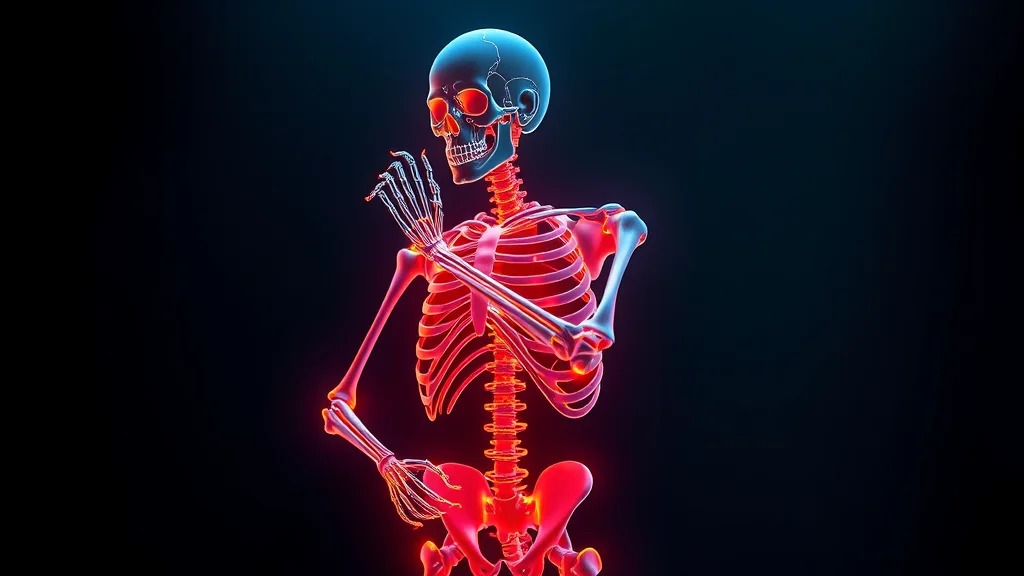
Kneeling and crouching poses
Kneeling and crouching are a distinct family worth their own attention because they fail in specific ways: the model loses track of where the floor is and how weight distributes onto the knees. Name the contact clearly.
1woman, adult, kneeling, sitting on heels, hands on thighs, looking at viewer,
casual outfit, simple background, soft light, medium shot, 50mm,
photorealistic, best quality, highly detailed
Negative: child, minor, underage, loli, shota, floating, bad anatomy,
bad hands, extra limbs, deformed, watermark, text
Reliable variations: crouching, looking at viewer, kneeling on bed, on all fours, looking back at viewer. The cue sitting on heels is especially helpful because it tells the model exactly how the lower legs fold, which prevents the broken, dislocated knee look these poses often produce.
Matching pose energy to the whole image
A final principle that separates intentional images from random ones: the pose should carry an energy that the lighting, camera, and setting all reinforce. A relaxed reclining pose wants soft warm light and a close intimate framing. A confident standing pose wants clean studio light and a slightly low angle. A dynamic action pose wants bright outdoor light and a wider shot to contain the motion. When the pose energy and the rest of the prompt pull in the same direction, the image feels composed. When a high energy pose sits in flat, soft, intimate lighting, it reads as confused. Choose the pose first, then build the lighting, camera, and setting to serve it.
When you assemble your final pose prompt, render it in the generator, keep every subject adult, fictional, and AI-generated, and never reproduce a real person’s likeness. Safety negatives stay on, always.
Frequently asked questions
How do I write a pose prompt that the AI actually follows?
Lead with the base posture like standing, sitting, or lying, then add orientation like looking at viewer or from behind, then one or two limb details. Keep it sparse. Naming the surface for sitting and lying prevents floating. If the pose still collapses, the model cannot parse it from text and you should switch to OpenPose.
Why do my AI poses always have melted or extra limbs?
Usually you stacked too many limb detail tokens, which gives the model conflicting signals and it resolves them by adding limbs. Cut down to two limb details maximum. For complex or lying poses, text simply is not precise enough, so lock the skeleton with OpenPose. A strong negative line and an ADetailer pass also help clean hands and limbs.
When should I use OpenPose instead of pose prompts?
Switch to OpenPose the moment text stops working, which is typically lying poses, dynamic action, or any specific limb placement. OpenPose feeds the model an exact stick figure skeleton and the body is built onto it joint by joint. The reliable workflow is to get the prompt roughly right, then add OpenPose to nail the geometry text always misses.
Why does my subject float instead of sitting on the chair?
The model forgot the surface because you did not name it. Always include the surface explicitly: sitting on chair, sitting on bed, lying on bed. Adding floating to your negative prompt helps too. Surfaces ground the figure and give the model a believable contact point, which removes the weightless, pasted in look from seated and lying poses.
Do Pony and Illustrious use different pose tags than SDXL?
Yes. Booru trained models like Pony and Illustrious respond best to real danbooru pose tags the dataset used, such as contrapposto, arched back, and looking back. SDXL realistic checkpoints and Flux prefer plainer natural language. Match your pose vocabulary to the model family for best results, but keep the safety negatives identical across all of them.
How do I keep the same pose across multiple images?
Fix the pose with OpenPose so the skeleton is identical across renders, and fix the identity with an IPAdapter reference or a character LoRA. Together they give you the same adult character in a controlled, repeatable pose. This is what makes a creator set look like one consistent person rather than ten different people in random poses.
Are dynamic action poses possible from prompts alone?
Partially. The model has no real concept of momentum, so dynamic poses from text alone are the lowest success rate family. You can get a usable starting point with tokens like dynamic pose and mid-stride, but for reliable motion you should control the skeleton with OpenPose. Treat the prompt as a suggestion and expect to dictate the geometry.
Is it safe to recreate a real person’s pose from a photo?
Recreating a generic pose is fine, but you must never generate NSFW images of a real identifiable person, even posed like a photo of them. Every subject here is an adult, fictional, AI-generated character. Use original or owned personas, keep the likeness and minor safety negatives on, and do not feed reference images that target a real individual’s identity.
Related guides:
Related prompt guides:



