Setting prompts work best when you name the location, one or two anchor details, and a depth cue that keeps the background from competing with the subject. Pair every setting with shallow depth of field or blurred background to stay clean. Match lighting to the location for realism. Keep baseline safety negatives on every render.
The background is the part of an NSFW image people notice last and get wrong first. A cluttered, sharp, over detailed setting steals attention from the subject and is where the model dumps most of its artifacts: warped furniture, nonsense text, floating objects. The fix is not to skip the background, it is to design a clean one and then push it slightly out of focus.
This is a copy and paste library of settings, bedroom, beach, office, shower, studio, outdoor, and fantasy, with phrasing that keeps backgrounds tidy and depth of field tips that make them sit behind the subject where they belong. Every subject is an adult (18+), fictional, AI-generated character, never a real identifiable person, never a minor or minor-appearing subject. Baseline safety negatives stay on every single render.
Test any setting in our generator.
The three part setting formula
A reliable setting tag has three parts.
Location is the place: bedroom, beach, office, studio. This anchors the scene.
Anchor detail is one or two concrete elements that sell the location without cluttering it: soft bedsheets, large window, ocean horizon. Two anchors is plenty. More than that and the model starts inventing distracting junk.
Depth treatment is how sharp the background is: blurred background, bokeh, simple background, or deep focus when you genuinely want the environment in play. For most NSFW work you want the background soft so the subject dominates.
| Part | Example tokens | Purpose |
|---|---|---|
| Location | bedroom, beach, office, studio | Anchors the scene |
| Anchor detail | soft bedsheets, large window, plants | Sells the place |
| Depth treatment | blurred background, bokeh, simple background | Keeps subject dominant |
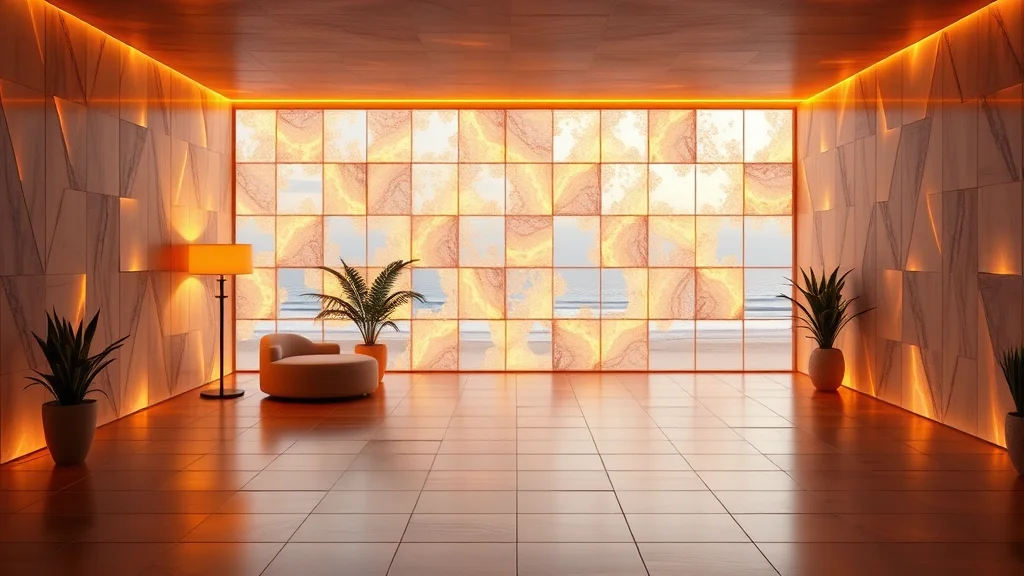
Bedroom
The most common NSFW setting and one of the easiest to keep clean. Keep anchors to bedding and a light source.
1woman, adult, lying on bed, looking at viewer, silk sheets, dim bedroom,
blurred background, low key lighting, warm rim light, medium shot, 50mm,
shallow depth of field, photorealistic, film grain, best quality, highly detailed
Negative: child, minor, underage, loli, shota, bad anatomy, bad hands,
cluttered background, deformed, watermark, text, low quality
score_9, score_8_up, score_7_up, 1girl, adult, mature female, sitting on bed,
looking at viewer, soft bedding, large window, soft morning light,
bedroom, depth of field, cowboy shot
Negative: score_1, child, minor, underage, loli, shota, bad hands,
messy background, deformed, watermarkNote cluttered background and messy background in the negatives. That single token does a lot to keep bedrooms tidy.
Beach and poolside
Outdoor water settings are bright and reliable. The horizon is a strong anchor, and bright daylight flatters.
1woman, adult, standing, looking at viewer, one-piece swimsuit, beach setting,
ocean horizon, soft sand, bright daylight, blue sky, full body shot, 35mm,
deep focus, photorealistic, best quality, highly detailed
Negative: child, minor, underage, loli, shota, bad anatomy, bad hands,
extra limbs, deformed, watermark, text
Poolside variation: poolside, blue water, lounge chair, bright sunlight. Water settings pair well with wet fabric and glossy skin tags for added realism.
Office and professional
Office settings read as clean and modern, good for business or roleplay looks. Keep anchors to a desk and window light.
masterpiece, best quality, 1girl, adult, mature female, sitting on desk,
looking at viewer, business attire, modern office, large window, city view,
soft daylight, blurred background, cowboy shot, depth of field, photorealistic
Negative: child, minor, underage, loli, shota, worst quality, bad anatomy,
bad hands, cluttered background, deformed, watermark
Modern minimal office anchors render most cleanly. Avoid stacking many objects, which is where the model produces warped monitors and nonsense signage.
Shower and bathroom
Shower scenes are popular and benefit hugely from depth of field, because tile and fixtures clutter fast. Keep it soft and add steam.
1woman, adult, standing, looking at viewer, shower scene, wet skin,
water droplets, steam, glass shower, soft diffused light, blurred background,
medium shot, 50mm, shallow depth of field, photorealistic, best quality
Negative: child, minor, underage, loli, shota, bad anatomy, bad hands,
cluttered background, deformed tiles, watermark, text, low quality
Steam is your friend here: steam, fog softens the background naturally and hides tile artifacts. Wet skin and water droplets sell the scene.
Studio
The cleanest possible background. A studio backdrop removes almost all background complexity and puts full attention on subject, pose, and lighting. The safest choice when you want zero distraction.
1woman, adult, standing, contrapposto, looking at viewer, fitted dress,
studio backdrop, seamless gray background, soft key light, rim light,
medium shot, 85mm, shallow depth of field, photorealistic, best quality, highly detailed
Negative: child, minor, underage, loli, shota, bad anatomy, bad hands,
deformed, watermark, text, low quality
Studio settings are where you should test new poses, outfits, and lighting, because nothing in the background can go wrong. Once the subject is dialed in, you can move it to a richer environment.
Want the cleanest possible test bed? Generate on a studio backdrop here.
Outdoor and nature
Natural settings add atmosphere but raise complexity. Keep anchors to one landscape element plus light.
score_9, score_8_up, 1girl, adult, mature female, standing, looking at viewer,
summer dress, outdoor, golden field, sunset, golden hour lighting,
blurred background, full body shot, 35mm, depth of field, photorealistic
Negative: score_1, child, minor, underage, loli, shota, bad anatomy,
bad hands, cluttered background, deformed, watermark
Golden hour outdoor is one of the most flattering combinations in all of prompting, because the warm low light wraps the subject. Forest, garden, rooftop, and balcony are other reliable outdoor anchors.
Fantasy and stylized
Fantasy settings suit anime and stylized models and give you the most creative range. Anchor with one strong element so the scene does not dissolve into noise.
masterpiece, best quality, 1girl, adult, mature female, standing, dynamic pose,
fantasy sorceress outfit, ancient temple interior, glowing runes, magical atmosphere,
dramatic lighting, full body shot, anime style, depth of field
Negative: child, minor, underage, loli, shota, worst quality, bad anatomy,
bad hands, extra limbs, deformed, watermark
Fantasy is where booru models shine. The danbooru vocabulary covers many environment tags, referenced in danbooru tags for NSFW AI.
Keeping backgrounds clean and not distracting
Four techniques keep a setting supporting the subject rather than fighting it.
First, limit anchor details to one or two. Every extra object is another chance for the model to invent something warped. A bedroom needs bedding and a window, not bedding, window, lamp, plant, photos, books, and a clock.
Second, push the background out of focus. shallow depth of field, blurred background, bokeh make whatever is back there read as suggestion rather than detail, which both looks professional and hides artifacts. This is the single most powerful background cleanup tool. The full depth treatment is in the camera angle guide.
Third, negate the clutter. Add cluttered background, messy background, busy background to your negative line. It genuinely reduces background junk.
Fourth, match lighting to the location. A bedroom wants warm, low light. A beach wants bright daylight. An office wants neutral window light. When light and location agree, the scene reads as real. When they fight, it reads as a green screen composite. Coordinate with the lighting guide.
| Setting | Best lighting | Best depth |
|---|---|---|
| Bedroom | Warm, low key, rim light | Shallow, blurred |
| Beach | Bright daylight | Deep or medium |
| Office | Neutral window light | Shallow, blurred |
| Shower | Soft diffused, steam | Shallow, blurred |
| Studio | Controlled key and rim | Shallow |
| Outdoor golden hour | Warm low sun | Shallow, blurred |
| Fantasy | Dramatic, magical | Medium |
Depth of field, the background’s best friend
Depth of field deserves its own emphasis because it solves most background problems at once. A shallow depth of field throws the entire background into soft blur, which isolates the subject, adds a professional photographic look, and conveniently hides any artifacts the model generated back there. Pair it with a longer lens like 85mm for portraits or keep it moderate at 50mm for medium shots.
Reserve deep focus for when the environment is genuinely part of the story, like a beach or a dramatic landscape, and even then keep anchor details minimal. The default instinct for clean NSFW work should be: soft background, sharp subject. For the realism specifics of focus and rendering, see how to make realistic AI images.
Consistency: same setting across a set
If you are building a coherent character set in one location, reuse the exact setting block verbatim so the room stays the same room. For stronger control, use an IPAdapter reference of the environment, or generate the scene once and inpaint the subject into it across variations using the photo editing workflow. The broader consistency toolkit is in character consistency techniques.
A stable setting does for the environment what a stable face does for the character: it makes a set feel like one shoot rather than a scattered collection. Reuse the same location block, the same lighting, and the same depth treatment, and only vary pose and framing.
Per-model setting notes
Booru models (Pony, Illustrious) know environment tags precisely and respond to clean tag stacks. SDXL realistic checkpoints handle both tags and short descriptions. Flux wants a descriptive sentence: “a dim bedroom with soft morning light through a large window and a blurred background.” See the Flux guide, pick a base from best NSFW checkpoints, and slot the setting into the overall prompt formula at slot four.
Build a setting swipe file
Keep reusable setting blocks grouped by location, each with its anchor details, matching lighting, and depth treatment already baked in. A starter set: a warm bedroom block, a bright beach block, a clean office block, a steamy shower block, a neutral studio block, a golden hour outdoor block, and a fantasy block. Append your fixed safety negative including the clutter negatives to every one.
With the file built, placing a character in a clean, coherent environment is instant. Combine a setting block with a pose block, a camera block, and an outfit block and your full prompt assembles from trusted parts.
Time of day and weather as setting modifiers
Beyond the location itself, time of day and weather are powerful modifiers that change the entire mood of a setting without changing where it is. The same bedroom feels different at golden hour versus night, moonlight versus bright morning. The same outdoor scene transforms under overcast, rain, fog, or clear blue sky. These modifiers are cheap to add and dramatically expand the range you can get from a single location block.
1woman, adult, sitting by window, looking at viewer, casual outfit,
bedroom, rainy day, soft overcast light through window, blurred background,
medium shot, 50mm, shallow depth of field, photorealistic, best quality, highly detailed
Negative: child, minor, underage, loli, shota, bad anatomy, bad hands,
cluttered background, deformed, watermark, text, low quality
Time and weather also dictate which lighting is plausible. Moonlight calls for cool low key light, golden hour for warm wraparound light, an overcast day for soft diffused light. Keep the modifier and the lighting in agreement and the scene gains a documentary believability that a generic, timeless setting never has.

Avoiding the most common background artifacts
A few background problems show up over and over, and each has a direct fix. Warped furniture comes from too many objects competing for detail, so cut anchors down and blur. Nonsense text on signs, books, or screens is endemic, so add text, watermark, signature to your negative and prefer settings without writing in them. Repeating patterns like tile and brick warp easily, so soften them with steam, fog, or shallow depth of field. Floating or impossible objects come from an overstuffed scene, so simplify. Backgrounds that bleed into the subject come from matching tones, so add a rim light to separate the subject from the background, which is one of the most effective separation tricks in the whole pipeline.
The through line is the same: a clean, simple, slightly blurred background with a rim light separating the subject is the most reliable, most professional looking result, and it sidesteps almost every common artifact at once.
Quick reference: setting plus mood combinations
To speed up assembly, here are reliable full setting recipes that bundle location, anchors, lighting, and depth into one mood. Paste, then add your subject, pose, outfit, and safety negative.
- Intimate bedroom:
dim bedroom, silk sheets, warm lamp light, rim light, blurred background, shallow depth of field - Fresh morning:
bedroom, large window, soft morning light, blurred background, depth of field - Bright beach:
beach setting, ocean horizon, soft sand, bright daylight, blue sky, deep focus - Clean office:
modern office, large window, city view, neutral daylight, blurred background - Steamy shower:
glass shower, wet skin, steam, soft diffused light, blurred background, shallow depth of field - Studio neutral:
seamless gray backdrop, soft key light, rim light, shallow depth of field - Golden outdoor:
golden field, sunset, golden hour lighting, blurred background, depth of field
Each recipe already solves the clutter problem by limiting anchors and softening the background, so you can focus your energy on the subject. This is the same modular philosophy that runs through the whole cluster: build trusted blocks once, then assemble fast. The setting is the stage, and a clean, well lit, slightly blurred stage makes every performance on it look better.
When your scene is set, render it in the generator. Keep every subject adult, fictional, and AI-generated, never a real person’s likeness, and keep your safety negatives locked on every render.
Frequently asked questions
How do I keep AI backgrounds from being cluttered and distracting?
Limit anchor details to one or two concrete elements, push the background out of focus with shallow depth of field or blurred background, add cluttered background and messy background to your negative line, and match the lighting to the location. The combination keeps the setting supporting the subject and hides the artifacts the model tends to dump into busy backgrounds.
What is the cleanest background setting for testing prompts?
A studio backdrop with a seamless background is the cleanest option because it removes almost all background complexity and nothing back there can go wrong. Use it to dial in new poses, outfits, and lighting, then move the subject to a richer environment once it works. Studio settings are the most reliable and artifact free of any location.
Why do shower and bathroom backgrounds look so broken?
Tile, fixtures, and glass create repetitive detail that the model warps easily. Fix it by adding steam or fog to soften the scene naturally, using a shallow depth of field to blur the background, and putting deformed tiles and cluttered background in your negative. Steam is especially effective because it hides tile artifacts while adding realism to the shower scene.
How does depth of field help with backgrounds?
A shallow depth of field throws the entire background into soft blur, which isolates the subject, adds a professional photographic look, and hides any artifacts the model generated back there. Pair it with a longer lens like 85mm for portraits. Reserve deep focus for when the environment is genuinely part of the story, like a beach or a dramatic landscape.
How do I match lighting to a setting?
A bedroom wants warm low key light with a rim light, a beach wants bright daylight, an office wants neutral window light, a shower wants soft diffused light with steam, and outdoor golden hour wants warm low sun. When light and location agree the scene reads as real, while a mismatch makes it look like a green screen composite. Coordinate them deliberately.
How do I keep the same setting across a character set?
Reuse the exact setting block verbatim so the room stays the same room, keeping location, anchor details, lighting, and depth treatment identical. For stronger control, use an IPAdapter reference of the environment, or generate the scene once and inpaint the subject into it across variations. A stable setting makes a set feel like one shoot rather than scattered images.
Do settings work differently on Flux versus Pony?
The intent is the same but the dialect differs. Booru models like Pony and Illustrious know environment tags precisely and respond to clean tag stacks. Flux prefers a descriptive sentence such as a dim bedroom with soft morning light and a blurred background. SDXL handles both. Match the phrasing to the model family and keep the safety negatives identical.
Can I use a real recognizable location as a background?
Generic location types like bedroom, beach, or office are fine. The important rule is the subject: never generate NSFW images of a real identifiable person, regardless of the background. Every subject here is an adult, fictional, AI-generated character. Use original or owned personas, keep the minor and likeness safety negatives active, and keep the focus on a tasteful, fictional scene.
Related prompt guides:
Related scene how-tos:



