Scene and action prompts describe what is happening and how it is framed, from a single subject in motion to two characters interacting in a composed shot. They are distinct from single-subject pose prompts because they add interaction, environment, and camera framing. The honest catch: Stable Diffusion handles one subject well and struggles badly with coherent multi-character contact. Framing tags, ControlNet, regional prompting, inpainting, and compositing are how you get past that.
What scene and action prompts control and why they matter
A pose prompt describes one body’s shape. A scene prompt describes an event: an action unfolding, a relationship between subjects, an environment that tells a story, and a camera that decides how you see all of it. This is a bigger, harder ask, because you are no longer asking the model to draw a person, you are asking it to stage a moment.
The reason this matters is that scenes are what make adult art feel alive instead of catalog-flat. A single subject in a neutral pose is a figure study. The same subject caught mid-action in a real environment, framed with intent, is a story. That storytelling is the difference between images people scroll past and images they stop on.
The reason it is hard is worth stating plainly up front, because it saves you hours of frustration. Diffusion models were trained overwhelmingly on single-subject or loosely-grouped images, and they have a weak internal model of how two bodies physically occupy the same space. Ask for one person doing something and you usually get it. Ask for two people in close contact and the model starts merging them, adding limbs, or quietly ignoring one of them. Everything below is organized around that reality: easy things first, then the techniques that make the hard things possible.
There is a hierarchy of difficulty here that is worth internalizing, because it tells you how much effort a given shot will cost before you start. A single subject in an environment is easy. A single subject implying a second person through environment is easy and looks great. Two subjects with no contact, standing apart in the same frame, is moderate. Two subjects touching is hard. Two subjects in complex close contact is the hardest thing you can ask a current model to do, and it almost always requires composition tools or compositing rather than a single generation.
The copy-paste scene and action tag bank
Grouped by difficulty, easiest first.
Single-subject action (reliable)
walking toward camera, leaning against wall, sitting on edge of bed, kneeling on floor
stretching, arching back, looking over shoulder, undressing, adjusting hair
lying on back, lying on stomach, rolling over, reaching up, caught mid-motion
candid moment, glancing back, biting lip, running hands through hair, climbing onto bed
Environmental storytelling
morning light through curtains, rumpled sheets, clothes on the floor, half-open door
steamy bathroom mirror, wine glasses on the nightstand, city lights through window
after a shower, getting dressed, unmade bed, intimate aftermath, quiet moment
two coffee cups, discarded jacket on a chair, tangled bedsheets, dim lamp glow
Two-subject interaction framing (hard, use with the techniques below)
two people embracing, couple close together, one behind the other, face to face
intimate embrace, holding each other, hands on waist, foreheads touching
over the shoulder view of a couple, silhouette of two figures, entwined
dancing close, one leaning into the other, cradling, back to chest
Camera and composition
wide shot, full body shot, medium shot, close-up, extreme close-up
over-the-shoulder shot, from above, low angle, dutch angle, point of view
foreground element, blurred foreground, deep background, layered composition
rule of thirds, centered composition, negative space, cinematic framing, leading lines
The camera block is your most reliable storytelling lever, because framing changes the read of a scene without adding the multi-subject complexity that breaks the model. Combine it with the camera angle prompts for the full set. A well-chosen frame does more narrative work than any interaction tag, and it never adds an extra limb.
Reference grid: scene type to framing tags to difficulty
| Scene type | Framing tags | Difficulty | Best technique |
|---|---|---|---|
| Single subject, action | medium shot, caught mid-motion | easy | plain prompt |
| Single subject, environment | wide shot, foreground element | easy | plain prompt plus setting |
| Point of view | pov, close-up, low angle | medium | prompt plus seed hunt |
| Two subjects, non-contact | wide shot, two figures, negative space | medium | regional prompter |
| Two subjects, embrace | over the shoulder, silhouette | hard | ControlNet plus inpaint |
| Two subjects, close contact | entwined, face to face | very hard | compose or composite |
The pattern is clear: difficulty rises with contact between subjects. Keep your ambitions matched to the technique you are willing to use. If you only want a plain prompt, stay in the top two rows, and you will get clean results all day. The moment you want contact, budget the extra time for ControlNet, inpainting, or a composite.
Full example prompts
Single-subject scene (the reliable win)
Positive:
cinematic photo of an adult woman, (caught mid-motion:1.1), pulling off shirt, standing by window,
morning light through curtains, rumpled bed in background, (wide shot:1.1), medium format look,
shallow depth of field, film grain
Negative:
extra limbs, extra person, deformed hands, stiff pose, flat lighting, clutteredThis is where the model shines. One subject, a real environment, intentional framing, and a hint of action. Nail this before attempting two, because a solid single-subject workflow is the foundation every harder shot builds on.
Environmental storytelling without a second body
Positive:
intimate aftermath scene, adult woman lying on unmade bed, tangled sheets, soft morning light,
two wine glasses on nightstand, clothes on the floor, (over-the-shoulder view:1.1), cinematic, quiet mood
The story implies a second person through the environment, the glasses and clothes, without the model ever having to render two interacting bodies. This is the single most useful trick in the whole guide, because it delivers most of the narrative payoff of a two-person scene while sidestepping the exact thing the model is worst at.
Two-subject embrace (hard mode, with a plan)
Positive:
cinematic photo of an adult couple embracing, (two people:1.2), one behind the other,
hands on waist, close-up, warm low light, film grain, shallow depth of field
Negative:
extra limbs, extra arms, merged bodies, fused faces, three legs, deformed hands, duplicate,
conjoined, malformed
You will roll this many times and most outputs will fail. Do not fight it with the prompt alone. Bring the composition tools in the next section, because the prompt has taken you as far as it can.
Common failure modes and the fix
Merged bodies. Two subjects fuse into one mass with a shared torso or a face bleeding into another. This is the core multi-subject weakness. The fix is spatial control. A regional prompter, or ControlNet with an open-pose or depth reference of two distinct figures, tells the model exactly where each body belongs. The ControlNet guide walks through posing two figures with a reference skeleton, which is the most reliable path to a coherent embrace.
Extra limbs in interaction scenes. Contact points are where the model loses count of arms and legs. Load the negative heavily with extra limbs, extra arms, three legs, duplicate, conjoined and, crucially, fix the survivors with inpainting. Most good multi-subject images are one decent base plus several inpainting passes to repair hands, limbs, and contact seams. Do not expect a clean two-body image in a single generation.
The second subject gets ignored. You ask for two people and get one. Weight the count, (two people:1.3), put the second subject early in the prompt, and consider a regional prompter that forces a second region to be populated. A wide or full-body framing also helps, since cramped close-ups give the model room to drop a subject.
Hands destroyed at contact points. Where a hand grips a waist or shoulder, hands mangle. This is the general hand problem amplified by contact. Fix with a dedicated hand repair pass and ADetailer, and accept that contact-point hands almost always need manual inpainting.
Stiff, lifeless action. A single subject in an action prompt comes out frozen and posed. Add caught mid-motion, candid, dynamic and lean on framing and a slight dutch or low angle to inject energy. Motion reads better from the right camera position, which is why the pose prompts and camera angle pages pair so well with this one.
Scale mismatch between two subjects. Even when the model renders two people cleanly, one can come out giant next to the other. This is a depth-cue failure. A ControlNet depth or pose reference that places both figures at a consistent scale fixes it, and framing them at similar distance from the camera helps the base generation guess correctly.
The honest limits, and the workarounds
Be clear-eyed: complex multi-subject interaction is the frontier where current diffusion models are weakest, and no prompt string fixes that alone. The workarounds, in order of effort:
First, avoid the problem. Imply the second person through environment and framing, or use silhouette and over-the-shoulder compositions where one body is simplified. This gets you eighty percent of the storytelling for twenty percent of the pain, and it is where most experienced creators spend their time.
Second, control the space. Regional prompting assigns each subject to a region of the canvas. ControlNet feeds the model a pose reference of two distinct figures. Both dramatically cut merging and dropped subjects, and both are worth learning if two-person scenes are your goal rather than an occasional experiment.
Third, repair after. Generate the best base you can, then inpaint the contact seams, hands, and any extra limbs one at a time. This is slow but it is how most polished multi-subject work actually gets made, and it is a skill that compounds, since every repair teaches you where the model fails next time.
Fourth, composite. Generate each subject separately in matching light and pose, then combine them in an editor and blend with a final img2img pass. For truly complex contact, compositing beats fighting a single generation, because you get full control over each body and only ask the model to blend the seam.
If you would rather skip the local rig and the technique stack entirely, a hosted generator like AI Nudez handles scene generation in the browser, which is a reasonable option when you want results without wiring up ControlNet and a regional prompter yourself. For everyone running local, the tools above are the real path.
Keeping scenes consistent across a set
A narrative set demands that the environment, framing logic, and any recurring subject hold across images. A few habits make that work.
Lock the environment tags as a block so the room, the light, and the props stay put from frame to frame. A story set falls apart the moment the bed changes shape or the window jumps walls. Keep the setting block verbatim across the series, and treat any prop that appears in one frame as something you may need to reproduce in the next.
Hold your recurring subject with the usual character tools. If the same person appears across a scene set, the character consistency techniques and a reference or LoRA keep her stable while the action changes around her. Consistency of the subject and consistency of the environment are two separate jobs, and a good scene set needs both.
Vary framing deliberately, not randomly. A good set moves through wide, medium, and close framings of the same moment, which reads as coverage of one scene rather than three disconnected images. Plan the shot list the way a photographer would, deciding your establishing wide, your mid, and your detail close before you generate.
Review the strip for continuity: same room, same light direction, same wardrobe state unless you are telling a change on purpose. Fix outliers with inpainting rather than rerolling the whole scene, since a reroll on a hard-won multi-subject frame risks losing everything.
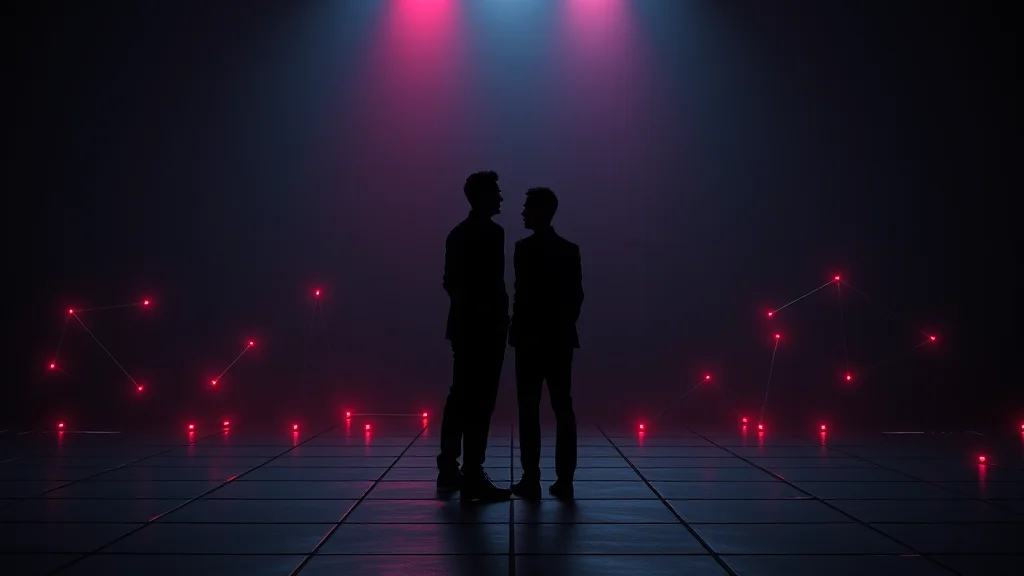
A practical workflow for a two-subject scene
Since multi-subject work is where most creators lose hours, here is a repeatable order of operations that actually gets you there. First, decide the composition before you touch the prompt. Sketch or find a pose reference of two figures at the scale and spacing you want, because the model will not invent good spatial relationships on its own and a reference removes the guesswork. Second, feed that reference through ControlNet as open-pose or depth, which locks each body into its own region and is the single biggest reduction in merging and dropped subjects you can make.
Third, generate a batch and pick the base with the fewest structural errors, not the prettiest one. You are looking for two distinct, correctly-scaled bodies with roughly right limb counts. Color, detail, and skin can all be fixed later, but a merged torso cannot, so select for structure. Fourth, repair in passes: inpaint the contact seams first, then hands, then any extra limbs, one region at a time so each fix does not disturb the last. Fifth, run a light final img2img over the whole image at low denoise to blend the repaired regions into a coherent whole.
If even that is more than you want to manage, compositing sidesteps the interaction problem entirely: generate each subject alone in matching light and pose, cut them together in an editor, and blend the seam with a final low-denoise pass. For truly complex contact this is often faster than rerolling a joint generation a hundred times. The ControlNet guide and the inpainting workflow cover the two core tools in this pipeline in depth, and the pose prompts page helps you describe each body cleanly before you combine them.
Where to go next
Scene work sits on top of the single-subject fundamentals, so master those first. Pair this with the pose prompts for the bodies, the camera angle prompts for framing, and the mood and atmosphere prompts for feeling. When you hit the multi-subject wall, the ControlNet guide and the inpainting workflow are the two pages that actually get you through it.
Frequently asked questions
What is the difference between scene prompts and pose prompts?
A pose prompt describes the shape of one body. A scene prompt describes an event: an action unfolding, an environment, framing, and sometimes a relationship between subjects. Scene work is harder because you are staging a moment rather than drawing a single figure, and it leans heavily on camera and composition tags to tell the story.
Why does Stable Diffusion merge two people into one body?
Diffusion models were trained mostly on single-subject images and have a weak internal model of how two bodies share space, so they fuse torsos, blend faces, and add limbs at contact points. The fix is spatial control: a regional prompter or ControlNet with a two-figure pose reference tells the model exactly where each body belongs before it starts merging them.
How do I get a coherent two-person embrace?
Do not rely on the prompt alone. Use ControlNet with an open-pose reference of two distinct figures to lock their positions, load your negative heavily with extra limbs and merged bodies, then repair the result with inpainting passes on the contact seams and hands. Most polished multi-subject images are one decent base plus several targeted fixes.
What is the easiest way to imply a second person without rendering one?
Use environmental storytelling. Show two wine glasses, clothes on the floor, or rumpled sheets, and frame the shot on a single subject in the aftermath. The story implies a second person through the environment while the model only has to render one body, which avoids the multi-subject weakness entirely and gets most of the narrative payoff.
Why does the model ignore my second subject?
In cramped close-ups the model tends to drop a subject when it runs out of room. Weight the count up with something like two people at 1.3, put the second subject early in the prompt, use a wider full-body framing, and consider a regional prompter that forces a second region to be populated so the subject cannot be quietly skipped.
Why are hands destroyed where two people touch?
Contact points amplify the general hand problem, so a hand gripping a waist or shoulder mangles more often than a free hand. Run a dedicated hand repair pass with ADetailer and expect to inpaint contact-point hands manually. It is normal for these to need a targeted fix rather than resolving in the base generation.
How do camera tags help with scenes?
Camera and composition tags are your most reliable storytelling lever because they change the read of a scene without adding multi-subject complexity. Wide, medium, and close framings, over-the-shoulder views, and low or dutch angles inject energy and coverage. Since framing does not strain the model the way close contact does, it is the safest way to make a scene feel intentional.
Can I make complex interaction scenes without a local rig?
Yes, a hosted generator runs scene generation in the browser without you wiring up ControlNet and a regional prompter, which suits people who want results without the technique stack. For local users, the reliable path is still spatial control with ControlNet or regional prompting, followed by inpainting or compositing to clean up the contact points.
Related scene how-tos: