ControlNet is a Stable Diffusion extension that locks specific structure (pose, depth, edges, or composition) from a reference image so your NSFW checkpoint follows it exactly. Install the sd-webui-controlnet extension in A1111 or Forge, download the matching control models, pick a preprocessor and model pair, then tune control weight and start/end steps to dial in how strongly the guide applies.
What ControlNet actually does
A text prompt alone gives Stable Diffusion enormous freedom, which is why pose, framing, and anatomy drift between seeds. ControlNet removes that randomness by feeding the model a second conditioning signal: a processed version of a reference image (an edge map, a depth map, a stick-figure pose, and so on). The base checkpoint still handles style, lighting, skin, and detail, but the structure is held to the guide. For NSFW work this is the difference between rerolling 40 seeds hoping for a usable pose and getting the pose you want on the first or second generation.
Under the hood, ControlNet is a trainable copy of the base model’s encoder blocks, connected back to the frozen base through zero-initialized convolution layers. That design means the conditioning is injected without destroying what the checkpoint already knows. The practical takeaway: ControlNet does not change what your model can render. If your checkpoint cannot produce a clean nude torso, a depth map will not teach it to. ControlNet only constrains layout. Pair it with a capable NSFW checkpoint and the results are precise and repeatable.
This matters because a lot of beginners blame ControlNet for anatomy problems that are really checkpoint problems. ControlNet decides where limbs go; the checkpoint decides what they look like. Keep those two responsibilities separate in your head and debugging gets much easier. If you want to test poses and prompts without a local install first, our free NSFW AI image generator is a quick way to sanity check an idea before you set up ControlNet locally.
Installing ControlNet in A1111 and Forge
Forge ships with ControlNet integrated, so most Forge users already have it under the txt2img and img2img tabs as a built-in panel. For Automatic1111, install the extension manually.
# A1111: Extensions tab > Install from URL
https://github.com/Mikubill/sd-webui-controlnet

# Then: Installed tab > Apply and restart UI
After restarting, you get a collapsible ControlNet panel below the prompt boxes. The extension is just the engine; you still need the control models, which are large files you download separately. Drop them in the models folder:
# SD1.5 control models (lllyasviel/ControlNet-v1-1):
control_v11p_sd15_openpose.pth
control_v11f1p_sd15_depth.pth
control_v11p_sd15_canny.pth
control_v11p_sd15_softedge.pth
control_v11p_sd15_lineart.pth
control_v11f1e_sd15_tile.pth

# Place in:
stable-diffusion-webui/extensions/sd-webui-controlnet/models/
# (Forge uses: webui/models/ControlNet/)
You do not need every model. For NSFW work, OpenPose, Depth, Canny or SoftEdge, and Tile cover almost everything. Each .pth is several hundred MB on SD1.5 and larger on SDXL, so download only what you will use.
SDXL is a separate ecosystem. SD1.5 control models do not work on SDXL checkpoints like Pony or Illustrious, and vice versa. For SDXL you want the SDXL ControlNet set, and the Union models (such as the SDXL ControlNet Union or the xinsir union models) are the practical choice because one file handles several control types at once. Match the control model to your base model’s architecture every time, or you get garbage output or a hard error. If your install does not detect newly added models, hit the refresh arrow next to the model dropdown rather than restarting the whole UI.
The main control types and when to use each
Each control type extracts a different signal from the reference. Choosing the right one matters far more than tuning any single slider, so this is where to spend your attention.
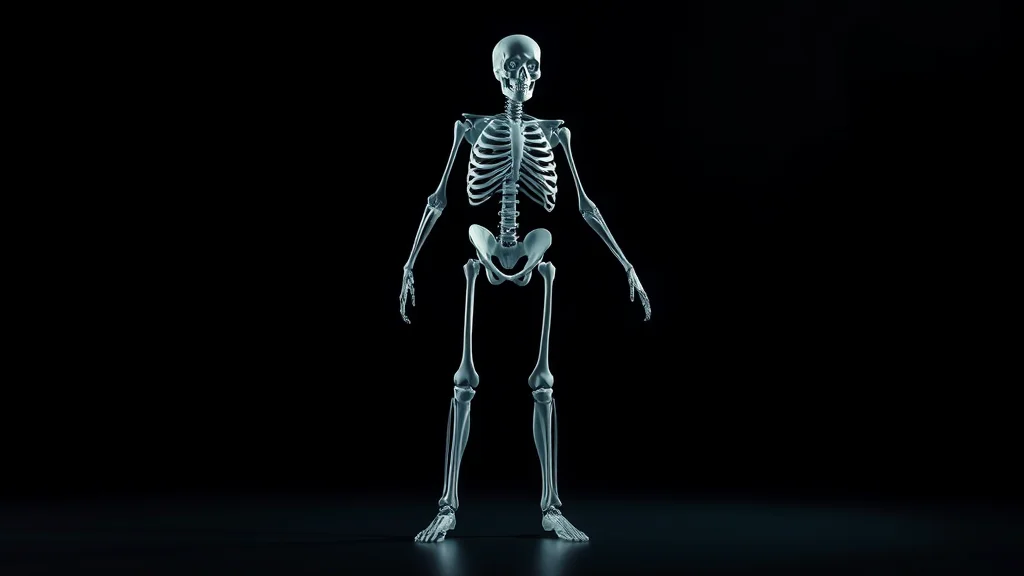
OpenPose detects a skeleton (body, and optionally hands and face) and ignores everything else, including the original body shape, clothing, and background. It is the best choice when you want a specific pose but a totally different body, outfit, or scene. Because it discards silhouette, it gives the checkpoint full freedom to render anatomy in its own style, which is exactly what you want for NSFW poses where the source body is irrelevant. The face and hand keypoint variants add more control but can over-constrain, so start with body-only and add face or hands only if you need them. For deep pose work, see the dedicated OpenPose NSFW pose control guide.
Depth captures a grayscale near/far map where lighter areas are closer to the camera. It preserves volume and spatial relationships (who is in front, how limbs overlap, how a body sits in a space) without locking exact outlines. Use it when you want to keep the 3D arrangement of a scene but allow surfaces, clothing, and detail to change. Depth is excellent for keeping a believable sense of body roundness and overlap in intimate scenes.
Canny produces hard edge lines from a Canny edge-detection pass. It is the strictest of the common types: it keeps outlines, contours, and a lot of fine detail. Use it when you need the new image to closely match the reference shape, like restyling an existing image while keeping the exact composition, or converting a render to a different art style without losing the silhouette.
SoftEdge is like Canny but with soft, fuzzy edges (the HED or PiDiNet annotators). It keeps the general structure while leaving more room for the model to reinterpret detail. It is more forgiving than Canny and a good default when Canny feels too rigid and produces stiff, traced-looking results.
Lineart is tuned for line drawings and clean outlines, with realistic and anime variants (lineart_realistic, lineart_anime). It is the go-to for turning sketches into rendered images or keeping a drawn pose while letting the model fill in shading, color, and skin.
Tile is the odd one out: it is used during upscaling to add coherent detail to each tile without hallucinating new objects. It is essential for high-res NSFW upscales where you want more skin, fabric, and hair detail without the model inventing extra limbs or duplicate faces.
Control type reference table
| Control type | Best use case | Typical weight | Typical end step |
|---|---|---|---|
| OpenPose | Copy a pose, free body/scene | 0.8 to 1.0 | 0.8 to 1.0 |
| Depth | Keep spatial volume, change surface | 0.6 to 0.9 | 0.7 to 0.9 |
| Canny | Strict outline match, restyle | 0.7 to 1.0 | 0.8 to 1.0 |
| SoftEdge | Loose structure, soft edges | 0.5 to 0.8 | 0.6 to 0.85 |
| Lineart | Sketch to render, drawn poses | 0.7 to 1.0 | 0.8 to 1.0 |
| Tile | Detail-preserving upscale | 0.4 to 0.8 | 1.0 |
Key settings: weight, start/end steps, preprocessor
Three controls decide how hard ControlNet pushes, and understanding them is most of the skill.
Control Weight scales how strongly the conditioning is applied. At 1.0 the guide is honored closely; below 0.5 it becomes a loose suggestion. If anatomy looks stiff or copy-pasted from the reference, drop the weight. If the model ignores your pose, raise it. Weight is the first slider to reach for, but it is rarely the only one.
Starting Control Step and Ending Control Step decide when in the denoising schedule ControlNet is active, expressed as a 0 to 1 fraction of total steps. Early steps set composition; late steps refine detail. A common trick: end OpenPose around step 0.8 so the model has the last 20 percent of steps to render anatomy naturally instead of fighting the skeleton. Starting later (say 0.1) lets the checkpoint establish its own style before the guide kicks in. For many stiff-anatomy problems, pulling the end step back fixes it better than touching weight.
Preprocessor (Annotator) is the algorithm that converts your reference into the control map. Each control model expects a matching preprocessor: openpose_full for OpenPose, depth_midas or depth_zoe for Depth, canny for Canny, softedge_hed for SoftEdge, and so on. If you already have a pre-made map (a stick figure or a depth image), set the preprocessor to None so it is fed in raw without being reprocessed.
# Typical OpenPose unit for an NSFW pose:
Enable: yes
Preprocessor: openpose_full
Model: control_v11p_sd15_openpose
Control Weight: 0.9
Starting Control Step: 0.0
Ending Control Step: 0.85
Control Mode: Balanced
Resize Mode: Crop and Resize
Pixel Perfect: enabled
Control Mode (Balanced / My prompt is more important / ControlNet is more important) shifts the tug-of-war between your text and the guide. Start Balanced and only change it if one side is clearly losing. Pixel Perfect auto-sets the preprocessor resolution to match your output dimensions and is worth leaving on. Resize Mode (Just Resize, Crop and Resize, Resize and Fill) controls how a reference that does not match your output aspect ratio gets fitted; Crop and Resize is the safe default.

Using ControlNet with NSFW checkpoints
The critical rule, again because it trips up so many people: the control model architecture must match the checkpoint architecture. SD1.5 control models go with SD1.5 checkpoints. SDXL control models (and the Union models) go with SDXL based checkpoints, which includes Pony Diffusion and Illustrious. Loading an SD1.5 OpenPose model on a Pony checkpoint will not work, period.
SDXL ControlNet support has historically been patchier than SD1.5, but the Union and xinsir models closed most of the gap, and OpenPose plus Depth are reliable on SDXL today. For raw quality and the widest model selection, many creators still keep an SD1.5 setup purely for ControlNet-heavy posing, then refine in SDXL via img2img. When picking a base model, the best Stable Diffusion checkpoints for NSFW roundup covers which ones handle ControlNet cleanly, and the Illustrious models guide is worth reading if you work in anime styles.
For anime-style NSFW, Illustrious and Pony respond well to OpenPose and Lineart. For photoreal, depth and softedge tend to keep skin looking natural while still controlling layout. One checkpoint-specific note: Pony and Illustrious are sensitive to score and quality tags, so keep those in your prompt even when ControlNet is doing the structural heavy lifting, or quality drops.
Stacking multiple ControlNet units
The extension exposes multiple units (Unit 0, Unit 1, Unit 2, and more if you raise the limit in the extension settings). Stacking lets you combine signals, but each active unit adds VRAM and compute, so do not stack for the sake of it.
Common combinations:
- OpenPose + Depth: pose from one, spatial volume from the other. Powerful for multi-figure scenes where you need both who-is-where and the pose of each figure.
- Canny + Tile: lock composition with Canny, add detail on the upscale pass with Tile.
- OpenPose + Lineart: anime pose plus clean outline fidelity, good for keeping a drawn character on-model.
- Depth + SoftEdge: keep the 3D layout while gently holding outlines, a soft but stable combo for realistic scenes.
When stacking, lower each unit’s weight a touch (0.6 to 0.8) so they do not fight each other into mush. If results look mangled, disable one unit, confirm the base works alone, then reintroduce the second unit at reduced weight. For complex layered NSFW edits where you also want region-specific prompts on each figure, ControlNet pairs naturally with inpainting and img2img workflows. ComfyUI gives you the cleanest node-based control of stacked units, with each ControlNet as a discrete node you can wire and reorder, covered in the ComfyUI for NSFW guide.
A practical first workflow
Start simple. Generate or find a reference with the pose you want. Drop it into the ControlNet image box, enable Unit 0, set preprocessor to openpose_full and model to the matching OpenPose model for your architecture, weight 0.9, end step 0.85. Write your prompt and negative as usual, then hit the preprocessor preview (the explosion icon) to confirm the extracted skeleton looks right before you spend a generation on it. Bad preprocessor output is the single most common cause of a control that seems to do nothing.
Generate. If the pose is honored but anatomy is stiff, lower the weight to 0.8 or pull the end step back to 0.7. If the pose is ignored, raise weight to 1.0 and set Control Mode to ControlNet is more important. If a hand or limb lands in the wrong spot, the OpenPose skeleton itself is probably wrong, and you can edit it with the built-in OpenPose editor or a pose-editing tool before regenerating. Two or three tweaks gets most poses dialed in, and once you have a working unit you can save it and reuse it across a whole shoot for consistent framing. If you would rather settle on a pose and prompt before committing to a local ControlNet setup, our free NSFW AI image generator lets you iterate quickly with no install, then you can recreate the winning composition locally with the control unit dialed in.
Common problems and fixes
A few failure modes come up constantly, and knowing them saves hours. When the control seems to do nothing, the cause is almost always a mismatch (an SD1.5 model on an SDXL checkpoint) or a broken preprocessor preview, so check the explosion-icon preview first every single time. When anatomy comes out mangled with extra or fused limbs, you are usually pushing weight too high or stacking units that fight, so back the weight off and reduce stacked units to one. When the output looks washed out or low-detail, your control end step may be running to 1.0 and starving the refinement phase, so pull it back to 0.8.
For pose control specifically, blurry or low-resolution references produce bad skeletons, so feed OpenPose a clean, well-lit reference where limbs are clearly separated. If two figures overlap in the reference, the detector can merge their skeletons, in which case crop and process each figure separately or hand-edit the result. And remember that ControlNet constrains layout but not content rating: the skeleton does not make anything explicit, your prompt and checkpoint do, so keep your usual quality tags and negative prompt in place even when a control unit is active.
Resolution, VRAM, and performance
Each active ControlNet unit adds VRAM overhead and slows generation, which matters on smaller cards. On an 8GB GPU, one SDXL ControlNet unit is comfortable, two is tight, and you may need to lower resolution or enable medvram. On SD1.5, ControlNet is far lighter, and stacking two or three units is realistic even on modest hardware, which is another reason SD1.5 stays popular for posing. Generate the structure at a sensible base resolution (around 1024 on SDXL, 512 to 768 on SD1.5), then upscale with a Tile pass rather than trying to run several control units at huge resolutions, which wastes memory and rarely improves the pose. Keep Pixel Perfect on so the annotator resolution tracks your output and you avoid soft, mismatched control maps. If you are VRAM constrained, the low-VRAM NSFW checkpoints guide pairs well with a lean single-unit ControlNet setup.
Frequently asked questions
Why does ControlNet not work on my Pony or Illustrious checkpoint?
Pony and Illustrious are SDXL based, so they need SDXL ControlNet models, not the SD1.5 control models like control_v11p_sd15_openpose. Loading an SD1.5 control model on an SDXL checkpoint produces noise or an error. Download the SDXL ControlNet set or a Union model, place it in your ControlNet models folder, refresh the dropdown, and select it. Always match the control model architecture to your base checkpoint.
What control weight should I use for NSFW poses?
Start at 0.9 for OpenPose. At 1.0 the pose is honored very strictly but anatomy can look stiff or copy-pasted. Dropping to 0.8 or 0.85 gives the checkpoint freedom to render natural bodies while still following the skeleton. If the model ignores your pose entirely, raise weight to 1.0 and consider ending the control step earlier, around 0.8, so the final steps refine anatomy freely.
What is the difference between Canny, SoftEdge, and Lineart?
All three are edge based but differ in strictness. Canny gives hard, precise edges and keeps the most detail, ideal for strict restyles. SoftEdge gives fuzzy edges that hold general structure while letting the model reinterpret detail, a forgiving middle ground. Lineart is tuned for clean line drawings and sketches, with realistic and anime variants, and is best for turning drawn poses into rendered images.
Do I need a preprocessor if I already have a pose skeleton image?
No. If you already have a finished control map, such as a stick-figure OpenPose skeleton or a prebuilt depth map, set the preprocessor to None so the image is fed to the control model raw. The preprocessor only exists to convert a normal photo into a control map. Feeding an already-processed map through another preprocessor would corrupt it and weaken the control.
How do start and end control steps affect the result?
They set when ControlNet is active across the denoising schedule, as a 0 to 1 fraction. Early steps establish composition, late steps refine detail. Ending OpenPose around 0.8 lets the last 20 percent of steps render anatomy naturally instead of fighting the skeleton. Starting later, around 0.1, lets the checkpoint set its own style first. Tuning these often fixes stiff anatomy better than changing weight alone.
Can I use more than one ControlNet at the same time?
Yes. The extension exposes multiple units, so you can stack OpenPose with Depth, or Canny with Tile, and more. Each active unit adds VRAM and compute, and units can fight each other, so lower each weight to around 0.6 to 0.8 when stacking. If results look mangled, disable one unit, confirm the base works, then reintroduce the second unit at reduced weight.
What is ControlNet Tile used for?
Tile is mainly an upscaling tool. During a tiled upscale it adds coherent detail to each tile based on the existing image, so it sharpens skin, fabric, and hair without hallucinating extra limbs or objects, which plain upscaling can do. Use it with control_v11f1e_sd15_tile on SD1.5 (or the SDXL tile equivalent) at a moderate weight of around 0.5 to 0.8 with the end step at 1.0.
Is ControlNet better on SD1.5 or SDXL for NSFW?
SD1.5 has the longest-established ControlNet support and the widest set of mature control models, so it remains popular for heavy posing work. SDXL ControlNet was patchy early on but the Union and xinsir models made OpenPose and Depth reliable on Pony and Illustrious. Many creators pose in SD1.5 then refine in SDXL, but a modern SDXL Union setup is fully usable for most NSFW control tasks today.
More NSFW AI prompt recipes:
More NSFW AI fixes:
See also:



