Game masters and players use AI to produce adult character portraits, VTT tokens, NPC art, and scene illustrations for D&D, Pathfinder, and homebrew campaigns, keeping recurring party members consistent with a character LoRA or a locked reference. The core skill is generating a whole roster fast while each recurring face stays the same across a months-long campaign. A campaign can go from stat blocks to a fully illustrated cast in a weekend.
This guide is for GMs and players making mature-themed art for their own tables. Everything here assumes original, fictional characters that you or your players own. No real-person likeness, no age-ambiguous depictions, and mature content only where every player at the table has consented. Session-zero boundaries apply to the art just as they apply to the story.
Two jobs: fast roster, consistent regulars
Tabletop art splits into two problems. The first is volume: a campaign needs dozens of one-off NPCs, and you want them fast, each distinct but none demanding perfection. The second is consistency: the four player characters and a handful of recurring villains must look the same in session twelve as they did in session one. These two jobs use different tools, and mixing them up wastes effort.
For the volume job, a strong base model and a good prompt skeleton are enough. For the consistency job, you lock identity with the same methods used everywhere in serious AI art work, covered in our character consistency techniques guide.
Consistent recurring characters
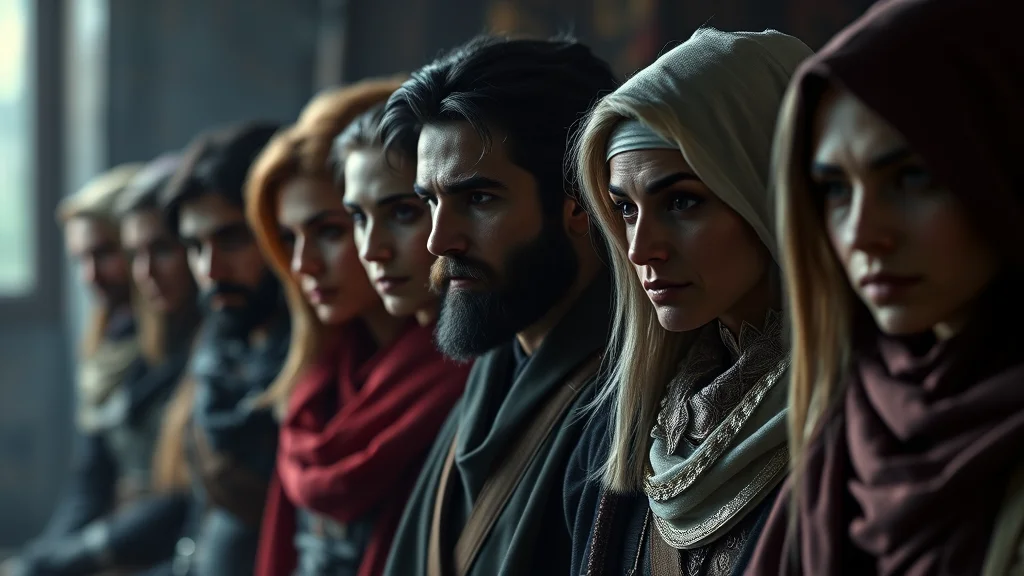
Your player characters and named villains recur for months, so they earn the investment of a locked identity. Two approaches work.
For a character you will illustrate dozens of times, train a character LoRA once from a reference set, then generate that character in any pose, outfit, or scene on demand and stay on-model. For a character you only need a handful of times, an IPAdapter reference drops the look onto new generations with no training step. Before either, design the character properly so you have a canonical look to lock: our character design guide walks through building a distinctive, describable design, and a character reference sheet gives you the multi-angle art a LoRA trains on best.
Asset types and how to frame each
Tabletop needs several distinct asset formats, and each has a framing and resolution that fits how it is used at the table or in a virtual tabletop.
| Asset type | Resolution | Framing |
|---|---|---|
| Character portrait | 832×1216 portrait | Chest-up or full body, strong lighting |
| VTT token | 512×512 square, round crop | Top-down or head-on, centered face |
| NPC bust (roster) | 768×768 | Head and shoulders, plain background |
| Scene / location art | 1920×1080 landscape | Wide establishing shot, no key characters |
| Handout / item | 1024×1024 | Centered subject, parchment or plain background |
| Mini reference (print) | 1024×1536, high detail | Full body, clear silhouette, neutral pose |
Portraits carry the most weight because players look at them constantly, so give them the ADetailer treatment. Tokens are viewed small, so a clear centered face matters more than fine detail. Scene art sets mood, so composition beats character accuracy.
Portrait framing that reads well
A good RPG portrait is instantly legible at a glance. Frame chest-up or three-quarter body so the face and a bit of costume both show. Use directional lighting to separate the character from the background, and prompt a plain or thematic backdrop that does not fight the subject. Vary the pose so a rogue reads as sly and a paladin as steady, since posture communicates class and personality faster than any label. For fantasy races and armor, be specific in the prompt: name the race traits (pointed ears, tusks, horns, skin tone), the armor material and style, and the weapon, because vague prompts collapse every fighter into the same generic plate-armor figure.
Making round VTT tokens
Virtual tabletops like Foundry and Roll20 use round tokens, usually 256 or 512 pixels. The clean way to make them:
- Generate a head-on or slight top-down portrait with the face centered and a plain background.
- Run ADetailer on the face so it stays sharp when shrunk to token size.
- Cut the background with rembg for a transparent PNG, or crop to a circle.
- Export at 512×512 square; the VTT applies the round mask.
- Keep the character centered so the round crop does not cut off the face.
Batch a party’s worth of tokens in one session using the same lighting and framing recipe so they sit together as a coherent set on the map. For recurring characters, pull the token portrait from the same locked LoRA or reference you use for their full portraits, so their token matches their portrait.
Generating a whole NPC roster fast
The roster job is about throughput. Write one prompt skeleton for busts (head and shoulders, plain background, consistent lighting), then vary only the character description line: race, gender, age-appropriate adult appearance, class, mood, and one distinctive feature. Generate in a batch, then cull to the ones that spark a character idea. This is how you fill a city’s worth of NPCs in an afternoon. Our prompt formula guide shows how to structure a skeleton that swaps cleanly, and the outfit prompts library helps you differentiate a merchant from a mercenary at a glance.
Keep a naming and tagging system as you go so a face you generated in session three is findable when that NPC returns in session nine. A simple folder of npc_tavern_barkeep_01.png style names plus a note of the seed and prompt lets you regenerate or extend a character later if they get promoted to a recurring role and suddenly need their own locked identity.
Scene and location art
Scene art establishes place: a torchlit dungeon, a moonlit rooftop, a decadent noble hall. Generate these without your key characters so you can drop character art on top or simply set the mood in a handout. Apply a consistent style so all your locations feel like one world, and render wide at 1920×1080 so the establishing shot has room to breathe. For mature scenes, keep the framing suggestive and atmospheric rather than explicit; the point is tone for the table, and the outfit and lighting choices carry more mood than graphic detail ever will.
Reference art for painting minis
If your group paints physical miniatures, AI portraits make excellent paint references. Generate a full-body, well-lit, neutral-pose image at high resolution with a clear silhouette so every strap, sigil, and color is readable. Print it or keep it on a tablet at the painting desk. For a 3D-printed mini or a fuller sculptural reference, our guide to making 3D NSFW AI art covers turning a character concept toward a 3D-oriented output that a sculpting or printing workflow can build on.
Table etiquette and consent
Mature RPG art lives or dies on table consent. Agree at session zero what tone the campaign uses and keep the art inside those lines. Only depict adult, clearly-of-age fictional characters, never a real person a player knows, and never anything a player has flagged as off-limits. The same session-zero safety tools that govern the story should govern the pictures, and a GM who honors that builds trust that makes the whole campaign better.
Matching art to your campaign’s tone
Before generating a single portrait, decide the tone your table runs at, because mature RPG art spans a wide range and matching it to your campaign keeps everyone comfortable. Some tables want tasteful, evocative fantasy pinup that adds flavor to a character; others run darker, grittier campaigns where the art leans into danger and intensity. Set that tone at session zero alongside the story boundaries, and prompt to it consistently so a lighthearted romp does not get grimdark portraits and a serious dark-fantasy campaign does not get incongruously cheerful art. Consistency of tone across the whole cast matters as much as consistency of style, since a party where three portraits read as one mood and one reads as another feels disjointed. When in doubt, keep mature elements suggestive and atmospheric rather than explicit, which suits most tables and keeps the art usable in more of the shared spaces where your group gathers.
The tools a GM needs
You do not need a heavy pipeline for tabletop art, but a little setup pays off across a campaign. A local Stable Diffusion install, Automatic1111 for simplicity or ComfyUI for a repeatable workflow, gives you the control and repeatable seeds that consistent recurring characters require, plus the ADetailer, ControlNet, and rembg tools that make tokens and portraits clean. Browser generators work for quick one-off NPCs where consistency does not matter, and they are fine for filling a roster fast when you just need distinct faces. The split is natural: use a fast tool for the throwaway roster job, and a local pipeline with your locked LoRAs for the party and recurring villains who have to stay the same for months.
Model choice depends on your table’s aesthetic. For a painterly fantasy look, a fantasy-art SDXL finetune produces the classic D&D sourcebook feel. For anime-styled campaigns, an Illustrious or Pony model handles character and pose tags well. Whatever you choose, lock one model per campaign so your whole cast shares a visual world, exactly as a published setting has one art direction across its book.
Prompting fantasy races and classes cleanly
Fantasy art lives on specificity, and vague prompts collapse variety. Build a description formula that names, in order, the race and its distinctive traits, the class and its gear, the body type and adult-appropriate appearance, the mood, and one memorable detail. A tiefling warlock is “crimson skin, curved horns, glowing eyes, dark robes, arcane focus, wary expression, a raven familiar,” not just “warlock.” Encoding race traits explicitly stops the model defaulting to a generic human, and naming the class gear stops every fighter wearing identical plate. Keep a short reference of your setting’s races and their visual markers so your prompts stay consistent, and reuse the same trait phrasing whenever a race recurs so all your elves look like the same people, not a random assortment. Our prompt formula guide shows how to structure this so the swappable parts stay clean.
Building a token set that reads on the map
Tokens are viewed at postage-stamp size on a battle map, so legibility beats detail. Frame the face large and centered, use strong rim or key lighting to separate the character from the background, and pick a color that stands out against your typical map terrain so players can tell tokens apart at a glance. Generate the whole party’s tokens in one session with a single lighting and framing recipe so they read as a coherent group, then do the same per faction for enemy tokens so a room full of goblins clearly belongs together while the boss reads as distinct. For recurring characters, always cut the token from the same locked identity as their full portrait so the small token and the large portrait obviously show one person. A consistent, legible token set does more for table clarity than any single beautiful portrait.
Handouts, maps, and mood pieces
Beyond characters, a campaign benefits from handout art: a wanted poster, a cursed tome, a tavern sign, a mysterious letter. Generate these as centered objects on a plain or thematic background, and add any in-world text yourself in an editor afterward, since diffusion models still garble text. For mood and location pieces, generate wide establishing shots without key characters and apply your locked style so every location feels like one world. Keep the mature content in these pieces suggestive and atmospheric, carried by lighting and framing rather than explicit detail, since the goal is tone for the table. These extra pieces cost little once your pipeline is set and dramatically raise how immersive a homebrew campaign feels.
Sharing art with your table safely
Campaign art gets passed around: dropped in a Discord server, added to a shared VTT, printed for the table. A few habits keep that clean. Strip metadata before sharing so your prompts and setup do not travel with the images, especially for mature pieces. Keep mature art in age-appropriate, consenting channels only, never in a mixed server where a player has not opted in. If you commission or collaborate on the campaign, agree on who owns and can reuse the art. And keep your character LoRAs and recipe notes private, since they are what let you extend the campaign consistently later. None of this is heavy, but a GM who handles art with the same care they handle table safety builds a group that trusts the whole experience.
Reusing a campaign’s art library
The assets you make for one campaign are not disposable. A well-organized library of portraits, tokens, NPCs, and locations becomes a reusable resource: a tavern keeper from one campaign is a perfectly good tavern keeper in the next, and a locked party LoRA can carry characters into a sequel or a one-shot. Keep the library tagged and searchable so you can pull the right face in seconds during prep, and keep the recipes so any character can be regenerated in a new pose or outfit when they return. Over a few campaigns this compounds into a personal art bank that makes every new game faster to illustrate than the last, which is the real payoff of setting up the pipeline properly the first time.
A weekend roster sprint
Here is a realistic plan. Saturday morning, design and lock your player characters: build each design, generate a reference sheet, and train or set up a reference for each of the four so they are consistent for the campaign. Saturday afternoon, batch the NPC roster with a swap-only skeleton and cull to your favorites. Sunday, produce tokens for the party and key NPCs from the locked identities, then generate a handful of location scenes for your opening arc. By Sunday night you have a fully illustrated cast, matching round tokens, and mood art for the first sessions, all consistent, all yours, and ready for the table.
Frequently asked questions
How do I keep my player characters looking the same across a whole campaign?
Train a character LoRA once from a reference set for characters you illustrate often, or use an IPAdapter reference for ones you need only a few times. Both lock the character’s identity so they stay on-model from session one to the campaign finale.
What size should VTT tokens be?
Generate a centered head-on portrait, refine the face with ADetailer, then export at 512×512 square. Virtual tabletops like Foundry and Roll20 apply the round mask, so keep the face centered so the crop does not cut it off. Tokens are viewed small, so a clear face beats fine detail.
How can I generate a large NPC roster quickly?
Write one bust prompt skeleton with consistent framing and lighting, then vary only the description line: race, class, mood, and one distinctive feature. Batch generate and cull to the faces that spark a character. This fills a city’s worth of NPCs in an afternoon.
How do I prompt for specific fantasy races and armor?
Be explicit. Name the race traits like pointed ears, tusks, or horns and the skin tone, then specify the armor material and style and the weapon. Vague prompts collapse every character into generic plate armor, so detail is what makes each portrait distinct.
Can I use AI portraits as references for painting miniatures?
Yes. Generate a full-body, well-lit, neutral-pose image at high resolution with a clear silhouette so every strap and color reads. Print it or keep it on a tablet at the painting desk. For a 3D-oriented reference, a dedicated 3D AI art workflow can take the concept further.
Is it okay to make mature RPG art?
Yes, for original fictional characters when every player at the table consents. Set the tone at session zero and keep the art inside those boundaries. Depict only clearly-of-age fictional characters, never a real person, and never anything a player flagged as off-limits.
What resolution should character portraits be?
Around 832×1216 for a portrait orientation gives the face enough pixels for an ADetailer pass and reads well on screen. Render busts at 768×768 and scene art at 1920×1080 landscape. Match the resolution to how each asset is viewed.
How do I make a token that matches a character’s full portrait?
Pull the token image from the same locked LoRA or reference you use for that character’s portraits, using the same lighting recipe. That way the small round token and the full portrait clearly show the same person, which players notice and appreciate.