CyberRealistic Pony is a Pony Diffusion XL based photoreal checkpoint that handles NSFW content out of the box. As of 2026 the current release is v18.0 CoreShift. We get the cleanest results at CFG 5, 30+ steps, DPM++ SDE Karras, Clip Skip 2, and a portrait resolution like 896×1152.
What CyberRealistic Pony actually is
CyberRealistic Pony is the realism focused branch of the long running CyberRealistic family, rebuilt on top of the Pony Diffusion V6 XL base instead of plain SDXL. That distinction matters more than most guides admit. Pony based checkpoints inherit a very specific prompt grammar (the score tags) and a deep understanding of anatomy and explicit poses that a stock SDXL model simply does not have. The result is a model that keeps Pony’s NSFW flexibility but pushes the output toward skin texture, realistic lighting, and believable faces rather than the cartoon look most people associate with the Pony lineage.
You can read the official model card and download the weights from the CyberRealistic Pony Civitai page. If you would rather not download anything yet, you can try a hosted photoreal generator on our in-browser tool first to see whether this style is what you want before committing several gigabytes of disk space and an hour of setup time.
We ran v18.0 CoreShift across an RTX 4090, an RTX 3060 12GB, and a rented L40S on RunPod over several days of testing. It is genuinely NSFW capable: the model card itself carries the standard “this model might generate sensitive content” disclaimer, and in our testing it produced explicit adult output with no LoRA stacking required. That is the headline difference from a clean SFW first model. The explicit knowledge is native, not bolted on.
Base model and why the score tags matter
Because CyberRealistic Pony sits on the Pony V6 XL base, your prompt should still open with the Pony quality preamble. Skipping it is the single most common reason new users get muddy, low quality images from any Pony derivative. The model was trained with these tags acting as quality anchors, and the model essentially does not know what “good” looks like without them.
score_9, score_8_up, score_7_upis the standard quality opener. Always lead with it.source_photoorphotorealisticnudges the model away from its anime default toward real skin.rating_explicit,rating_questionable, orrating_safelets you steer the content level directly.- Pony LoRAs and Pony embeddings are compatible. SDXL base LoRAs and Illustrious LoRAs usually are not, so do not mix bases and expect clean results.
This is the biggest practical difference from a pure SDXL photoreal model like RealVisXL or Juggernaut XL. Those read natural language well and ignore score tags entirely. CyberRealistic Pony wants the tags first, then natural language describing the scene. If you are coming from a Juggernaut or RealVis workflow, this is the habit you have to relearn.
Recommended settings we tested
The settings below come straight from the Civitai model card and match what gave us the most consistent output in our own runs. Treat them as the starting baseline, then adjust CFG and steps per prompt. We have spelled out the full grid so you can copy it into your UI once and stop second guessing.
| Setting | Recommended value |
|---|---|
| Base model | Pony Diffusion V6 XL |
| Current version | v18.0 CoreShift (2026) |
| Sampler | DPM++ SDE Karras (also DPM++ 2M Karras, Euler a) |
| Steps | 30+ (we used 30 to 35) |
| CFG scale | 5 (workable range 4 to 7) |
| Clip skip | 2 |
| Resolution | 896×1152 or 832×1216 portrait |
| VAE | Usually baked in; if colors look washed, load the SDXL VAE |
| Hires fix | 1.4x to 1.5x upscale, denoise 0.35 to 0.45 |
| Face cleanup | ADetailer pass at denoise 0.3 to 0.4 |
A note on VAE: most recent CyberRealistic Pony uploads ship with the VAE baked in, so you do not need a separate file in the vast majority of cases. If your skin tones come out gray, dull, or oversaturated, manually selecting the standard sdxl_vae fixes it immediately. This is a five second fix that people waste hours on.
A note on CFG: 5 is the sweet spot. We tested the full 3 to 9 range. Below 4 the model ignores parts of your prompt. Above 7 the skin turns plastic and the contrast blows out into that fried, oversharpened look. If a single image looks too soft, nudge to 6 rather than jumping to 8.
Example prompt and settings
Here is a clean, working starting point. It uses the Pony preamble, then plain description, then a compact negative. Copy it verbatim and swap the subject description.
Positive:
score_9, score_8_up, score_7_up, source_photo, photorealistic,
rating_explicit, a 25 year old woman with freckles,
natural skin texture, soft window light, shallow depth of field,
sitting on a bed, detailed eyes, film grain, 50mm lens

Negative:
score_4, score_3, score_2, cartoon, 3d render, plastic skin,
airbrushed, deformed hands, extra fingers, watermark, text, blurry

Sampler: DPM++ SDE Karras
Steps: 32
CFG: 5
Clip skip: 2
Resolution: 896x1152
Hires fix: 1.5x, denoise 0.4
ADetailer: face pass enabled, denoise 0.35
Keep the negative prompt short. Like most SDXL era models, CyberRealistic Pony responds badly to giant copy-pasted negative walls. The score_4, score_3, score_2 tags do most of the heavy lifting on quality, and a few targeted anatomy negatives clean up the rest. Adding fifty more negative tokens almost always makes the image worse, not better.
Hardware and generation speed
This is a full SDXL sized checkpoint, so it needs real VRAM. Here is what we measured generating a single 896×1152 image at 32 steps before any hires pass.
- RTX 4090 (24GB): roughly 4 to 6 seconds per image. Hires fix at 1.5x added about 8 seconds. This card eats CyberRealistic Pony for breakfast and is ideal for large batches.
- RTX 3060 (12GB): roughly 18 to 26 seconds per image. Still very usable, and 12GB is the realistic floor for comfortable SDXL work. The hires pass and ADetailer push this toward 35 seconds total per finished image.
- RTX 3060 8GB or lower: possible with
--medvramin Automatic1111 or low VRAM mode in ComfyUI, but expect 40+ seconds and occasional out-of-memory errors on the hires pass. Drop to 832×1216 and skip hires if you keep crashing. - L40S (rented): similar to the 4090, useful when you want to batch hundreds of images on cloud hardware without owning a top tier GPU.
If you do not have at least a 12GB card, this is exactly the case where running a hosted model through our browser generator saves you the headache of VRAM tuning entirely. You get the photoreal NSFW look without buying a new GPU.
Running it in your favorite UI
CyberRealistic Pony loads in every mainstream local front end. Drop the .safetensors file in your checkpoints folder and select it from the model dropdown.
- Automatic1111 is the easiest for newcomers. Set Clip Skip to 2 in Settings, pick the sampler, paste the prompt above, and go.
- Forge is a faster A1111 fork that handles SDXL memory much better on smaller cards. If you are on a 3060, Forge is our recommended UI.
- ComfyUI gives you node level control and is the best choice if you want to chain hires fix, ADetailer style face fixing, and upscaling in one reproducible graph.
Face and hand cleanup
Like all SDXL checkpoints, distant faces and hands degrade. We always run an ADetailer face pass on portraits and a hand model pass on full body shots. This single step is the difference between a usable image and one you delete. CyberRealistic Pony’s base anatomy is good, but ADetailer at denoise 0.3 to 0.4 reliably sharpens the eyes, teeth, and mouth on any shot where the face occupies less than a third of the frame.
Hires fix workflow
Native 896×1152 is sharp enough for screen use, but for anything you want to keep, run a hires pass. We use a 1.5x upscale with a latent or 4x-UltraSharp upscaler and denoise around 0.4. Too high a denoise (0.6+) and the model reinvents the image; too low (below 0.25) and you get no real detail gain. The 0.35 to 0.45 band is where texture appears without the composition drifting.
How it compares to other photoreal options
Against the pure SDXL photoreal checkpoints, CyberRealistic Pony trades some prompt simplicity for much stronger explicit anatomy and pose understanding. RealVisXL and Juggernaut XL produce arguably cleaner generic portraits and read plain English better, but they need careful prompting and dedicated LoRAs to reach the same explicit range that Pony bases hit natively. If your priority is hardcore NSFW with reliable anatomy and poses, the Pony base wins clearly. If your priority is clean SFW portraits or product style realism, a pure SDXL model may suit you better. We cover the full lineup in our broader checkpoint roundup, which is worth reading if you are still choosing a base before you commit to a workflow.
Common mistakes we see
- Forgetting the score tags. Output looks flat and low quality without them. This is the number one beginner error.
- Cranking CFG to 9 or higher. This burns the image and produces plastic skin. Stay near 5.
- Skipping Clip Skip 2. Pony bases expect it; at Clip Skip 1 you lose coherence and the faces drift.
- Massive negative prompts. Keep them tight. Let
score_4, score_3do the work. - Ignoring hires fix. Native 896×1152 is fine, but a 1.5x hires pass at low denoise is what gives the final image its polish.
- Mixing incompatible LoRAs. Pony LoRAs only. Loading an Illustrious or base SDXL LoRA produces noise and broken anatomy.
Prompt engineering that actually moves the needle
Beyond the score tags, a few prompting patterns made the biggest difference in our test runs. The first is leading with a real photographic vocabulary. Words like RAW photo, 35mm, 85mm portrait lens, golden hour, softbox lighting, and subsurface scattering push CyberRealistic Pony toward genuine photographic output rather than the slightly glossy default. The second is age and body descriptors stated plainly and early, since the model weighs the front of the prompt most heavily. The third is using rating_explicit or rating_questionable as an explicit content lever rather than relying on the natural language alone to imply it; the rating tags are far more reliable.
We also found that emphasis weighting helps on this checkpoint. Wrapping a key trait in parentheses with a weight, like (freckles:1.2) or (wet skin:1.1), reliably strengthens that feature without distorting the rest of the image. Keep weights modest; anything above 1.4 starts to warp anatomy. Conversely, if a feature keeps appearing that you do not want, a light negative weight such as (makeup:0.8) is cleaner than throwing the term into a bloated negative block.
- Front-load the most important traits: age, body type, key feature, then scene.
- Use rating tags as the explicit lever, not vague euphemisms.
- Weight key features with parentheses, staying under 1.4.
- Name a real lens and a real lighting setup for photographic depth.
- Keep the whole positive prompt under roughly 75 tokens for coherence.
Pairing LoRAs the right way
CyberRealistic Pony shines as a base for Pony compatible LoRAs, and this is where you unlock specific styles, acts, and character consistency. Because it is a Pony V6 XL derivative, you want LoRAs explicitly tagged for the Pony base on Civitai. Loading two or three at modest strengths (around 0.6 to 0.8 each) is usually safe; stacking five at full strength turns the image to mush. When a LoRA fights the base realism and pulls the output back toward an anime look, drop its strength to 0.4 to 0.5 and the photoreal quality returns while keeping the LoRA’s effect.
A practical workflow we settled on: keep a known good base prompt and settings, then introduce one LoRA at a time, generating a small batch after each addition. This isolates which LoRA is responsible for any quality drop. It is slower than dumping everything in at once, but it is the only reliable way to build a stable multi-LoRA recipe that does not break randomly.
Upscaling for print and large displays
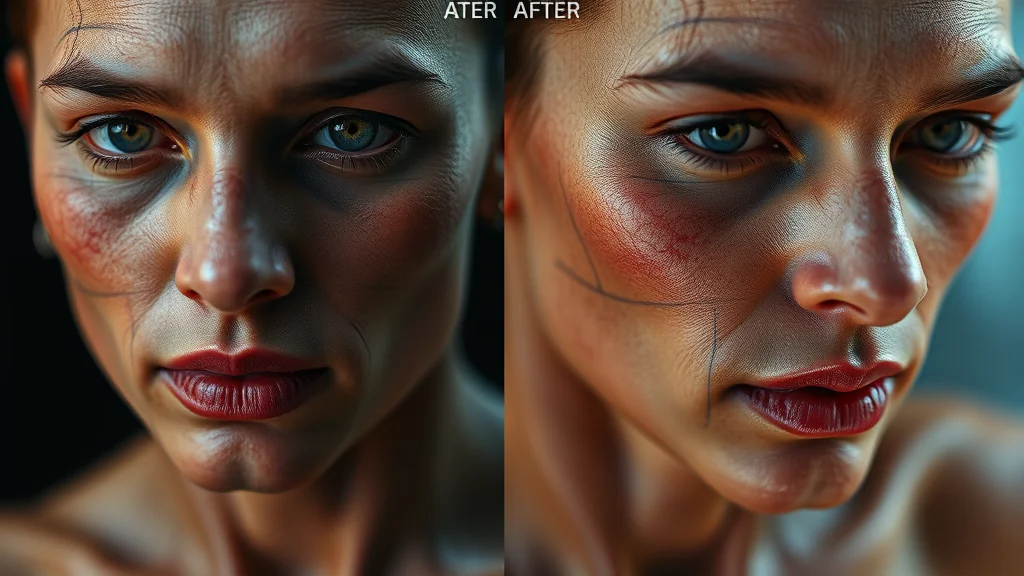
The hires fix pass gets you to roughly 1.3 to 1.7 megapixels, which is fine for screens. For larger output, run a dedicated second stage upscale. Our preferred chain is the base generation, then hires fix at 1.5x, then a separate img2img pass through a model like 4x-UltraSharp or 4x-NMKD-Siax at denoise 0.2 to 0.3. The low denoise on the final pass is critical: it sharpens and adds resolution without letting the model reinvent skin texture or faces. Push denoise too high on the upscale and you get the dreaded oversharpened, over-detailed plastic look. In ComfyUI this is a clean three node chain; in Automatic1111 you do it through the Extras tab or a second img2img pass.
A note on consistency across a set
If you are producing a series with the same character, lock the seed family and the core prompt, then vary only the scene and pose. For stronger face consistency across many images, a character LoRA or a face embedding does far more than prompt wording alone. CyberRealistic Pony holds a face reasonably well within a fixed seed neighborhood, but seeds drift, so for a true consistent character a dedicated LoRA is the professional answer. ADetailer with a saved face reference can also help nudge faces back toward a target across a batch.
Once you dial in CFG 5, 32 steps, DPM++ SDE Karras, Clip Skip 2, and an ADetailer pass, CyberRealistic Pony v18.0 is one of the most reliable photoreal NSFW checkpoints you can run locally in 2026. The learning curve is the score tag grammar, and once that clicks the model is fast, consistent, and genuinely uncensored. And if you want to compare its look against a hosted model before downloading, our free in-browser generator lets you sanity check the style in seconds without touching your GPU.
Frequently asked questions
Is CyberRealistic Pony based on Pony or SDXL?
It is built on the Pony Diffusion V6 XL base, which itself is a heavily fine-tuned SDXL model. In practice that means it uses Pony’s score tag prompt grammar and accepts Pony LoRAs, but it runs at SDXL resolutions and VRAM requirements. Treat it as a Pony checkpoint when prompting, not a plain SDXL one, or your output will look flat.
What is the latest version of CyberRealistic Pony in 2026?
As of 2026 the current release is v18.0 CoreShift, updated in June 2026. The model has iterated through many versions, so always grab the newest one from the official Civitai page. Older versions like v16 and v17 still work, but the latest releases generally improve skin texture, anatomy, and prompt adherence noticeably.
What sampler and steps should I use?
Use DPM++ SDE Karras at 30 or more steps for the best quality. DPM++ 2M Karras and Euler a also work well if you want slightly faster generation. We found 32 steps to be a good balance of quality and speed. Going much higher than 40 steps rarely improves the image and just costs you time and electricity.
Do I need a separate VAE file?
Usually no. Most recent CyberRealistic Pony uploads ship with the VAE baked into the checkpoint. If your images come out washed out, gray, or oversaturated, manually load the standard sdxl_vae file in your UI and the colors will correct immediately. That is the only VAE situation you are likely to run into with this model.
Why do I need the score_9 tags?
Because the model inherits Pony Diffusion’s training, it expects the quality preamble score_9, score_8_up, score_7_up at the start of your positive prompt. Without it, output looks flat and low quality. Adding score_4, score_3 to your negative prompt further pushes quality up. This is the single most important prompting habit for any Pony based checkpoint, including this one.
Can it run on an RTX 3060 12GB?
Yes. We generated 896×1152 images at 32 steps in roughly 18 to 26 seconds on a 3060 12GB, which is the realistic floor for comfortable SDXL work. On 8GB cards it runs with medvram or low VRAM mode but is slow and can fail on the hires pass. For zero hardware fuss, a hosted browser generator is the easier path.
Is CyberRealistic Pony actually NSFW capable?
Yes. It produces explicit adult content out of the box without needing extra LoRAs, and the model card carries the standard sensitive content disclaimer. Because it sits on a Pony base, its anatomy and explicit pose understanding are stronger than most pure SDXL photoreal checkpoints. You are responsible for keeping all generated content legal, consensual, and involving adults only.
How do I fix bad faces and hands?
Run an ADetailer pass at denoise 0.3 to 0.4 for faces, and use a dedicated hand model pass for full body shots. SDXL checkpoints, including this one, degrade on small or distant features, so this cleanup step is essential. In ComfyUI you can wire the same detailing into your node graph for a repeatable result. It reliably turns a flawed image into a usable one.
More anime checkpoint and prompting guides:
More control and editing guides:
See also:
Related photo how-tos:



