To make oil painting NSFW AI art, load a painterly SDXL checkpoint, add tags like oil painting, impasto, thick brushstrokes, alla prima, glazed skin, chiaroscuro, visible canvas texture, run DPM++ 2M Karras at CFG 4 to 5.5 so it never over-sharpens, then img2img the result at 0.35 denoise to deepen the brush texture without smoothing it into plastic.
What the oil painting look actually is
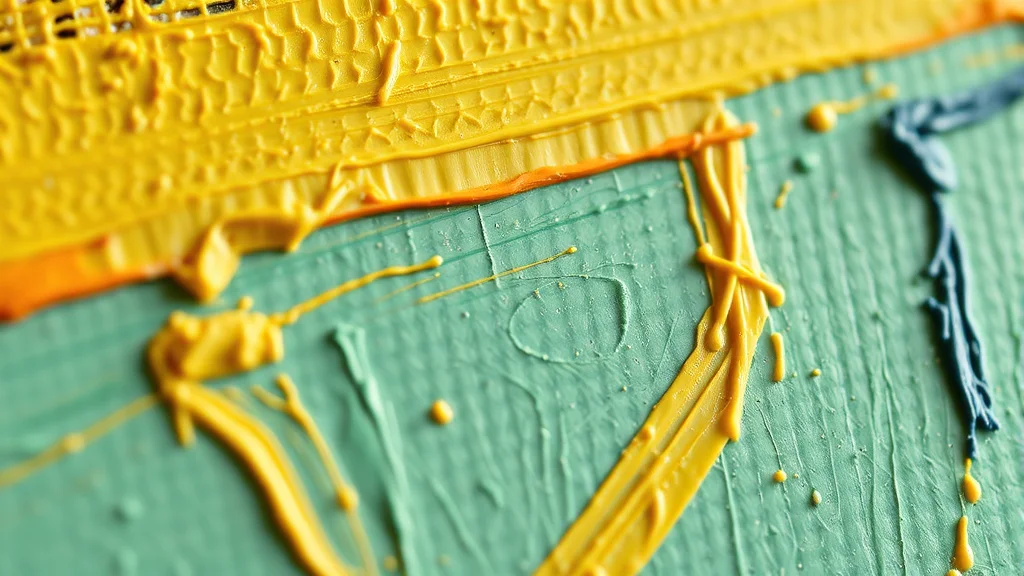
Oil painting is not a filter you slap on a photo. It is a set of physical behaviors that your prompt has to reproduce: paint sitting on top of the surface, not soaking into it. That means visible brushstrokes, ridges of thick pigment (impasto) that catch the light, semi-transparent glazes over skin so shadows glow rather than go flat, and the weave of the canvas showing through thin passages. Classical portrait lighting sits underneath all of it: a single soft key from one side, deep modelled shadow on the other, the chiaroscuro that Rembrandt and the old masters built entire careers on.
The look is fundamentally different from watercolor, which is transparent wet washes bleeding into paper. Oil is opaque, built up in layers, and reflective. Where watercolor loses edges into the white of the page, oil holds a loaded edge where two colors of wet paint meet. It also reads differently from a gouache look, which is matte and chalky with no gloss. Oil has sheen: light bounces off the raised pigment, and the darkest darks stay rich rather than going dull.
Think about what an oil surface does physically and you have your whole tag list. Loaded strokes leave ridges. Those ridges cast tiny shadows and catch highlights, which is why a real oil portrait shimmers slightly when you move. Glazes are thin transparent layers of dark pigment brushed over dry lighter paint, so shadows on skin look like they have depth and warmth instead of being painted flat. The canvas is a woven texture, and in the thin areas that weave prints through the paint. If your prompt does not ask for any of these, the model has no reason to include them, and it will default to the smoothest, safest render it knows.
Here is where AI misreads the request. Ask most SDXL models for “oil painting” and they give you one of two failure states. The first is airbrushed plastic: skin so smooth it looks like a phone-camera beauty filter, zero brush marks, a rendered 3D doll wearing a painting costume. The second is muddy blended: the model over-mixes every color into brown-gray soup with no distinct strokes, because it averaged a thousand bad “oil painting” training captions. This whole guide is about steering hard away from both.
Best checkpoints and LoRAs for oil painting
Painterly output depends far more on the base checkpoint than on any prompt trick. A photoreal-tuned model will fight you the whole way. Pick a model that already leans illustrative or was merged with art data.
| Pick | Base | Why it works for oil |
|---|---|---|
| Juggernaut XL (artistic merges) | SDXL | Holds brush texture at low CFG without collapsing to photo skin |
| ZavyChroma XL | SDXL | Strong classical-lighting bias, glazed shadow response |
| RealVisXL (light denoise passes) | SDXL | Photoreal base you convert with a paint LoRA for skin realism under strokes |
| Pony-based art merges | Pony | Best NSFW anatomy control, add an impasto LoRA on top |
| DreamShaper XL | SDXL | Reliable painterly default, forgiving of vague prompts |
On top of the checkpoint, a dedicated oil or impasto LoRA at 0.6 to 0.8 weight is what gives you real ridged pigment. Search for “impasto”, “oil painting style”, and “traditional media” LoRAs. Stack a “brushstroke” LoRA low (0.3) if strokes still read too tight. For NSFW anatomy on an SDXL art base, a body-detail LoRA at 0.4 keeps skin correct under the paint. See best NSFW LoRAs for current picks and how to weight stacks without frying the image, and best Stable Diffusion checkpoints for base-model choices.
A word on stacking discipline. It is tempting to load an impasto LoRA, a brushstroke LoRA, an old-master LoRA, and a skin LoRA all at once. Do not. Every LoRA you add above 0.5 fights the others for control of the same pixels, and the result is usually fried contrast or melted anatomy. Start with one style LoRA and one anatomy LoRA, generate, and only add a third if a specific quality is still missing. The checkpoint should be carrying most of the painterly weight; LoRAs are there to push the last twenty percent, not to rescue a photoreal base that was never going to paint.
If you do not want to install anything, a hosted generator such as AI Nudez can produce painterly adult portraits in the browser, which is a reasonable starting point before you commit to a local checkpoint and LoRA stack.
The prompt: copy-paste positive tags
Lead with the medium, then the technique tokens, then the subject, then lighting. Order matters at SDXL: front-loaded tokens carry more weight.
oil painting, impasto, thick visible brushstrokes, alla prima technique,
glazed skin, layered pigment, palette knife texture, visible canvas weave,
chiaroscuro lighting, classical portrait, single soft key light,
deep modelled shadows, warm skin tones, subsurface glow,
(masterpiece portrait of an adult woman:1.2), reclining nude,
rich color harmony, old master painting, museum quality, textured surface
The load-bearing tags: impasto and thick visible brushstrokes force raised pigment. alla prima (wet-on-wet, done in one sitting) tells the model to keep strokes loose and confident instead of licked-smooth. glazed skin plus subsurface glow is the pairing that gives you luminous shadow rather than gray shadow. visible canvas weave reintroduces texture the model wants to sand away. Keep the subject description explicit and adult. If strokes still read weak, bump (impasto:1.3) and (thick brushstrokes:1.2).
For building richer prompts around this, the NSFW AI prompt formula breaks down token ordering, and lighting prompts has the chiaroscuro and Rembrandt-light phrasing that sells the classical look.
Naming a period or a painter as an adjective is a legitimate shortcut, because those names carry a whole visual grammar the model already learned. Tags like baroque portrait, dutch golden age, or 19th century academic painting pull in dramatic single-source lighting and rich earthy palettes without you spelling out every value. Keep the reference broad and stylistic rather than trying to clone one exact artist; you want the tradition, not a signature. Pair the period tag with your technique tags and the model blends the era’s mood with the physical paint behavior you asked for.
Negative prompt for oil painting
The negative is where you kill the two failure modes. Every token here is doing a specific job.
airbrushed, smooth plastic skin, 3d render, cgi, doll, waxy,
overly blended, muddy colors, brown soup, flat lighting, digital painting,
photo, photograph, photorealistic, hdr, oversharpened, glossy,
lowres, blurry, watercolor, flat color, cel shading, anime,
extra fingers, deformed hands, bad anatomy, watermark, signature
airbrushed, smooth plastic skin, waxy, glossy kill the doll-face state. overly blended, muddy colors, brown soup kill the gray-mud state and keep strokes distinct. photo, photorealistic, hdr stop the model from drifting back to camera realism, which flattens brushwork. watercolor, flat color, cel shading, anime push it away from the wrong media so it does not hybridize. Drop digital painting if your checkpoint reads it as a positive style. For a fuller reference, the negative prompts master list explains which tokens actually fire versus which are placebo.
Resist the urge to pile fifty tokens into the negative. A bloated negative eats prompt budget and can wash out the very texture you want, because tokens like blurry and soft taken too far will fight the loose alla-prima edges that make oil look like oil. Keep the negative tight and targeted at the two named failure modes plus the usual anatomy cleanup. If a specific artifact keeps appearing, add one token for it and test, rather than copying someone else’s hundred-word wall.
Settings: sampler, CFG, steps, resolution
Oil painting hates high CFG. Push CFG up and SDXL over-sharpens every edge into that plastic, contrast-blown look and the strokes die. Keep it low and let the paint stay soft.
| Setting | Value | Note |
|---|---|---|
| Sampler | DPM++ 2M Karras | Smooth painterly tonal transitions |
| Alt sampler | DPM++ SDE Karras | Slightly grittier stroke texture |
| CFG | 4.0 to 5.5 | Above 6 it over-sharpens into plastic |
| Steps | 30 to 40 | Enough to resolve glazes, not so many it smooths |
| Resolution | 832×1216 or 1024×1024 | Native SDXL, upscale after |
| Hires fix | 1.5x, denoise 0.35 | Adds canvas grain, keeps strokes |
| Clip skip | 1 to 2 | 2 if using a Pony/anime art base |
If output is still too clean, drop CFG to 4 and add the impasto LoRA weight instead of pushing steps. For a deeper treatment of these tradeoffs, see the CFG and sampler settings guide.
Steps deserve a caution of their own. More steps is not more paint. Past roughly 40 steps SDXL keeps refining toward a cleaner, more resolved image, which is exactly the wrong direction for a loose oil look; you can actually watch brushwork tighten and disappear. Thirty to thirty five steps usually lands the sweet spot where glazes have resolved but strokes are still confident. Resolution matters for the same reason: generate at native SDXL dimensions and do your enlarging in a controlled hires or img2img pass, because asking the base model for a huge canvas in one shot invites duplicated limbs and smeared texture.
Step-by-step workflow
- Set the base. Load a painterly SDXL checkpoint (not a photoreal one), add your impasto LoRA at 0.7 and NSFW body LoRA at 0.4.
- First txt2img pass. Paste the positive and negative blocks, DPM++ 2M Karras, CFG 4.5, 35 steps, 832×1216. Generate a batch of 6 to 8. You are hunting for a seed with correct anatomy and a real chiaroscuro read, not perfection.
- Pick and hires. Take the best seed, enable hires fix at 1.5x with denoise 0.35. This reintroduces canvas weave and sharpens the raised pigment slightly.
- img2img texture pass. Send it to img2img at 0.3 to 0.38 denoise with the same prompt. This deepens brushwork and glazing without inventing new anatomy. Going above 0.45 here risks the model repainting a face into plastic. The img2img guide walks the denoise ranges in detail.
- Fix the face and hands. Run ADetailer on the face at low denoise (0.25) so it refines features but keeps the painted skin. Inpaint hands if the fingers went wrong, using the inpainting guide at matched denoise so the repair blends into the brushwork.
- Optional pose lock. If you need a specific reclining or seated pose, drive it with ControlNet OpenPose on the first pass so you are not fighting composition later.
Where oil painting breaks, and the fix
| Failure | Cause | Fix |
|---|---|---|
| Airbrushed plastic skin | CFG too high, photoreal base | Drop CFG to 4, switch to art checkpoint, add airbrushed to negative |
| Muddy brown blending | Model over-averaging color | Add muddy colors, overly blended to negative, raise impasto LoRA |
| No visible strokes | Weak texture tokens | Bump (impasto:1.3), add brushstroke LoRA at 0.3 |
| Flat gray shadows | Missing glaze tokens | Add glazed skin, subsurface glow, chiaroscuro up front |
| Face melts on hires | Denoise too high | Keep hires denoise at 0.35, ADetailer face at 0.25 |
| Looks like a photo | Photoreal token leak | Add photo, photorealistic, hdr to negative, lower CFG |
| Canvas texture gone after upscale | Upscaler smoothing | Use a non-smoothing upscaler, light 0.3 img2img after |
Most complaints trace back to CFG being too high or the wrong base checkpoint. Fix those two before touching anything else. For a broader troubleshooting mindset, how to get better NSFW AI results covers the diagnostic order.
When to level up
Building a small series
Once a single image works, the natural next step is a set: the same adult woman rendered in the same oil style across several poses. This is where amateurs give up, because the face drifts every seed. Lock your prompt, lock your LoRA weights, and reuse a single seed as your anchor while you vary only the pose token. When the face still wanders, that is your cue to move to a trained embedding or LoRA of the character rather than fighting the prompt. Treat the oil style itself as fixed infrastructure and let the character be the variable.
A note on framing and pose
Classical nudes lean on reclining, seated, and contrapposto standing poses because those shapes give the chiaroscuro somewhere to travel. A flat frontal snapshot pose wastes the whole medium. Ask for reclining, seated by a window, or three-quarter turn and let the single key light rake across the body. If you need a precise pose the prompt will not hold, drive it with a pose reference on the first pass so the paint pass only has to worry about texture, not composition.
Once you can hit consistent painterly output, the next moves are consistency and control. If you want the same adult character rendered across a whole series in oil, learn character consistency techniques so faces and bodies stay locked seed to seed. To bake your exact brush-and-glaze aesthetic into a reusable trigger word so you stop stacking three LoRAs every time, train your own style LoRA on a curated set of oil references. And to squeeze more fidelity out of every generation, how to add detail to NSFW AI images covers the upscale and refinement stack that pairs well with a textured medium like this. Oil rewards patience: the difference between a plastic doll and a museum-grade nude is usually two extra passes and a CFG you were brave enough to lower.
Frequently asked questions
Why does my oil painting AI art look like plastic instead of paint?
Almost always CFG too high plus a photoreal checkpoint. Drop CFG to 4 or 4.5, switch to a painterly SDXL art base, add an impasto LoRA at 0.7, and put airbrushed, smooth plastic skin, waxy in your negative. High CFG over-sharpens every edge until brushwork disappears.
What CFG should I use for an oil painting style?
Stay in the 4.0 to 5.5 range. Oil painting needs soft, built-up tonal transitions, and anything above 6 pushes SDXL into oversharpened, high-contrast plastic that erases strokes. If the image still reads too clean, lower CFG further and raise your impasto LoRA weight rather than increasing steps.
Which checkpoint is best for painterly NSFW output?
Art-leaning SDXL merges like Juggernaut XL artistic variants, ZavyChroma XL, or DreamShaper XL. For strong NSFW anatomy use a Pony-based art merge with an impasto LoRA on top. Avoid pure photoreal checkpoints; they fight brush texture and default to smooth camera skin.
How do I get visible brushstrokes and impasto texture?
Front-load impasto, thick visible brushstrokes, palette knife texture, alla prima in the prompt, add a dedicated impasto LoRA at 0.6 to 0.8, and finish with an img2img pass at 0.3 to 0.38 denoise. If strokes stay weak, weight the tags up to (impasto:1.3).
What is the difference between oil and watercolor for AI art?
Oil is opaque paint sitting on top of the surface with raised, reflective strokes, glazed shadows, and canvas weave. Watercolor is transparent wet washes soaking into paper with soft lost edges. They need different checkpoints, different tags, and different negatives; do not mix the two vocabularies in one prompt.
How do I keep the painted skin when fixing the face with ADetailer?
Run ADetailer on the face at a low denoise around 0.25 so it refines eyes and features without repainting the skin smooth. Keep the same positive and negative prompt in the ADetailer settings so the refined face inherits the oil-painting style instead of turning photoreal.
Why do my colors turn into brown muddy soup?
The model is over-averaging your color palette. Add muddy colors, overly blended, brown soup to the negative, raise your impasto LoRA so strokes stay distinct, and specify a clear color harmony in the positive. Loose alla-prima strokes keep colors separated instead of smearing them together.
Can I make oil painting NSFW art without installing anything locally?
Yes. A hosted browser generator can produce painterly adult portraits without a local Stable Diffusion setup, which is useful for testing the look before you commit to a checkpoint and LoRA install. For full control over strokes, CFG, and img2img refinement though, a local SDXL setup gives noticeably better texture.