Last tested: May 2026. A working library of NSFW AI image generator prompts that actually produce strong output, organised by style and use case. Every prompt below was tested on Flux Schnell and SDXL-based generators in May 2026.
Want to test these immediately? Open aiimagegeneratornsfw.com in a new tab and paste any prompt below. The Flux backend handles all of these without modification.
Anatomy of a Strong NSFW Prompt
Before the library: the structure that consistently works across tools.
Subject anchor (5 to 10 tokens): Who or what is the focus. “Tall woman with auburn hair” beats “girl.”
Style anchor (3 to 5 tokens): Artistic style or photographic vocabulary. “Shot on 85mm lens, f/1.4” or “oil painting style, impasto.”
Lighting (3 to 5 tokens): “Soft golden hour light from the left” beats “good lighting.”
Composition (2 to 4 tokens): “Three-quarter portrait, shallow depth of field” or “full body shot, centred.”
Quality boosters (2 to 4 tokens): “Masterpiece, best quality, highly detailed”. Works on most checkpoints.
Negative prompt: Always include. “Bad anatomy, extra fingers, blurry, watermark, low quality, deformed.”
Photorealistic Portrait Prompts
Soft natural light portrait: “Photo of a woman in her late twenties, dark auburn hair loose, hazel eyes, freckles across nose bridge, natural skin texture with visible pores, soft morning light from the left, three-quarter portrait, shallow depth of field, shot on Canon 5D, 85mm lens, f/1.4, photorealistic, masterpiece”
Studio glamour: “Photo of a confident woman, long black hair styled professionally, dark red lipstick, dramatic studio lighting with key light from above, rim light from behind, plain dark grey backdrop, three-quarter portrait, shot on medium format camera, sharp detail, photographic skin”
Boudoir: “Photo of a woman lounging on white silk sheets, blonde hair tousled across pillow, natural makeup, soft window light, intimate composition, shallow depth of field, shot on 50mm lens at f/2, warm color grading, fine art photography, natural skin imperfections”
Outdoor casual: “Photo of a young woman walking on the beach at sunset, light brown hair blown by wind, white linen dress, golden hour rim lighting, ocean and dunes in background, full body shot, shot on 35mm lens, candid composition, film grain, natural skin”
Anime and Illustration Prompts
Anime models prefer Booru-style tags rather than natural language.
Modern anime portrait: “1girl, solo, adult woman, long blonde hair, blue eyes, turtleneck sweater, cafe setting, natural lighting from window, sharp lineart, cel shading, modern anime style, masterpiece, best quality, score_9, score_8_up, detailed background”
Fantasy character: “1girl, elf, long silver hair, pointed ears, green eyes, intricate armour, holding sword, forest background, dappled sunlight, dynamic pose, detailed illustration, vivid colors, fantasy art style, masterpiece”
Cyberpunk: “1girl, asymmetric haircut, neon pink highlights, cyberpunk fashion, glowing tattoos, rooftop at night, neon city lights in background, dramatic rim lighting in pink and cyan, dynamic pose, detailed illustration, vibrant colors, cyberpunk art style”
Soft watercolour: “1girl, soft watercolor style, loose brushstrokes, gentle pastel palette, sitting in a garden, flowers and butterflies, dreamy atmosphere, ethereal lighting, illustrated, paper texture, soft edges”
Specific Style Anchors
These are style modifiers that reliably shift output toward specific aesthetics. Append to any subject prompt.
Vintage 70s film: “shot on Kodak Portra 400, warm color grading, film grain, vintage 1970s aesthetic, slight overexposure”
Renaissance painting: “in the style of a Renaissance oil painting, chiaroscuro lighting, classical composition, museum quality”
Pencil sketch: “graphite pencil sketch, monochrome, paper texture, hand-drawn imperfections, hatching and crosshatching shading”
3D render: “3D render, octane render, blender style, smooth surfaces, dramatic lighting, ultra-realistic textures”
Comic book: “western comic book style, bold outlines, halftone shading, dynamic angles, vibrant colors, dramatic action pose”
Prompt Patterns That Reliably Fail
Vague subjects. “Hot girl” gives the model unlimited freedom and produces inconsistent generic output. Always anchor 5+ specific features.
Conflicting style anchors. “Photorealistic anime style” or “oil painting digital art” produces uncanny hybrids. Pick one style direction.
Heavy adjective stacking. “Beautiful gorgeous stunning attractive lovely” wastes tokens. Use specific descriptive features instead.
Multiple subjects without composition guidance. Models confuse character identities past 2 subjects. Either generate single subjects and composite, or use ControlNet pose guidance.
Missing negative prompts. Always include negatives. Skipping them is the single most common reason for broken hands and weird anatomy.
Negative Prompt Library
Always include a negative prompt. The minimum baseline for any NSFW generation:
Universal negative: “bad anatomy, extra fingers, missing fingers, fused fingers, deformed hands, blurry, watermark, low quality, low resolution, jpeg artifacts, signature”
Anime-specific add: “censored, mosaic, bar censor, text, speech bubble”
Realistic-specific add: “plastic skin, smooth skin, airbrushed, doll, cartoon, illustration, painting”
Avoid AI tells: “extra limbs, multiple heads, asymmetric eyes, distorted face, malformed, mutated”
Working with the Seed for Consistency
Once a prompt produces output you like, write down the seed number (most tools display it). Locking the seed and re-running with prompt variations produces consistent character identity while letting you iterate on pose, outfit, or scene. This is the cheapest way to maintain character consistency without LoRA training.
Sample Outputs from These Prompts
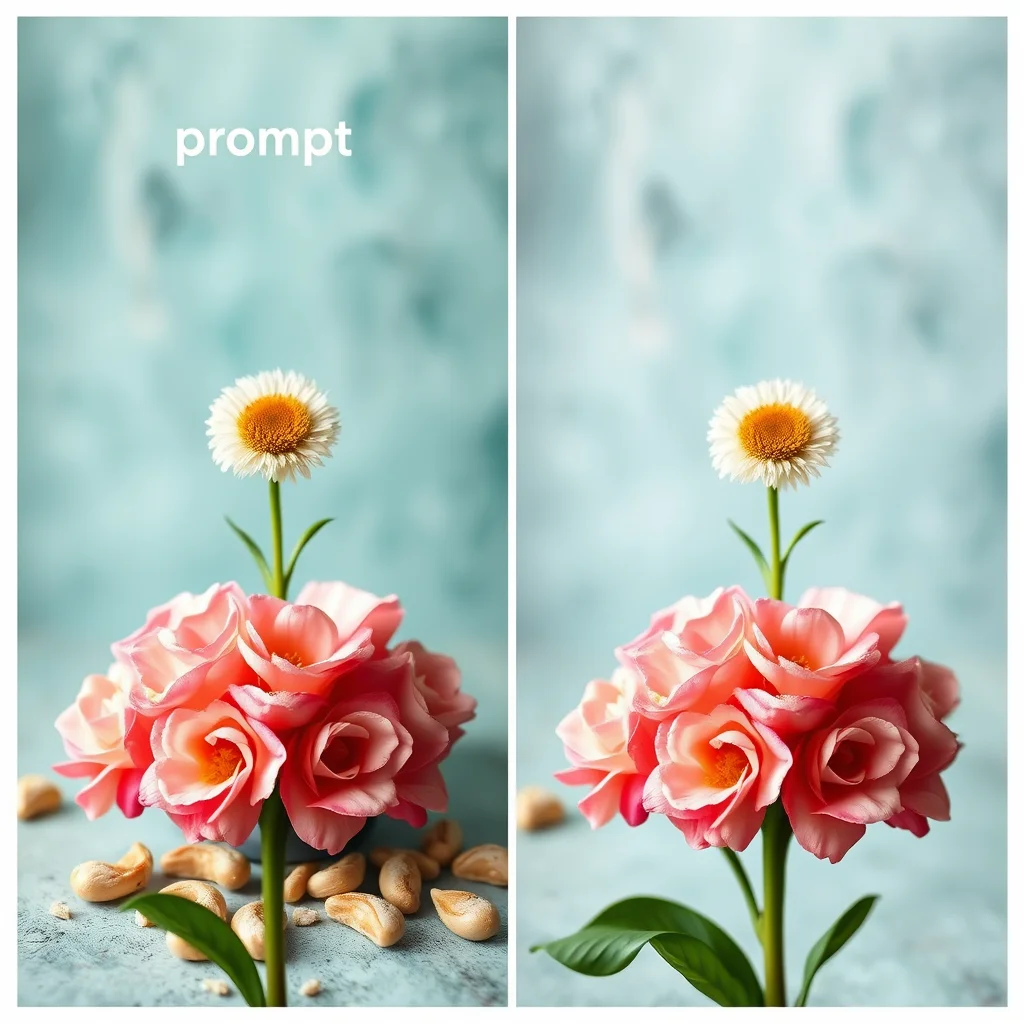
Each image below was generated using prompts from the library above on a Flux backend. These show what the patterns produce in practice.
Ready-to-Run NSFW Prompt Library
Copy-paste prompts for common NSFW scenarios. Each is tested on aiimagegeneratornsfw.com and produces strong output on the first 2-3 rolls. Substitute the bracketed elements with your specifics.
Realistic portrait prompts
- Soft glamour indoor: ‘Photorealistic intimate portrait of [age range] [hair colour] woman, sitting on hotel bed, soft window backlighting, white sheets, casual relaxed pose, shot on Sony A7IV 85mm, shallow depth of field, 8k sharp focus, real skin texture, no airbrush, candid lifestyle photography’
- Outdoor natural: ‘Photorealistic full-body portrait of [age range] woman at private beach, golden hour, salt water in hair, natural styling, soft warm sunset light, Canon R5 with 50mm lens, shallow depth of field, candid pose, sharp focus, real skin texture, beach lifestyle photography’
- Studio editorial: ‘Photorealistic editorial portrait of [age range] woman in studio with seamless backdrop, dramatic three-point lighting with rim light, professional retouch but real skin pores visible, fashion photography style, shot on medium format camera, sharp focus, magazine-quality’
Anime prompts (Wai-Illustrious / SDXL anime models)
- Catgirl modern setting: ‘1girl, catgirl, cat_ears, [hair colour]_hair, twin_tails, modern_streetwear, sitting, neon_tokyo_rooftop_at_night, rain_reflections, cyberpunk_aesthetic, masterpiece, best_quality, highly_detailed_eyes, ultra_detailed’
- Kitsune traditional: ‘1girl, kitsune, multiple_tails, [hair colour]_hair, traditional_kimono, cherry_blossom_garden, daytime, soft_lighting, intimate_pose, masterpiece, best_quality, highly_detailed_eyes, sharp_lineart’
- Succubus dramatic: ‘1girl, succubus, horns, demon_wings, [hair colour]_hair, lingerie, candlelit_bedroom, dramatic_chiaroscuro_lighting, sensual_pose, masterpiece, best_quality, highly_detailed_eyes, dark_fantasy’
Image-to-image (img2img) prompts
For refining an existing image. Upload your source on aiimagegeneratornsfw.com, set denoising to 60-70 percent, then use one of these:
- Style transfer to photorealistic: ‘Convert to photorealistic photography style, real human skin texture, natural lighting, shot on professional camera, sharp focus, no airbrush, lifestyle photography’
- Wardrobe swap: ‘(same character, same pose, same setting:1.3), wearing [new clothing description], same lighting, same camera angle’
- Mood shift: ‘(same character, same composition:1.2), changed to [new mood: intimate / playful / dramatic], adjusted lighting to match, same artistic style’
Negative prompts (always use one)
- Realistic models: ‘plastic skin, doll, airbrushed, beauty filter, perfectly symmetric face, deformed, extra limbs, mutated hands, watermark, signature, low quality’
- Anime models: ‘worst quality, low quality, blurry, deformed, watermark, signature, real photo, 3d render, ugly, mutated, extra limbs, malformed hands’
- Universal additions: ‘asymmetric eyes, cross-eyed, lazy eye, malformed face, low res’
Prompt-engineering principles that always apply
- Specificity beats verbosity. ‘shoulder-length auburn hair’ beats ‘beautiful hair’
- Camera language only for realistic models. Never mix with booru tags
- Quality tokens at the end work better than at the start
- Parenthesis emphasis ‘(token:1.2)’ for crucial elements, max 2-3 per prompt
- Stop the prompt at 75 tokens. Model attention degrades after that
- Generate 4 candidates, lock the best seed, then refine. Do not iterate blind
Prompt Anti-Patterns to Avoid
These prompt mistakes consistently produce weaker NSFW AI output. Recognising them speeds up the time from idea to a usable result.
Six common anti-patterns
- Stacking synonyms. ‘beautiful, gorgeous, stunning, pretty, attractive’ adds noise without adding signal. Pick one descriptor.
- Negating in the positive prompt. ‘not wearing glasses’ often produces glasses anyway. Use the negative prompt for exclusions.
- Over-emphasising with brackets. ‘(((extremely detailed))))’ breaks tokenisation in some models. Cap at single-level brackets with explicit weights like ‘(detailed:1.2)’.
- Mixing booru tags with prose. ‘cute 1girl, kitsune in a beautiful traditional kimono’ confuses anime models. Pick all-tags or all-prose.
- Embedding model name in prompt. ‘in the style of Flux’ or ‘made by Wai’ does nothing; the model is already itself.
- Hyper-specific colour codes. ‘#A5722B reddish-brown hair’ is ignored. Use plain words like ‘auburn’.
For the full prompt structure framework that avoids these traps, see our step-by-step prompting workflow.
If you would rather have a tool build prompts for you instead of copy-pasting examples, see our tested best NSFW AI prompt generators in 2026 with copy-paste outputs verified on Pony, Illustrious, and Flux.
Frequently Asked Questions
What is a good basic NSFW prompt structure?
Subject + setting + style + quality. Example for realistic: ‘photorealistic portrait of a woman in her late twenties, sitting on a hotel bed in soft window light, shot on Sony A7IV with 85mm lens, sharp focus, 8k, no airbrush’. Example for anime: ‘1girl, kitsune, multiple tails, traditional kimono open, cherry blossom garden, masterpiece, best quality, highly detailed eyes’.
What prompts work best for photorealistic NSFW?
Camera-equipment language is the key. Specify camera body (Sony A7IV, Canon R5), lens (85mm prime, 50mm), lighting (natural window light, golden hour, soft studio), and quality modifiers (sharp focus, 8k, real human skin texture). Avoid ‘beautiful’ (too generic) and ‘perfect’ (creates doll-skin effect).
What prompts work best for anime NSFW?
Use booru-style tag prompts since most anime NSFW models (Wai-Illustrious, Pony Diffusion) were trained on Danbooru tags. Start with subject tags (‘1girl, catgirl, multiple tails’), add scene tags (‘neon Tokyo rooftop, rain, night’), then quality tags (‘masterpiece, best quality, highly detailed eyes’). Avoid mixing natural-language sentences with tags.
How long should my prompt be?
75 tokens or fewer for most models. Tokens roughly equal words plus punctuation. Longer prompts are technically supported but the model attention degrades after token 75. If you need more detail, use parenthesis emphasis on the most important phrases, e.g. ‘(detailed eyes:1.2), (soft skin:1.1)’.
What negative prompts should I always use?
For realistic: ‘plastic skin, doll, airbrushed, beauty filter, perfectly symmetric face, deformed, extra limbs, watermark’. For anime: ‘worst quality, low quality, blurry, deformed, watermark, signature, real photo, 3d render’. Keep negatives short; over-stuffed negative prompts degrade the positive prompt’s effect.
How do I prompt for specific poses or actions in NSFW?
Be explicit but use compact phrases. ‘Sitting cross-legged on the bed’, ‘leaning against the doorframe’, ‘arms above head stretched’. Avoid action verbs in present-tense (‘is sitting’) which can confuse the model; use participle forms (‘sitting’). For complex multi-character poses, ControlNet or img2img with a reference is more reliable than text alone.
Can I use the same prompts across different NSFW AI generators?
Partially. Tag-based prompts (booru style) transfer well between SDXL-derived anime models. Natural-language prompts transfer well between Flux-family and Z-Image models. They do NOT transfer cleanly across families – a great Flux prompt may produce muddy results on Wai-Illustrious. Adapt your prompt style to the model family.
Where can I find more NSFW prompt examples?
Civitai’s image gallery is the largest searchable archive; each image displays the prompt that made it. Reddit communities r/UnstableDiffusion and r/StableDiffusion (with NSFW filter) also share prompts. For ready-to-use examples optimized for our models specifically, aiimagegeneratornsfw.com publishes prompt galleries at /realistic-nsfw-ai-image-examples/ and /nsfw-anime-ai-image-examples/.
Related guides:
- NSFW Negative Prompt Builder 2026: Auto-Build Yours
- Free NSFW AI Prompt Generator 2026: 1000+ Tested Combinations
Related guides:
More NSFW AI video guides:
More anime checkpoint and prompting guides:
More AI influencer guides:
More NSFW AI prompt recipes:
New to NSFW AI? Start here:
Want a specific look? Related style guides: