Realistic skin comes from adding real surface detail (pores, subsurface scattering, fine texture, sweat or oil sheen) while aggressively negating the plastic, airbrushed, doll look that many checkpoints bake in. The positive tags build texture, the negative tags strip smoothness, and the right checkpoint plus a detail pass finishes the job.
The single biggest tell of AI-generated NSFW work is plastic skin: that waxy, poreless, airbrushed surface that looks like a mannequin under studio softboxes. It is not that the model cannot render skin. It is that most checkpoints are trained heavily on retouched images, so their default is smooth. Your job is to push the other way with specific texture tags and a negative block that forbids the doll look. This guide gives you both sides plus the checkpoint reality.
What skin texture prompts control and why they matter
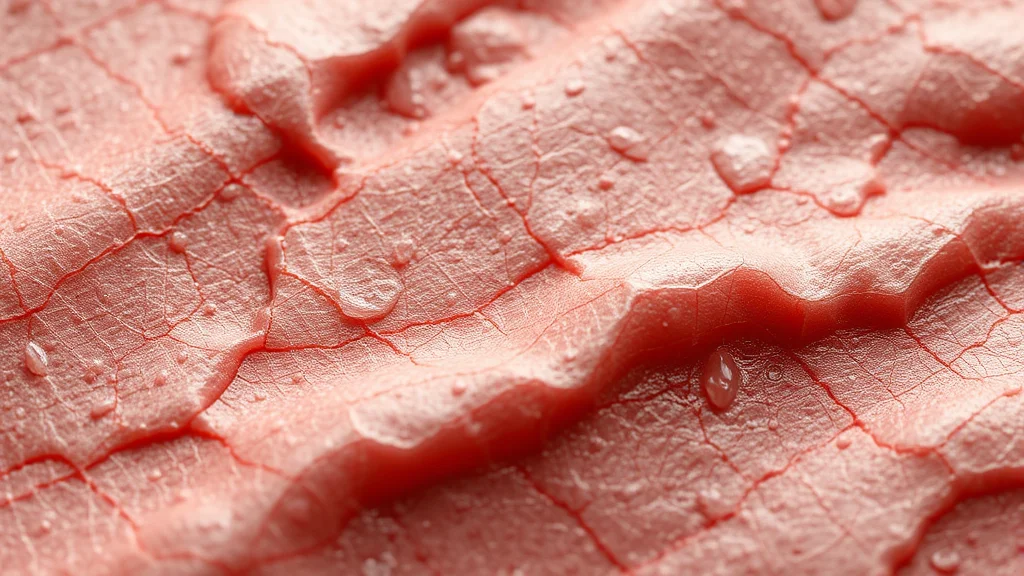
Skin is a translucent, oily, imperfect surface. Real skin scatters light beneath the surface (that soft glow on ears and noses), has visible pores, catches specular highlights on oily areas, and carries moles, freckles, and slight redness. When the model omits all of that, the brain screams “fake” even if it cannot say why.
Texture prompting works on three fronts:
- Surface microdetail: pores, fine lines, peach fuzz. This is the anti-plastic layer.
- Light behavior: subsurface scattering, specular sheen, matte versus glossy. This is how the skin sits in the scene.
- Character marks: freckles, moles, tan lines, blemishes. These sell it as a real person, not a rendered average.
Get the grammar right first. If your prompt structure is loose, texture tags fight the rest of the prompt for attention. The prompt formula guide covers ordering, and if you want to skip a local build entirely, a hosted NSFW generator like AI Nudez runs models tuned for realistic skin without you installing anything.
Copy-paste skin texture tag bank
Positive: surface microdetail
detailed skin, skin texture, visible pores, skin pores, fine skin detail, realistic skin, natural skin, peach fuzz, vellus hair, skin imperfections, textured skin, high frequency detail, micro detail
Positive: light behavior
subsurface scattering, soft subsurface scattering, specular highlights on skin, skin sheen, dewy skin, glistening skin, oily skin, sweat, sweaty skin, sweat droplets, beads of sweat, wet skin, matte skin, natural skin sheen
Positive: character marks
freckles, light freckles, freckled skin, moles, beauty mark, skin blemishes, tan lines, sun kissed skin, slight blush, flushed skin, goosebumps, stretch marks, body hair, natural body
Negative: kill the plastic look
plastic skin, airbrushed, smooth skin, poreless, waxy skin, doll skin, cgi skin, 3d render, rubber skin, overly smooth, flawless skin, mannequin, porcelain doll, oversaturated skin, blurry skin, beauty filter
A quick note on smooth skin: many people want it in the positive out of habit. In practice it fights every texture tag you added. Keep it in the negative unless you are deliberately going for a stylized look.
A second habit worth breaking is stacking every texture tag at once. Pores plus high frequency detail plus micro detail plus skin imperfections all at full strength tends to over-texture the skin into something rough and grainy, which is its own kind of fake. Pick two or three core tags, detailed skin texture, visible pores, and subsurface scattering, and let those carry the render. Add the more specific marks (freckles, sweat, goosebumps) only where the scene calls for them. Restraint reads as more realistic than a wall of texture tokens, because real skin is detailed but not uniformly busy across every square inch.
Reference grid: tag to effect to notes
| Goal | Positive tags | Negative tags | Notes |
|---|---|---|---|
| Kill airbrushed look | skin texture, visible pores |
airbrushed, poreless, smooth skin |
The core anti-plastic combo, use on every render |
| Real light on skin | subsurface scattering, specular highlights on skin |
flat lighting, cgi skin |
Pair with directional lighting for payoff |
| Heat and intimacy | sweaty skin, glistening skin, beads of sweat |
dry, matte skin |
Great for close, active NSFW scenes |
| A real person, not an average | freckles, moles, tan lines |
flawless skin |
Marks break the uncanny symmetry |
| Cold or aroused response | goosebumps, flushed skin |
plastic skin |
Subtle, reads as authentic reaction |
Full example prompts
Positive (realistic close-up):
photorealistic photo of an adult woman, upper body, (detailed skin texture:1.1), visible pores, subsurface scattering, specular highlights on skin, light freckles, a few moles, natural skin sheen, slight blush, soft window light, 85mm, shallow depth of field, high detail, film grain
Negative:
plastic skin, airbrushed, poreless, smooth skin, waxy skin, doll skin, cgi, 3d render, mannequin, beauty filter, oversaturated, blurry, deformed
For an intimate, high-heat scene lean into the sheen tags:
Positive:
photorealistic photo of an adult woman, (sweaty skin:1.15), glistening skin, beads of sweat on chest, detailed skin texture, visible pores, subsurface scattering, flushed skin, warm dim lighting, rim light, high detail
Negative:
plastic skin, airbrushed, dry skin, matte, poreless, cgi, doll, blurry
Realistic sweat and sheen only pay off with directional light, so read how to make realistic AI porn for the lighting and grain choices that sell it.
Common failure modes and the fix
The checkpoint bakes in plastic skin
Some popular NSFW checkpoints are so heavily trained on retouched images that no negative fully removes the wax. Fix: change checkpoint. Photoreal merges vary wildly on this, and the best Stable Diffusion checkpoints for NSFW roundup flags which ones render honest skin versus which stay glossy no matter what you type.
Texture appears everywhere except the face
The body has pores but the face is smooth, because face regions get extra smoothing at low res. Fix: run ADetailer on the face with a prompt that repeats your texture tags, so the face is re-rendered with pores and freckles at full resolution.
Skin texture becomes noise or grime
Push texture too hard and pores turn into dirt or scales. Fix: lower the weight, for example (detailed skin texture:1.05) instead of 1.3, and let hires fix and a detail pass carry the rest. More on non-destructive detail in how to add detail to NSFW AI images.
Negatives not strong enough
You added plastic skin but it is still waxy. Fix: stack the whole plastic block, not one tag, and consider a small negative weight bump. The full paste-ready block is in the negative prompt master list.
Freckles turn into blotches
Freckle tags smear into large patches. Fix: use light freckles or subtle freckles rather than freckled skin, and inpaint the face at low denoise if a patch forms.
Keeping skin consistent across a set
Skin is easy to keep consistent because it is mostly a fixed tag block plus a checkpoint choice. Three rules:
Freeze the checkpoint and the tag block. Use the same model and the exact same texture tags for every image in the set. Switching checkpoints mid set is the fastest way to get one plastic frame among realistic ones.
Keep marks positional. If your subject has a mole on the left cheek and a beauty mark near the collarbone, describe them the same way every time, or better, bake them into a character LoRA so they land in the same place. The methods are in character consistency techniques.
Match the sheen to the scene. A single shoot should keep one sheen level. Do not mix matte skin and glistening skin across frames unless the story moves from calm to active. For a full set pipeline see how to make a consistent NSFW AI photo set.
If you would rather not manage checkpoints and detail passes at all, the hosted route mentioned earlier handles the model side for you, which is a reasonable trade for speed.
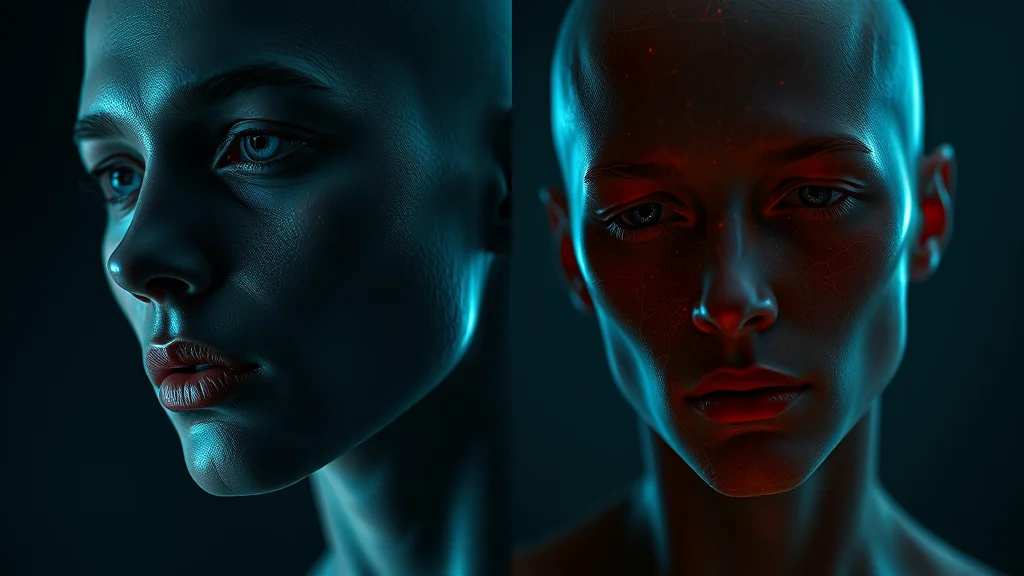
The checkpoint reality: some models cannot do real skin
This deserves its own section because it is the thing most people miss. You can type a perfect texture prompt and a perfect negative and still get plastic skin, because the checkpoint physically cannot render anything else. A model trained overwhelmingly on retouched, filtered, or 3D rendered images has learned that skin is smooth, and no amount of prompting fully overrides its learned prior. The tags nudge it, but the base distribution wins.
This is why checkpoint choice is a bigger lever than any single tag. Photoreal merges vary enormously: some are built specifically to preserve pores and subsurface scattering, others lean glossy and cinematic on purpose. Before you spend an hour fighting a model’s wax, test the same prompt on two or three checkpoints and keep the one that renders honest skin. The best Stable Diffusion checkpoints for NSFW roundup flags where each model sits on that spectrum, and if you want an uncensored model that still respects texture, the best uncensored AI image generators list is the place to compare.
A quick diagnostic: generate one image with only plastic skin, airbrushed, poreless in the negative and no positive texture tags at all. If the skin is still waxy, the checkpoint is the problem, not your prompt. If it improves, your positive tags are doing real work and you can build from there.
Subsurface scattering, the tag that sells realism
Of all the texture tags, subsurface scattering does the most invisible work. Real skin is slightly translucent, so light enters the surface, bounces around, and exits softened and warmed. It is why ears glow red against a bright window and why a nose lit from the side has a soft internal warmth rather than a hard edge. When a render lacks it, skin looks like painted plastic even with pores, because the light sits on top of the surface instead of sinking into it.
To get it, pair the tag with actual directional lighting, since scattering only shows where light grazes a thin area (ears, nostrils, fingers, the edge of a shoulder). A backlit or rim lit setup is where subsurface scattering pays off most dramatically. Add soft subsurface scattering for a subtle, natural look, or push it for a warmer, more glowing effect. This is the difference between skin that looks alive and skin that looks embalmed, and it is the core move behind how to make realistic AI porn.
Matte versus glossy: matching skin to the scene
Skin sheen is a storytelling choice, not just a realism setting. A calm, dry, indoor portrait wants matte skin or a subtle natural skin sheen, so the surface reads soft and powdery. An active, heated, intimate scene wants sweaty skin, glistening skin, and beads of sweat, so the surface catches hard specular highlights that signal exertion and closeness. Mixing these wrong is a common tell: a perfectly dry, matte subject in a scene that is supposed to be intense reads as staged, and a glistening subject in a calm portrait reads as greasy.
Control the amount with weighting. (glistening skin:1.15) reads as genuinely wet, while the same tag at 0.9 gives a light dewy sheen. Oil and sweat also interact with your color grade, so a warm grade makes sweat look golden and inviting while a cool grade makes it look clammy. Decide the mood first, then pick the sheen and grade to match, using the mood and atmosphere prompts bank to anchor the intent.
Character marks: freckles, moles, and tan lines
The fastest way to escape the uncanny valley is to break perfect symmetry with small, specific marks. Retouched stock imagery has trained models toward flawless, averaged faces and bodies, and averaged is exactly what reads as fake. A scatter of freckles, an off center mole, a set of tan lines, and a slight blush all say this is a real, specific person rather than a generated ideal.
Freckles are the highest impact mark. Use light freckles or subtle freckles for a natural dusting across the nose and cheeks, and reserve freckled skin for a heavier look, since the stronger tag tends to smear into patches at low resolution. Moles and beauty marks work best when you place them: a beauty mark near the lip or a mole on the collarbone gives the eye a specific anchor, and describing it by position keeps it consistent across a set. Tan lines (tan lines, sun kissed skin) are especially effective in NSFW work because they imply a body that exists outside the frame, with a swimsuit and a summer, which grounds the image in a real context. Goosebumps and flushed skin add a layer of physical response, reading as cold, arousal, or exertion depending on the scene. Use these marks in moderation, since piling on every imperfection at once tips from real into distracting. A couple of well chosen marks does more than a dozen.
A skin texture checklist for every render
To make honest skin a habit rather than a fight, run this short mental checklist. One, is the checkpoint capable, or is it a plastic model no prompt will save. Two, are the core anti-plastic tags present, skin texture and visible pores in positive, airbrushed and poreless in negative. Three, is there directional light so subsurface scattering and specular tags have something to work with. Four, does the sheen (matte skin versus glistening skin) match the scene’s energy. Five, are there at least one or two character marks to break symmetry. Six, has the face had a detail pass so it is not smoother than the body. Hit those six and the plastic look is gone. Skip any one and it tends to creep back. For the full quality stack that surrounds these steps, how to get better NSFW AI results puts the settings in context.
Where to go next
Skin is the base layer every other detail sits on. Build outward with hair prompts that frame the face, makeup prompts so the face reads intentional, tattoo prompts for ink that sits on the skin correctly, and color grading prompts to give the whole render a consistent, filmic skin tone.
Frequently asked questions
Why does my AI skin always look plastic or waxy?
Most NSFW checkpoints are trained heavily on retouched, airbrushed photos, so smooth is their default. Add positive tags like skin texture, visible pores, and subsurface scattering, and put plastic skin, airbrushed, and poreless in your negative. If it persists, the checkpoint itself is the problem and you should switch models.
Should I put smooth skin in the positive prompt?
No, put it in the negative. Smooth skin fights every texture tag you add and pushes the render back toward the airbrushed doll look. The only exception is a deliberately stylized or anime aesthetic where you actually want flat skin.
What tags add a realistic sweaty or wet sheen?
Use sweaty skin, glistening skin, beads of sweat, dewy skin, and specular highlights on skin. These only look right with directional lighting, so pair them with a rim or side light. Without real light direction, the sheen reads flat instead of wet.
Why does the body have skin texture but the face stays smooth?
Face regions get extra smoothing at typical resolutions, so pores survive on the body but vanish on the face. Run ADetailer on the face with your texture tags repeated in its prompt, which re-renders the face at full resolution with pores and freckles intact.
Can a hosted generator give realistic skin without a local setup?
Yes. A hosted NSFW generator runs models already tuned for realistic skin, so you skip installing checkpoints, samplers, and detail extensions. It trades some fine control for speed and convenience, which is a fair deal if you do not want to manage a local pipeline.
How do I add freckles and moles without them turning into blotches?
Use light freckles or subtle freckles rather than freckled skin, which tends to smear into patches. If a blotch still forms, inpaint the face at a low denoise to refine it, and describe moles by position so they stay consistent across a set.
Which is better for realistic skin, higher CFG or more texture tags?
More texture tags plus a strong negative block usually wins. Very high CFG can crisp up detail but also fries skin into noise and oversaturates it. Keep CFG moderate and let the tags and a detail pass do the work, as covered in the CFG and sampler settings guide.
Why do my texture tags turn skin into dirt or noise?
You are weighting them too hard. A tag like detailed skin texture at 1.3 can convert pores into grime or scales. Drop it to around 1.05 to 1.1 and let hires fix and a detail pass carry the fine detail instead of brute-forcing it in the base render.
Related photo how-tos:
Fix more NSFW AI image problems: