Hair prompts tell the model three things: the color, the length and cut, and the physical state of the strands. Nail those and you control silhouette, mood, and realism in a single line. This bank gives copy-paste tags for color, texture, style, and wet or messy states, plus the negatives that kill frizz, halos, and color bleed.
Hair is one of the highest-leverage details in any NSFW render. It frames the face, sets the era and vibe, and reads instantly as “styled” or “AI slop.” Yet most people type “long hair” and move on, then wonder why every image looks the same. This guide breaks hair into the four levers the model actually responds to, gives you a ready tag bank, and shows how to lock the same hair across a full set.
What hair prompts control and why they matter
A checkpoint does not see “beautiful hair.” It sees tokens it was trained on, mostly Danbooru style tags and photographic captions. So you get the best results when you speak its language: discrete, stackable tags for color, length, texture, style, and state. Each lever moves a different part of the image.
- Color sets palette and how the hair interacts with your lighting. A platinum blonde backlit at dusk behaves nothing like jet black under hard flash.
- Length and cut define the silhouette and how much of the body the hair covers or reveals.
- Texture (straight, wavy, curly, coily) is what separates a flat 2D look from something that catches light.
- State (wet, messy, windblown, sweaty) is where NSFW work lives, because it signals motion, heat, and intimacy.
Stack one tag from each lever and you already have a specific, non-generic head of hair. For the grammar of stacking and weighting these, see the NSFW AI prompt formula and the deeper prompt weighting guide.
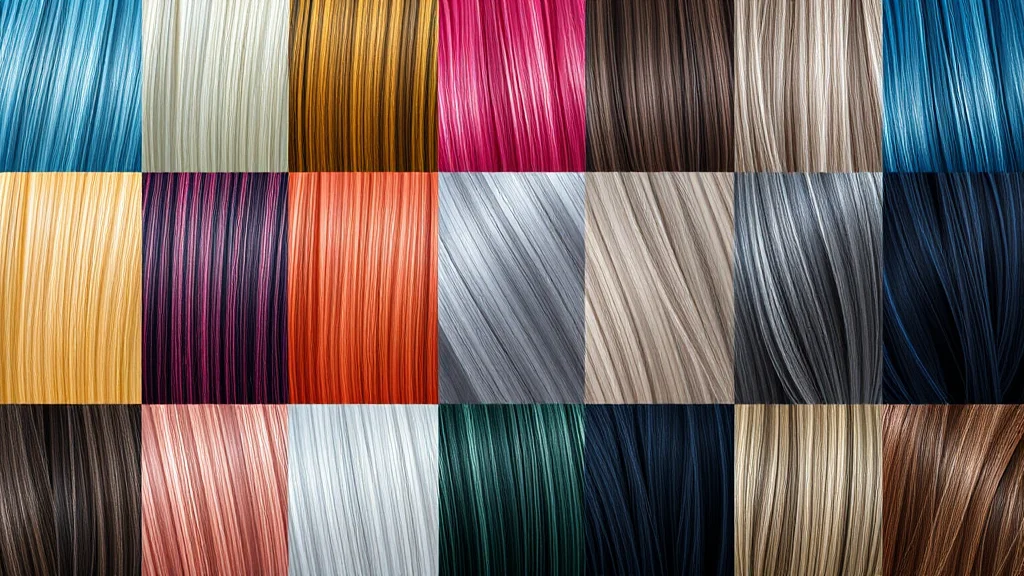
Copy-paste hair tag bank
Grab what you need and drop it into your positive prompt. These are ordered so you can read left to right as color, then length, then texture, then style, then state.
Color: natural
black hair, dark brown hair, brown hair, light brown hair, blonde hair, platinum blonde hair, dirty blonde hair, strawberry blonde hair, auburn hair, red hair, ginger hair, grey hair, silver hair, salt and pepper hair
Color: dyed and fashion
pastel pink hair, hot pink hair, lavender hair, pastel purple hair, teal hair, mint green hair, electric blue hair, burgundy hair, rose gold hair, bleached blonde hair, two tone hair, split dye hair, dark roots, ombre hair, balayage
Color: fantasy
white hair, snow white hair, rainbow hair, gradient hair, iridescent hair, galaxy hair, color changing hair, glowing hair strands
Length
buzz cut, pixie cut, short hair, bob cut, shoulder length hair, medium hair, long hair, very long hair, waist length hair, floor length hair
Texture
straight hair, sleek straight hair, wavy hair, beach waves, loose curls, tight curls, curly hair, coily hair, afro, kinky hair, voluminous hair, fine hair, thick hair
Style and cut
bangs, blunt bangs, curtain bangs, side swept bangs, hime cut, high ponytail, low ponytail, side ponytail, pigtails, space buns, messy bun, top knot, french braid, fishtail braid, braided crown, dutch braids, half up half down, slicked back hair, undercut, hair over one eye
State (the NSFW workhorses)
wet hair, dripping wet hair, damp hair, messy hair, bedhead, tousled hair, disheveled hair, windblown hair, hair blowing in the wind, sweaty hair, hair stuck to face, post sex hair, hair fanned out on pillow, strands of hair on face
Physically based quality tags
glossy hair, shiny hair, silky hair, soft hair, detailed hair, individual strands, flyaway strands, backlit hair, rim lit hair, hair highlights, subsurface scattering on hair
Reference grid: tag to effect to best checkpoint
| Tag family | Example tags | What it does | Works best on |
|---|---|---|---|
| Natural color | auburn hair, platinum blonde hair |
Grounds the image, reads photoreal | Any realistic SDXL or Pony merge |
| Fashion color | pastel pink hair, split dye hair |
Stylized, editorial, cosplay energy | Illustrious, Pony, anime checkpoints |
| Texture | beach waves, coily hair |
Adds volume and light catch | Photoreal SDXL with hires fix |
| Braids and updos | fishtail braid, messy bun |
Defined silhouette, less face cover | Illustrious handles braids cleanest |
| Wet or messy state | dripping wet hair, bedhead |
Signals heat, motion, intimacy | Realistic merges, boost with weighting |
| Quality tags | glossy hair, backlit hair |
Real specular highlights | Any model plus good lighting |
Full example prompts
Here is a complete photoreal positive prompt. Read how each hair lever stacks with the rest of the scene.
Positive (realistic SDXL or Pony merge):
photorealistic portrait of an adult woman, (auburn hair:1.1), long wavy hair, beach waves, glossy hair, individual strands, backlit hair, rim lighting, damp hair strands on cheek, freckles, soft skin, sitting on bed, warm window light, shallow depth of field, 85mm, high detail
Negative:
frizzy hair, haloed hair, flyaway artifacts, hair fused to background, color bleeding onto skin, extra strands, blurry hair, plastic hair, doll hair, low detail, deformed
For an anime or Illustrious render, swap the quality tokens and lean on style tags:
Positive (Illustrious or Pony anime):
1girl, adult, (silver hair:1.15), long hair, hime cut, straight hair, glossy hair, hair over one eye, wind, hair blowing in the wind, detailed hair, masterpiece, best quality
Negative:
frizzy hair, messy lineart, hair merging with background, color bleed, extra bangs, blurry, low quality
If you are new to base Illustrious behavior, the how to use Illustrious models guide covers which quality tags actually fire on those checkpoints.
Common failure modes and the fix
Hair breaks in predictable ways. Here is each failure and the fastest fix.
Frizzy or haloed hair
The model surrounds the head with a fuzzy glow, especially at low resolution. Fix: enable hires fix at 1.5x to 2x with a denoise around 0.35 to 0.45, and add frizzy hair, haloed hair, flyaway artifacts to the negative. High res gives the sampler enough pixels to resolve clean strand edges.
Hair fused to the background
Dark hair melts into a dark background so the head loses its outline. Fix: add rim or backlight tags like backlit hair, rim lit hair, and separate the subject with a different background value. A little depth of field or bokeh background also pushes the hair forward.
Color bleeding onto skin
Pink or blue hair tints the forehead and shoulders. Fix: lower the color weight, for example (pastel pink hair:0.9), and add color bleeding onto skin to the negative. If it persists, inpaint the hairline region only. The negative prompt master list has a full color-bleed block you can paste.
Flyaway artifacts and stray strands
Random single strands float across the face like scratches. Fix: run ADetailer on the face so face-adjacent strands get re-rendered at high resolution, and add strands of hair on face to the positive only when you want them, otherwise negative them out.
Flat, lifeless hair
The hair reads as a solid painted mass. Fix: add texture and specular tags (glossy hair, individual strands, subsurface scattering on hair) and improve your lighting. Detail-boosting passes described in how to add detail to NSFW AI images recover strand definition without changing the composition.
Keeping hair consistent across a set
Consistency is where sets fall apart, because the same seed with a new pose still reshuffles fine detail. Three tactics, from cheapest to strongest.
Fix the tag block. Copy the exact same hair tags in the exact same order in every prompt of the set. If image one says (auburn hair:1.1), long wavy hair, beach waves, curtain bangs, image twelve says the same. The order matters because token position shifts attention.
Lock a character. Use a character LoRA or a textual embedding trained on your subject, and the hair color plus cut travels with it. This is the reliable route for a named recurring model. The full toolbox lives in character consistency techniques.
Inpaint the outliers. When one frame drifts to the wrong shade or a braid unravels, do not re-roll the whole image. Mask the hair and inpaint with the fixed tag block at a moderate denoise. For a start to finish set workflow, follow how to make a consistent NSFW AI photo set.
One more note on state: if your set is meant to be a single session (same shoot, same day), keep the state tag constant too. Do not mix sleek straight hair in one frame and dripping wet hair in the next unless the story calls for it, or the set reads as two different shoots.
How hair interacts with lighting
Hair is a specular surface, which means it does almost nothing without light to catch. The single biggest upgrade to any hair render is not a better hair tag, it is a better light. A flat, evenly lit portrait gives you a solid colored blob no matter how many quality tags you stack. Add one directional source and the same tags suddenly resolve into glossy strands with real highlights.
Three lighting moves pay off the most for hair. A backlight or rim light (backlit hair, rim lit hair) separates the head from the background and lights the flyaway strands into a soft halo that reads as premium rather than frizzy. A hard side light rakes across the surface and reveals the wave and curl pattern, which is why beach waves looks flat under softbox lighting but three dimensional under a window. A warm key light plus the tag hair highlights produces the catchlight strip that photographers chase. Pair this section with the dedicated lighting prompts bank and treat hair and light as one decision, not two.
Color also depends on light temperature. Platinum and silver hair pick up whatever color you throw at them, so a warm scene tints them gold and a cool scene tints them blue. If you want a neutral silver, keep the lighting neutral. Dark hair, by contrast, only shows its shape through the highlights, so dark hair in a dark, low key scene needs a rim light or it vanishes entirely.
Checkpoint behavior: realistic versus anime
Hair renders very differently across model families, and knowing which one you are on saves a lot of confused retries.
On photoreal SDXL and Pony merges, hair responds to physical description: texture tags, strand tags, and lighting all matter, and quality comes mostly from resolution and a detail pass. These models can produce genuinely photographic hair but default to slightly frizzy edges at base resolution, so hires fix is close to mandatory.
On Illustrious and anime checkpoints, hair is more graphic. Style tags like hime cut, twin drills, ahoge, and hair over one eye fire cleanly because they are core Danbooru vocabulary, and the model draws crisp hair shapes with clean edges. The tradeoff is that photoreal strand detail matters less, and pushing too many realism tags can muddy the clean lineart. If you are working on these models, the how to use Illustrious models guide explains which quality tags help and which just add noise.
The practical rule: match your tag style to your checkpoint. Realism tags on an anime model waste tokens, and heavy Danbooru style tags on a photoreal model can confuse it. Pick a lane per image.
Sampler and resolution settings for clean hair
Hair is the detail most sensitive to your generation settings, so a few defaults are worth committing to memory. Generate at a resolution your model was trained for, then hires fix to 1.5x or 2x with a denoise between 0.35 and 0.45. Too low and the frizz survives, too high and the sampler reinvents the whole hairstyle and breaks consistency. For samplers, DPM++ 2M Karras and similar converging samplers give cleaner strand edges than the stochastic ancestral samplers, which tend to add a little extra fuzz on every step. The full breakdown of these tradeoffs lives in the CFG and sampler settings guide, which is worth reading once and then applying on autopilot.
Do not chase hair detail with CFG. A very high CFG crisps some strands but also oversaturates color and hardens the frizz into visible artifacts. Keep CFG moderate and let resolution plus a detail pass carry the fine strand work, exactly as covered in how to add detail to NSFW AI images.
Combining hair tags without conflict
Stacking works, but some combinations fight. A tight updo tag and a windblown tag contradict each other, since a bun cannot blow in the wind, and the model resolves the conflict by picking one or producing a mess. Keep your stack internally consistent: pick one length, one texture, one style, and at most one state. If you want a specific complex look, describe it as one coherent idea (messy bun with loose strands framing the face) rather than three competing tags.
Weighting resolves priority when tags compete. If your color keeps losing to the checkpoint’s default, bump it, for example (auburn hair:1.15). If a fashion color is bleeding, drop it slightly. Learning this dial is the single most useful skill for hair, and the prompt weighting guide covers exactly how far to push before things break. For general result quality across all of these levers, how to get better NSFW AI results ties the settings together.
Quick starting recipes
If you want fast, reliable results, here are four combinations that render cleanly on most models. Use them as a base and swap one lever at a time.
For a classic soft look: long wavy hair, beach waves, dark brown hair, glossy hair, curtain bangs, backlit hair. For an edgy fashion look: platinum blonde hair, bob cut, blunt bangs, sleek straight hair, glossy hair. For an intimate bedroom scene: messy hair, bedhead, tousled hair, long hair, strands of hair on face, soft morning light. For a bold color statement: (pastel pink hair:1.0), long hair, loose curls, dark roots, shiny hair. Each of these is deliberately internally consistent, one length, one texture, one state, so nothing fights, and each gives the sampler a clear target rather than a contradictory pile of tags. Once a recipe works, save the exact string so you can reuse it as the fixed hair block across a whole set.
Where to go next
Hair is one channel in the whole look. Pair it with these siblings to build a complete character sheet: skin texture prompts for realistic pores and sheen, makeup prompts to match the face to the hair era, lighting prompts to make glossy and backlit hair actually fire, and the mood and atmosphere prompts to tie the whole frame together.
Frequently asked questions
Why does my AI hair always look frizzy or haloed?
Frizz and halos are almost always a resolution problem. At low base resolution the sampler cannot resolve clean strand edges, so it fuzzes them. Turn on hires fix at 1.5x to 2x with a denoise around 0.4, and add frizzy hair and haloed hair to your negative prompt.
How do I stop dyed hair color from bleeding onto the skin?
Lower the weight on the color tag, for example change pastel pink hair to a 0.9 weight. Also add color bleeding onto skin to your negative prompt. If a stubborn tint remains on the forehead, mask just the hairline and inpaint it clean.
What is the difference between wavy, curly, and coily hair tags?
Wavy hair gives loose S shaped bends and beach waves. Curly hair gives defined spiral curls with more volume. Coily hair and afro give tight, springy texture. Pick the one that matches the look you want, since the model treats them as distinct token families.
How do I keep the exact same hair across a photo set?
Copy the same hair tags in the same order in every prompt, then lock the character with a LoRA or embedding so color and cut travel with the subject. When a single frame drifts, inpaint just the hair rather than re-rolling the whole image.
Which checkpoints handle braids and updos best?
Illustrious and strong Pony merges tend to render braids and updos cleanest because those tags are well represented in their training data. Photoreal SDXL merges can do it too, but you often need a hires pass to keep the braid pattern from smearing.
Should I put quality tags like glossy hair in the positive or negative?
Quality tags like glossy hair, shiny hair, and individual strands go in the positive prompt to add specular highlights and strand definition. The negative prompt is for what you want removed, such as frizzy hair, plastic hair, and flyaway artifacts.
Why does dark hair disappear into a dark background?
With no separation, dark hair and a dark background share the same value and merge. Add rim or backlight tags like backlit hair or rim lit hair, or lighten the background, and a shallow depth of field with bokeh will push the hair forward so it keeps its outline.
Can I get realistic wet hair without it looking like a helmet?
Yes. Use damp hair or dripping wet hair rather than only wet hair, keep some individual strands and flyaways so it is not a solid mass, and add subsurface scattering on hair plus good side lighting so the wet strands catch specular highlights instead of reading as one glossy block.