To make believable shower NSFW AI scenes, build a modern glass stall: glass door, tiled walls, running water, drifting steam, and droplets on skin and glass. Light it with soft backlight through the mist, place your adult subject under the stream with water tracking down the body, then fix plastic droplets, foggy mush, and floating water.
Why the shower is deceptively hard
A shower scene is one of the most requested NSFW setups because the combination of wet skin, steam, and glass is inherently intimate. It is also a technical minefield, because almost every element is a transparency or a fine detail that diffusion models struggle to render honestly. Running water has to move and catch light. Steam has to drift and diffuse without turning the whole frame into gray soup. Glass has to be transparent yet visible, fogged in patches, and reflect a little. Droplets on skin and glass have to read as real beads, not plastic dots stuck on the surface.
Get any one of those wrong and the scene collapses. Too much steam and the subject disappears into fog. Too little and the shower looks dry. Water that hangs in the air without falling looks like glue. Droplets that are all identical read as a texture stamp. The trick is to build each transparent element deliberately and to keep the steam under control so it enhances the mood rather than eating the image.
The distinction to hold onto, especially if you also make bathroom scenes, is that a shower is defined by running water, steam, and glass. It is not the tub-and-sink room. The whole story is motion and moisture: the stream falling, the mist rising, the water tracking down the body. Lean into that motion and the scene comes alive. For the broader environment vocabulary, our setting prompts reference is the companion piece, and the mood and atmosphere prompts help set the intimate tone.
The shower prop and effect tags
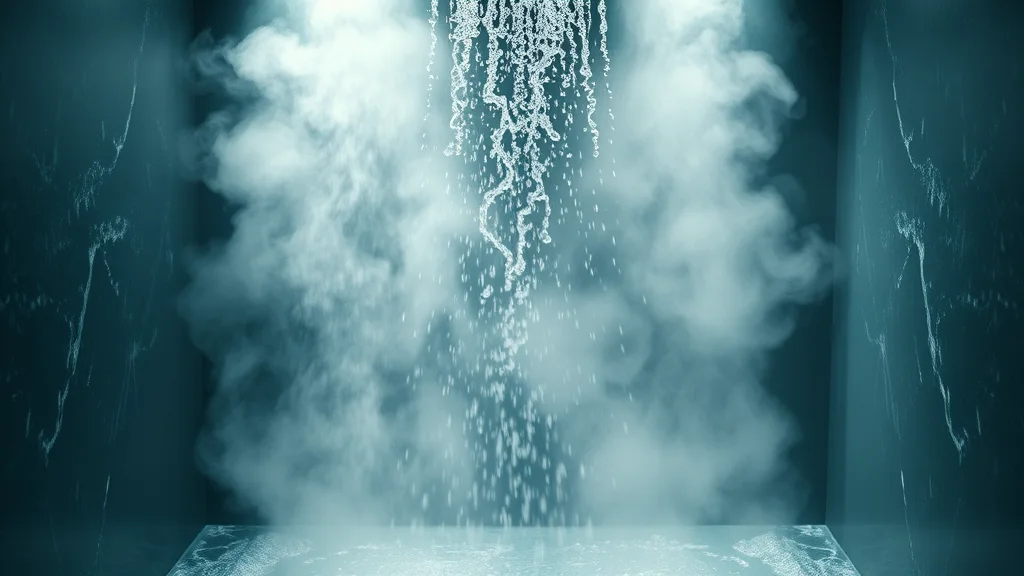
A shower scene is built from an enclosure plus a set of water effects. Describe both with care, because the effects are where the realism lives. The table below groups the elements.
| Element | Prompt tags that work | Why it helps |
|---|---|---|
| The enclosure | glass shower door, walk-in glass shower, tiled shower wall, subway tiles, marble tile, chrome fixtures, rainfall showerhead | Sets the modern stall and gives the scene structure |
| Running water | falling water stream, water from showerhead, cascading water, water spray, motion-blurred water | The core action; motion blur stops water looking frozen |
| Steam and mist | soft steam, drifting mist, warm humid air, foggy glass, condensation | Adds atmosphere and softens the frame without erasing it |
| Droplets | water droplets on skin, beads of water, droplets running down glass, wet glistening skin | The close-detail realism that sells the wetness |
| Light and reflection | soft backlight through steam, glowing mist, subtle reflection on wet tile, rim light on wet skin | Turns the mist into mood and separates the subject |
Front-load the subject and the running water, then the glass and tile, then the steam and droplets. That order tells the model the subject and the stream must be crisp while the steam can stay soft. Keep the enclosure descriptors specific: “subway tiles” or “marble tile” build a cleaner wall than “shower wall.”
Be deliberate about steam quantity. “Soft steam, light mist” gives atmosphere; “heavy dense steam, thick fog” buries the subject. Start light and add more only if the frame needs it. You can always inpaint a little extra steam into a corner, but you cannot easily recover a subject that the fog has swallowed.
How to light a shower
Shower lighting is at its best when it is soft and backlit through the mist. A light source behind or above the subject, filtered through steam, creates a glowing halo and a rim of light along wet shoulders and hips that reads as genuinely cinematic. Prompt “soft backlight through steam, glowing mist, rim light on wet skin, diffused overhead light, moody warm light.”
Backlighting does double duty in a shower: it lights the steam so the mist itself glows, and it catches the falling water so the stream sparkles instead of vanishing. Our backlit photo guide goes deep on getting that rim to read, and the low key photo guide is worth reading if you want a darker, moodier shower with light pooling on wet skin against shadow. The full lighting prompts list covers the vocabulary.
Avoid flat, even, bright lighting in a shower. It kills the steam glow, flattens the wet skin, and makes the stall look like a hardware showroom. A single soft directional source, warm and filtered, is what turns a shower from clinical to intimate. Name the direction so shadows and the rim light agree.
Staging, subject placement, and depth
Depth in a tight shower stall comes from the layering of glass, subject, and tile. Put a fogged or droplet-covered glass pane in the near foreground, the adult subject in the mid-plane under the stream, and the tiled wall behind. Shooting slightly through the glass, with droplets running down it, creates a strong sense of intimacy and voyeuristic depth while conveniently softening the frame.
Water interaction is the heart of the staging. Prompt “standing under the shower stream, water running down body, wet hair, water tracking over skin, droplets on shoulders.” That tracking water, following the contours of the body, is what integrates the subject with the scene. A dry-looking subject standing in a running shower is the fastest tell of a fake. Keep the wetness consistent everywhere the water would reach.
Use shallow depth of field so the subject stays sharp while the tile and far corner of the stall soften into steam: “subject in sharp focus, background tile softly blurred, steam bokeh.” For flattering framing of a standing pose, the camera angle prompts guide helps, and for tasteful interaction language the scene action prompts list applies. To build a consistent series in the same stall, follow the consistent photo set method, and for the whole realism foundation, the realistic AI porn walkthrough ties it together.
A full copy-paste example prompt
Here is a complete shower prompt for an SDXL or Pony based checkpoint. Swap the bracketed subject for your own original adult character.
Positive:
(masterpiece, best quality, photorealistic, 8k, raw photo),
beautiful adult woman [your character description, age 20s],
standing under a rainfall showerhead in a modern glass shower,
water running down body, wet hair, water tracking over skin,
falling water stream, motion-blurred water spray,
water droplets on skin, beads of water, wet glistening skin,
clear glass shower door with droplets running down, marble tile wall,
chrome fixtures, soft drifting steam, warm humid air,
soft backlight through steam, glowing mist, rim light on wet skin,
moody warm light, subtle reflection on wet tile,
shallow depth of field, subject in sharp focus, tile softly blurred,
detailed skin texture, natural wet skin, subsurface scattering,
shot on 50mm lens, cinematic color grade

Negative:
(worst quality, low quality, jpeg artifacts), plastic water droplets,
identical stamped droplets, frozen water, floating water,
water hanging in air, dense gray fog, foggy mush, invisible subject,
dry skin in shower, extra limbs, deformed hands, mutated fingers,
plastic skin, oversaturated, cartoon, warped tiles, watermark, text
To keep wet skin from turning plastic under the mist, layer in the skin texture tags, and to warm or cool the overall feel, the color grading prompts shift the mood without touching the composition. If your first passes never dial in the water, a hosted no-install generator like AI Nudez handles the model, sampler, and upscale in a browser, which is handy when you want a fast realistic wet-skin result without local setup.
Sampler, CFG, and checkpoint notes
Water, steam, and droplets all need enough sampler steps to resolve, so run higher than usual. Use DPM++ 2M Karras or DPM++ 3M SDE Karras at 32 to 38 steps. The fine droplet detail and the motion of the water stream fall apart at low step counts.
Keep CFG around 4.5 to 6.5. Too high and the wet highlights clip to harsh white and the steam turns crunchy; too low and the droplets lose definition. A strong realism checkpoint keeps wet skin and glass honest. EpicRealism and RealVisXL both render wet skin and reflective surfaces convincingly, and Lustify SDXL is a strong NSFW-tuned option. The full checkpoint roundup and CFG and sampler reference compare them.
Generate at a portrait aspect (832×1216) for a standing subject, then upscale. The upscale pass is where the individual droplets, the steam gradient, and the water stream gain their final crispness, so it is non-negotiable here. Follow the upscaling guide at about 0.3 denoise so the upscaler sharpens the water without erasing your steam. If the base pass is soft, the get better results checklist usually fixes it before a reroll.
Where it breaks and how to fix it
Shower scenes fail in four signature ways, each with a clean fix.
Plastic or stamped droplets are the most common. Every water bead looks identical and glued to the surface. The fix is to mask the affected skin or glass and inpaint at low denoise with “varied natural water droplets, beads of different sizes, water running down.” Real droplets vary in size and trail down; add “identical stamped droplets” to the negative. The inpainting guide covers the masking.
Foggy mush is the second: too much steam has swallowed the subject into gray soup. Fix by masking the subject and regenerating with less steam, or by reducing steam tags in the base prompt. Steam should frame the subject, not erase them.
Floating or frozen water is the third tell. The stream hangs in the air like glue, or the spray looks frozen mid-fall. Prompt “falling water, motion-blurred water stream, water in motion” and inpaint the stream so it clearly descends and connects from showerhead to body. Water should always read as moving downward.
Dry-looking subject rounds out the list: the body is not visibly wet despite the running water. Prompt for wet skin and tracking water everywhere the stream reaches, and inpaint glistening wetness onto any dry patches. For overall softness use the blurry image fix, for weak detail run the add detail pass, and for hand or foot slips, mask and regenerate just that region rather than rerolling.
Building a matched shower series
A single shower frame is intimate, but a matched set in the same stall reads like a real sequence rather than one lucky generation. The challenge is that steam and water change constantly, so you have to hold the stall fixed while letting the water and pose vary. Lock the enclosure description word for word (same glass door, same marble tile, same rainfall showerhead, same backlight direction) and reuse it across every frame. Only the pose, the water tracking, and the steam density should change.
Use image to image from your strongest frame to hold the stall while you change the pose. The img2img workflow feeds the model your established shower and only nudges the subject, keeping the tile and glass stable. Pair it with the character consistency techniques so the face and body hold across frames, even under wet hair and steam, which tend to pull consistency around more than a dry scene does.
Vary the steam and the framing across the set for rhythm. One frame can be heavier on mist for a soft, dreamy read; another can clear the steam and push the droplets sharp for a crisp, detailed read. Alternate a wider frame that shows the whole glass stall with tighter frames shot through the fogged glass for intimacy and depth. That mix gives the set the feel of a real sequence rather than five near-identical stills. Because wet skin and steam are exactly where softness creeps in, run every frame through the add detail pass and finish weak frames in the photo editing workflow, where a plastic droplet patch or a mushy steam corner gets its final cleanup. A single unified warm color grade across the set ties it together so every frame reads as the same steamy, intimate session.
Shooting through the glass for depth
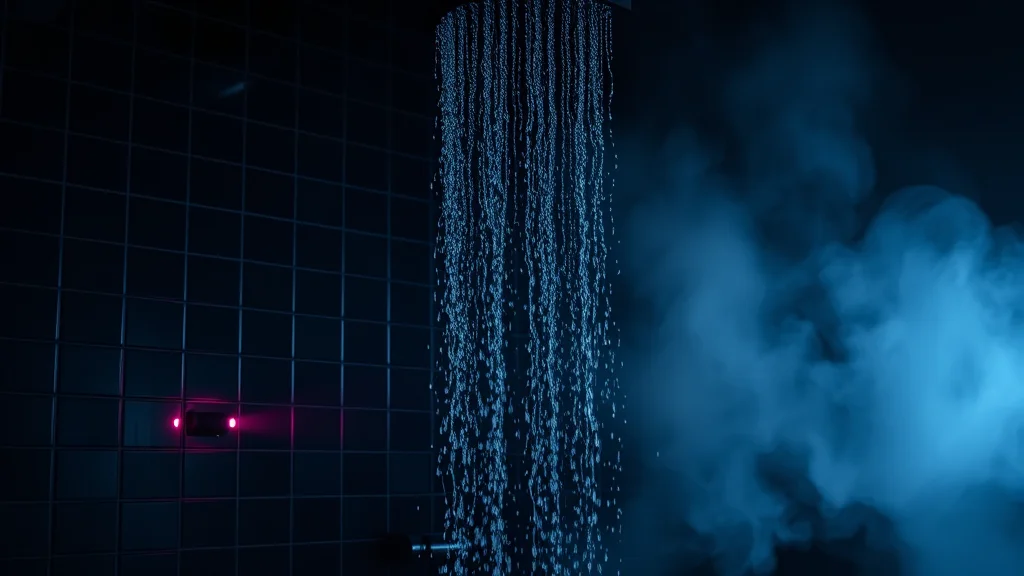
One technique elevates a shower scene above the standard straight-on shot: framing the subject through the glass door or panel. When you shoot slightly through a fogged or droplet-covered pane, you add a foreground layer that the eye reads as real depth, and the condensation on that near glass conveniently softens the frame in a way that feels photographic rather than blurry. Prompt shot through wet glass shower door, condensation on foreground glass, droplets running down the pane, subject beyond the glass to build that layered look.
This does two useful things at once. It creates an intimate, almost candid feeling, as if the viewer is glimpsing the scene, and it hides the model’s weaker background rendering behind a natural veil of fog and droplets. The trick is to keep the subject readable through the glass rather than fully obscured. Aim for a clear patch or a wiped streak where the body shows sharply, surrounded by fogged glass everywhere else. Prompt clear wiped streak on foggy glass, subject sharp through the gap for that effect. If the whole pane fogs solid, mask the area over the subject and inpaint it clearer at low denoise so the figure reads while the rest of the glass stays misted. For framing choices that make this layered look sing, the camera angle prompts guide and the DSLR realism guide both help push the shot toward a believable through-the-glass photograph.
Conclusion
A convincing shower NSFW scene is an exercise in rendering transparency and motion. Build a clean glass stall, name your running water and your droplets specifically, and keep the steam light enough to frame the subject rather than bury them. Light it soft and backlit through the mist so the steam glows and the stream sparkles, place your adult subject under the stream with water visibly tracking down the body, and keep the wetness consistent everywhere. Then fix the four usual failures: plastic droplets, foggy mush, floating water, and dry skin. Push the step count higher than usual, pair a realism checkpoint with a proper upscale, and your shower reads as an intimate photograph full of real water and light rather than a foggy render.
Frequently asked questions
How is a shower scene different from a bathroom scene in AI prompts?
A shower is defined by running water, steam, and glass: the stream falling, the mist rising, water tracking down the body. A bathroom scene centers on the tub and sink room. Prompt a shower for motion and moisture, not for the wider fixtures of the bathroom.
Why do my water droplets look like plastic dots?
The model stamps identical beads glued to the surface. Mask the skin or glass and inpaint with varied natural water droplets, beads of different sizes, water running down, and add identical stamped droplets to the negative. Real droplets vary in size and trail downward.
How much steam should I prompt for?
Start light with soft steam, drifting mist. Heavy dense steam buries the subject into gray mush. You can always inpaint a little extra steam into a corner, but recovering a subject the fog has swallowed is much harder, so err on the side of less.
What lighting works best for a shower scene?
Soft backlight through the steam. A source behind or above the subject, filtered through mist, makes the steam glow and the falling water sparkle while throwing a rim light along wet skin. Avoid flat even bright light, which flattens the wet skin and kills the mood.
Why does my water look frozen or like it floats in the air?
The stream reads as glue because it has no motion cue. Prompt falling water, motion-blurred water stream, water in motion, and inpaint the stream so it clearly descends and connects from showerhead to body. Water must always read as moving downward.
How do I make the subject look genuinely wet?
Prompt wet hair, water tracking over skin, wet glistening skin, droplets on shoulders, and keep the wetness consistent everywhere the stream would reach. A dry-looking subject in a running shower is the fastest tell of a fake; inpaint glistening wetness onto any dry patches.
Which checkpoint and settings suit shower scenes?
EpicRealism, RealVisXL, and Lustify SDXL all render wet skin and reflective glass well. Use DPM++ 2M Karras or 3M SDE Karras at 32 to 38 steps (higher than usual for the fine water detail), CFG 4.5 to 6.5, a portrait aspect, and a proper upscale.
Can I make shower scenes without installing Stable Diffusion?
Yes. A hosted browser generator like AI Nudez runs the model, sampler, and upscale for you, which is useful for a fast realistic wet-skin result without managing local checkpoints. Local setups offer more control over steam and droplets, but a hosted option is quicker.